4 LoRa Frequency Band and Channel Configuration
4.1 Configuring LoRa Gateway Frequency Band and Channels
The IMX93-GW8016 supports the following LoRaWAN bands based on hardware version:
- 470 Hardware: Fixed CN470
- 868 hardware: Can switch to EU868, RU864, IN865
- 915 hardware: Can switch to US915, AU915, AS923-1, AS923-2, AS923-3, AS923-4, KR920
Steps:
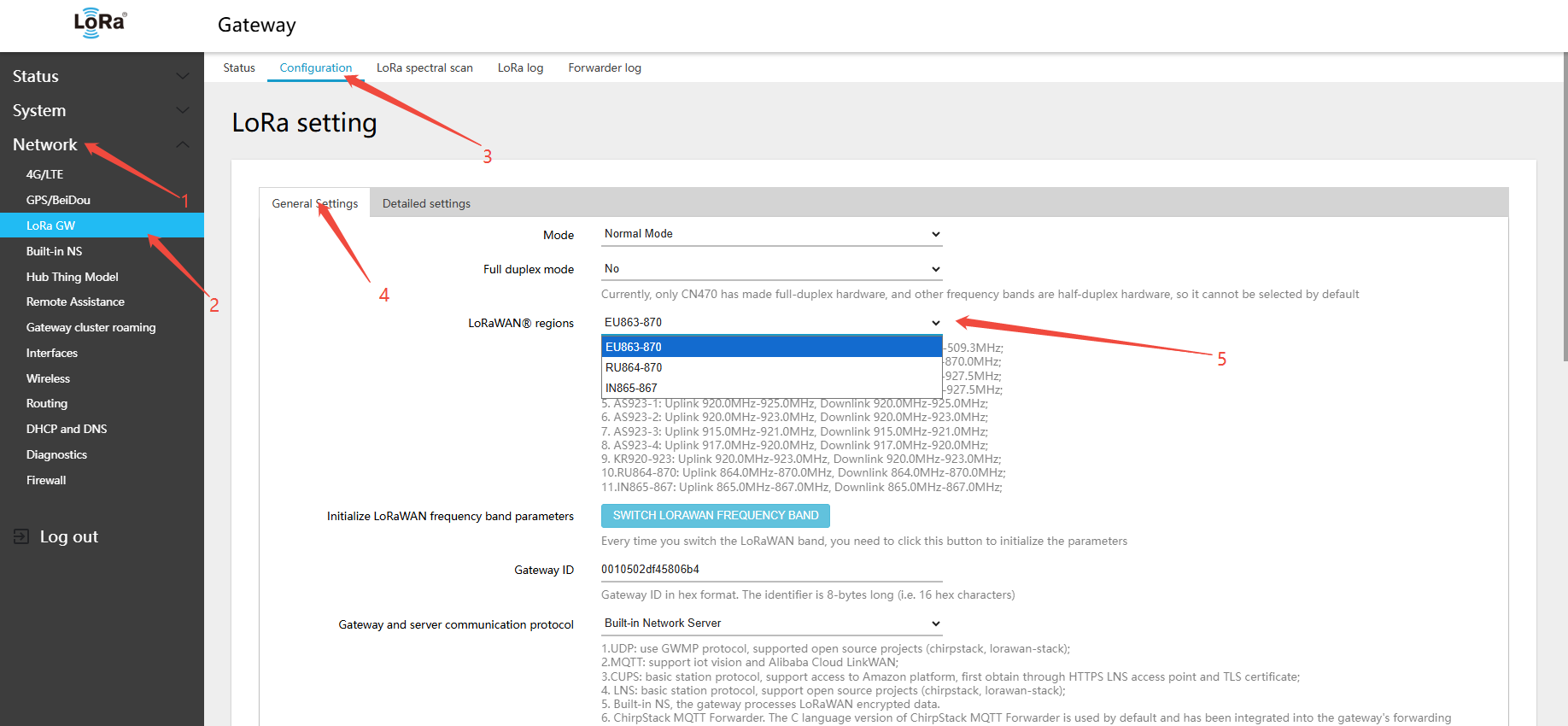
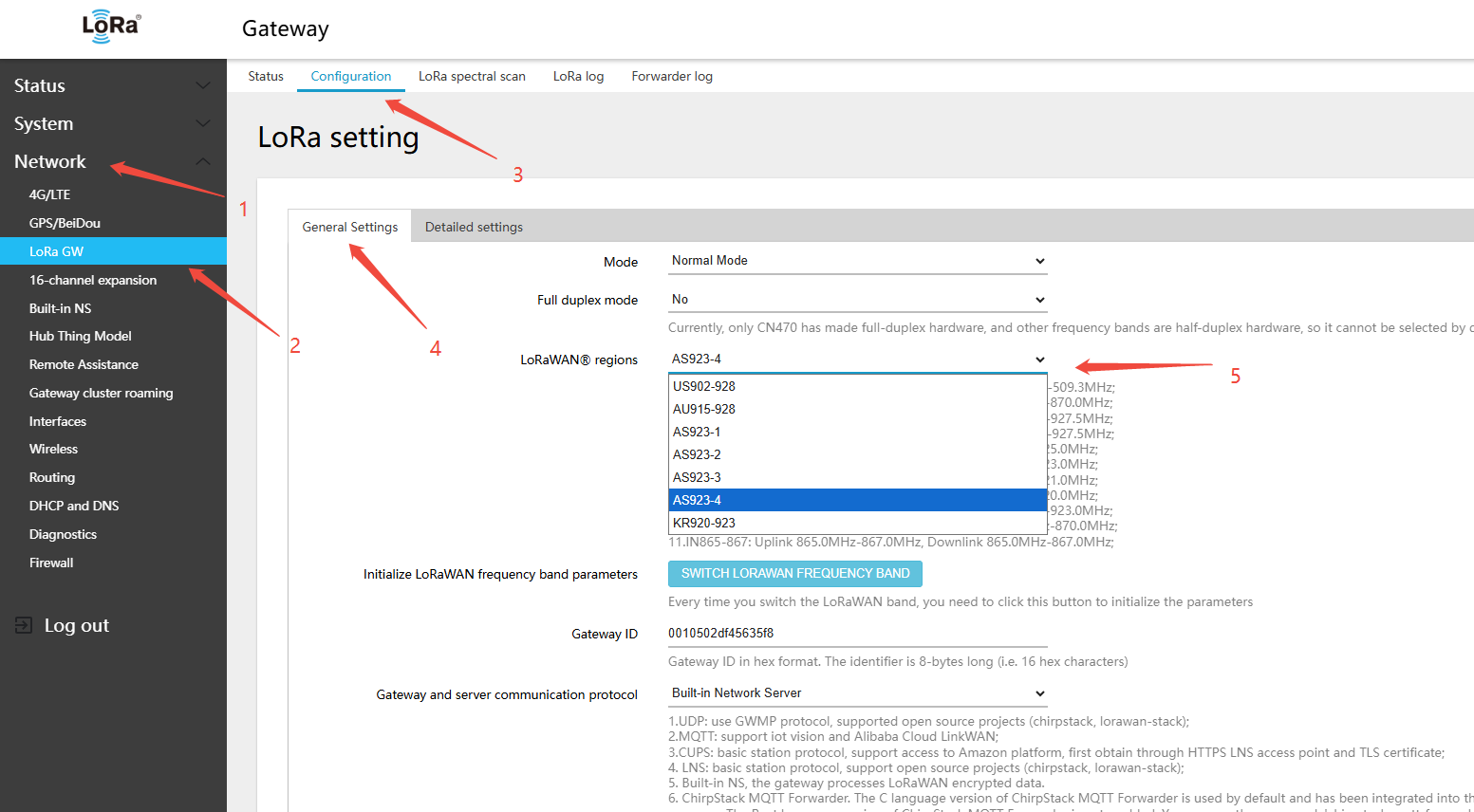
- Log in to the gateway Web interface and navigate to Network → LoRa GW(LoRa gateway) → Configuration(configuration)
- In the General Settings tab, find the LoRaWAN regions drop-down selector
- Select the target band (e.g., EU863-870)
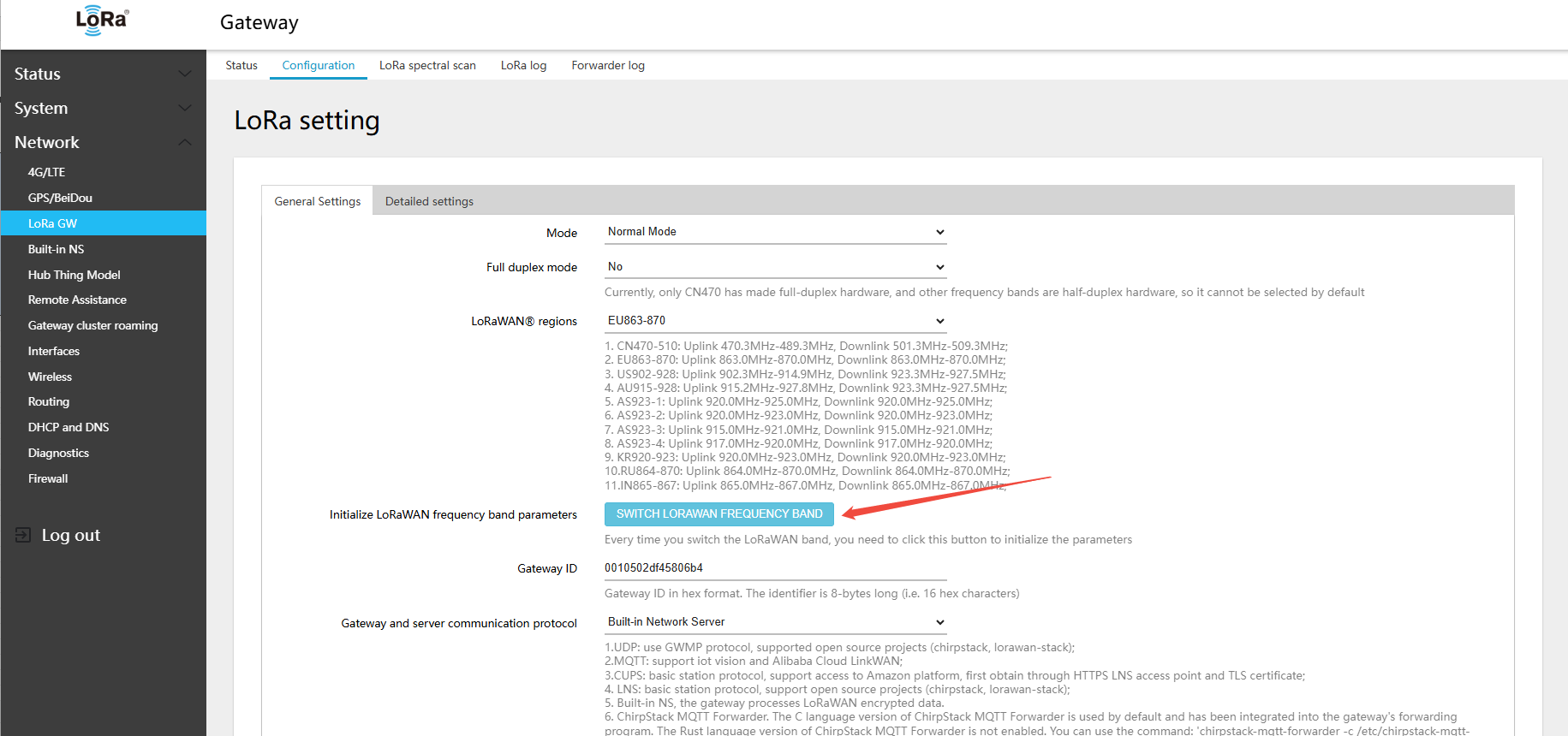
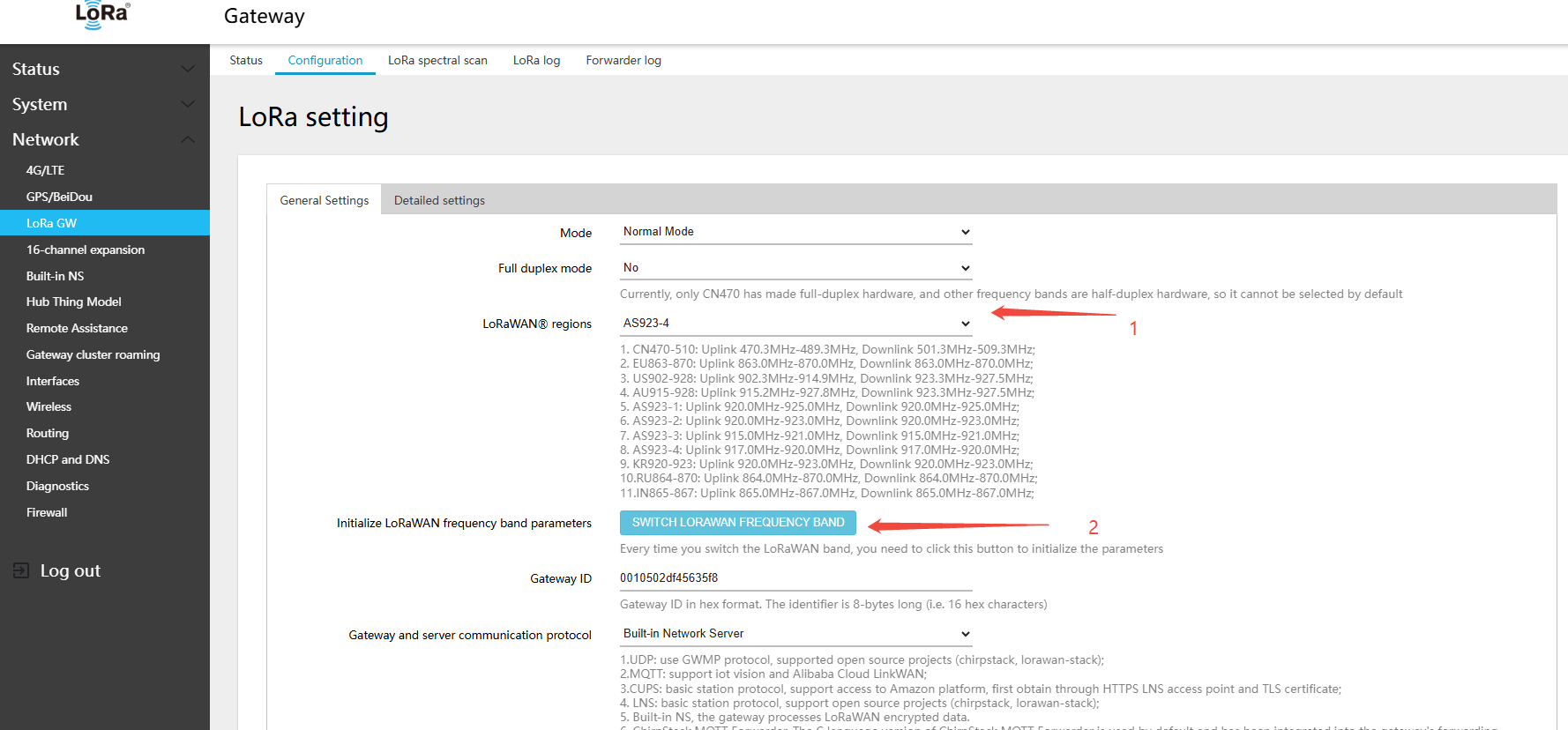
- Click Switch LoRaWAN frequency band to initialize all RF parameters for that band
- Click the Save & Apply button to apply the configuration
Warning: After every band switch, you must click Switch LoRaWAN frequency band first, then Save. If you skip this step, the RF frequency parameters will not be updated correctly.
For detailed band configuration instructions, refer to the following sections.
4.2 CN470 Frequency Band and Channel Description
The gateway uses CN470 channels per the LoRaWAN Regional Parameters v1.0.3 RevA specification. Because the CN470 channel definitions in v1.0.4 and RP002-1.0.3-FINAL-1 differ significantly, the gateway retains v1.0.3 RevA channels for backward compatibility. Note: The latest CN470 channel standard has been modified by Alibaba and now follows their proprietary protocol version.
Navigate to Network → LoRa GW → Configuration → General Settings tab to view and modify the band configuration.
The IMX93-GW8016 gateway hardware supports Full-Duplex mode on the CN470 band. The CN470-510 band is selected by default from the factory — no manual switching required.
In the menu Network → LoRa GW → Status, view the currently active channel configuration.
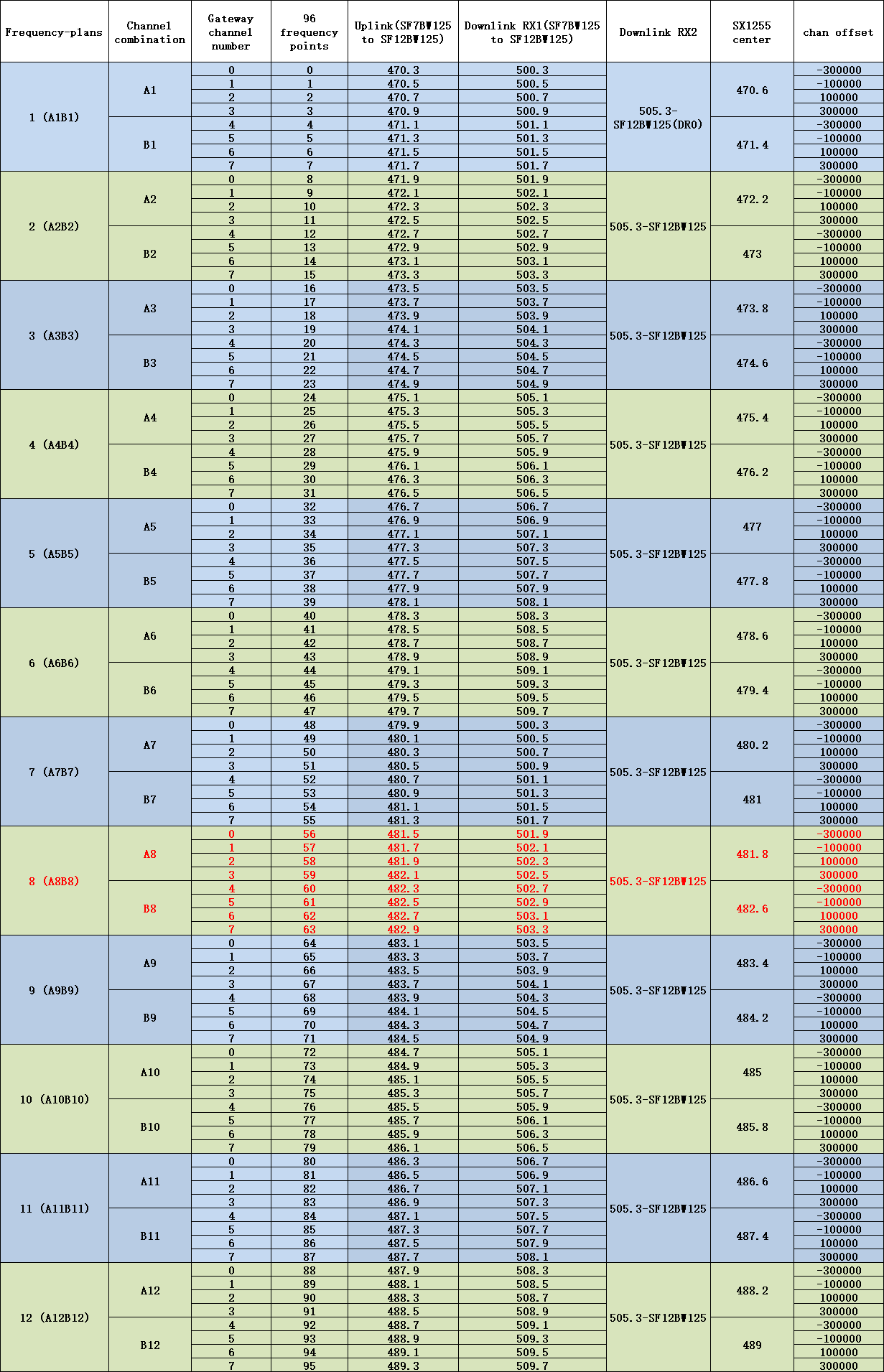
CN470-510 gateway uplink/downlink channel table — factory default 8-channel is A8B8, 16-channel expansion is A9B9
- 1~8 Uplink:
- 481.5 - SF7BW125 to SF12BW125
- 481.7 - SF7BW125 to SF12BW125
- 481.9 - SF7BW125 to SF12BW125
- 482.1 - SF7BW125 to SF12BW125
- 482.3 - SF7BW125 to SF12BW125
- 482.5 - SF7BW125 to SF12BW125
- 482.7 - SF7BW125 to SF12BW125
- 482.9 - SF7BW125 to SF12BW125
- Downlink:
- 501.9 - SF7BW125 to SF12BW125 (RX1)
- 502.1 - SF7BW125 to SF12BW125 (RX1)
- 502.3 - SF7BW125 to SF12BW125 (RX1)
- 502.5 - SF7BW125 to SF12BW125 (RX1)
- 502.7 - SF7BW125 to SF12BW125 (RX1)
- 502.9 - SF7BW125 to SF12BW125 (RX1)
- 503.1 - SF7BW125 to SF12BW125 (RX1)
- 503.3 - SF7BW125 to SF12BW125 (RX1)
- 505.3 - SF12BW125 (RX2)
- 9~16 Uplink:
- 483.1 - SF7BW125 to SF12BW125
- 483.3 - SF7BW125 to SF12BW125
- 483.5 - SF7BW125 to SF12BW125
- 483.7 - SF7BW125 to SF12BW125
- 483.9 - SF7BW125 to SF12BW125
- 484.1 - SF7BW125 to SF12BW125
- 484.3 - SF7BW125 to SF12BW125
- 484.5 - SF7BW125 to SF12BW125
- Downlink:
- 503.5 - SF7BW125 to SF12BW125 (RX1)
- 503.7 - SF7BW125 to SF12BW125 (RX1)
- 503.9 - SF7BW125 to SF12BW125 (RX1)
- 504.1 - SF7BW125 to SF12BW125 (RX1)
- 504.3 - SF7BW125 to SF12BW125 (RX1)
- 504.5 - SF7BW125 to SF12BW125 (RX1)
- 504.7 - SF7BW125 to SF12BW125 (RX1)
- 504.9 - SF7BW125 to SF12BW125 (RX1)
- 505.3 - SF12BW125 (RX2)
4.3 868 Half-Duplex Hardware Band Switching
The GW8000 868 gateway hardware supports switching to EU868/RU864/IN865 bands without requiring separate firmware for each band, unlike the older GW1000 The factory default band is EU868. After a factory reset, the band also reverts to EU868. To use a different band, switch the band configuration again.
4.3.1 Switching 868 Hardware to EU868 Band
- In the menu Network → LoRa GW → Configuration, select LoRaWAN band: EU863-870
2.clickSWITCH LORAWAN FREQUENCY BAND(LORAWANband)button
3.Click Save & Apply in the lower-right corner of the page
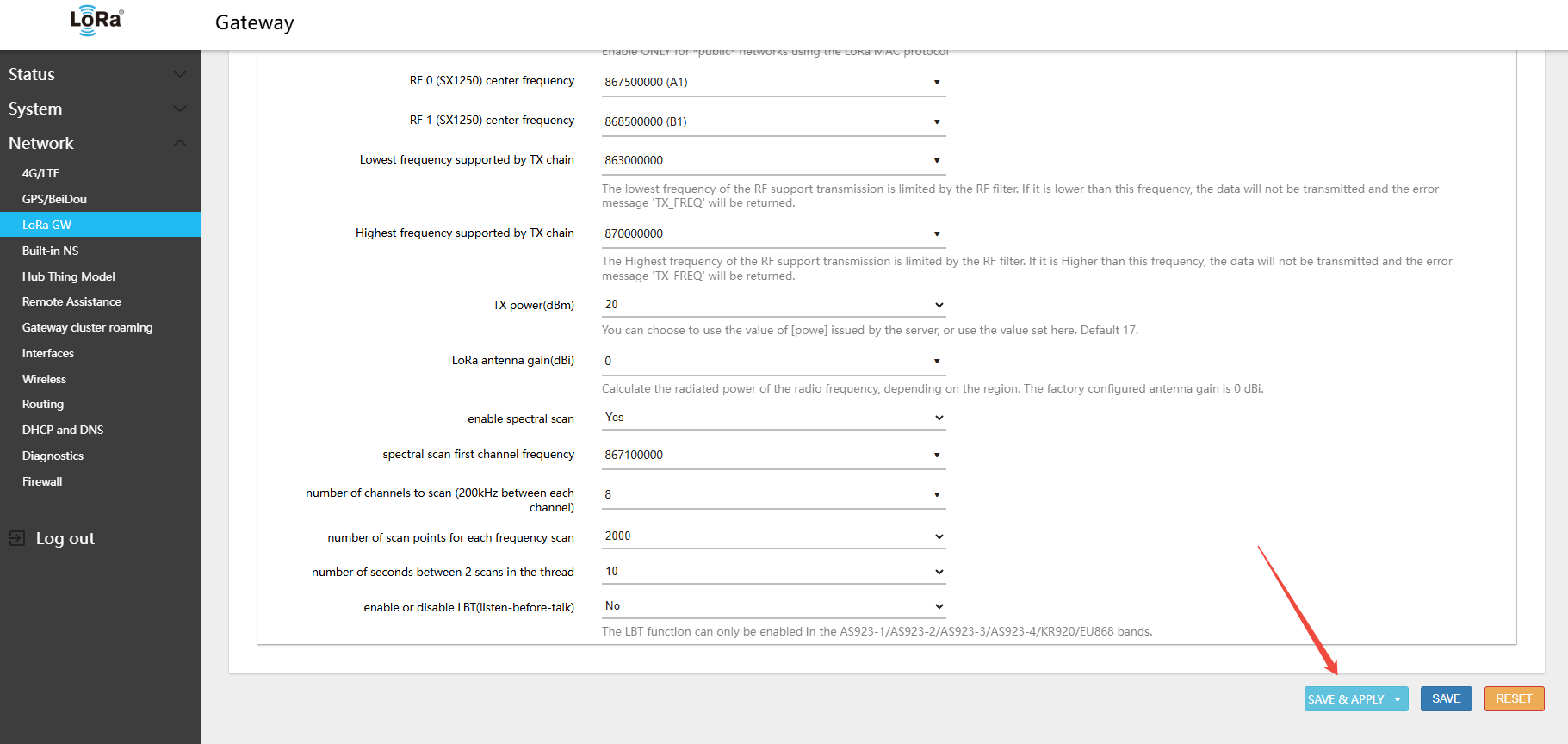
- In the menu Network → LoRa GW → Status, view the currently active band and channel configuration
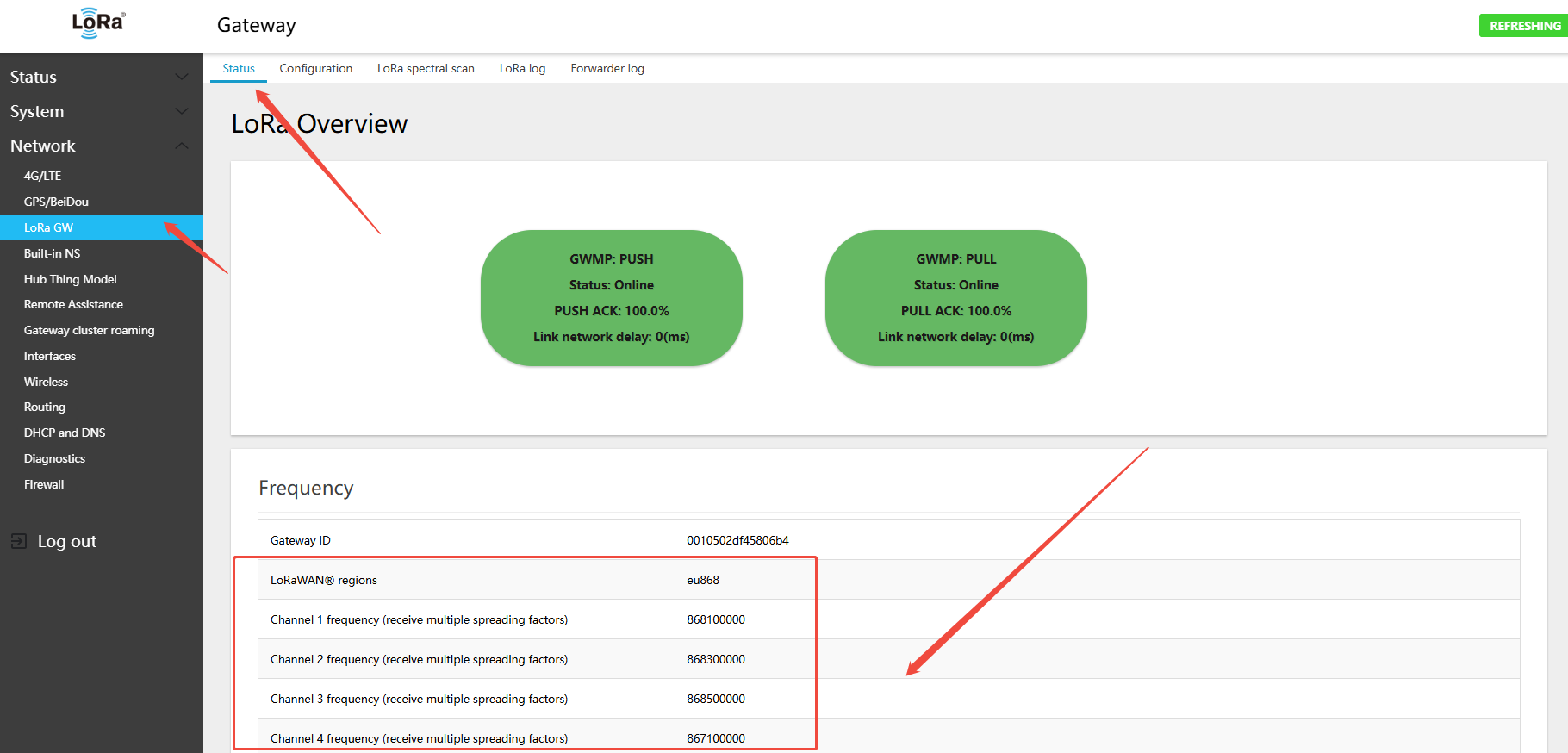
Default channels for the EU863-870 gateway
- Uplink:
- 868.1 - SF7BW125 to SF12BW125
- 868.3 - SF7BW125 to SF12BW125 and SF7BW250
- 868.5 - SF7BW125 to SF12BW125
- 867.1 - SF7BW125 to SF12BW125
- 867.3 - SF7BW125 to SF12BW125
- 867.5 - SF7BW125 to SF12BW125
- 867.7 - SF7BW125 to SF12BW125
- 867.9 - SF7BW125 to SF12BW125
- 868.8 - FSK
- Downlink:
- Uplink channels 1-9 (RX1)
- 869.525 - SF12BW125 (RX2)
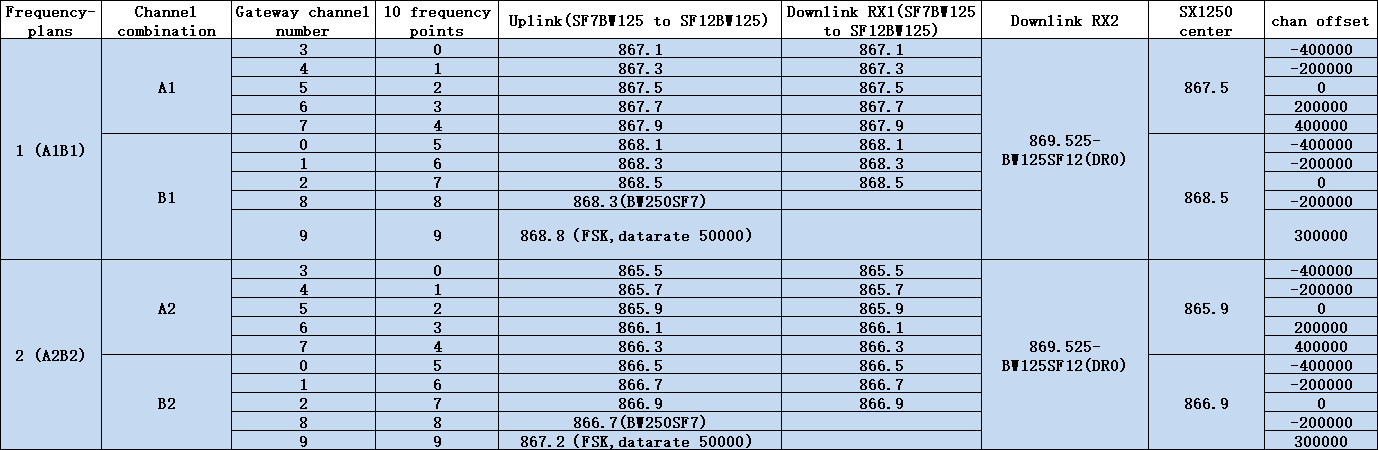
EU863-870 gateway uplink/downlink channel table — Built-in NS default: A1B1.
4.3.2 Switching 868 Hardware to RU864 Band
- In the menu Network → LoRa GW → Configuration, select LoRaWAN band: RU864-870
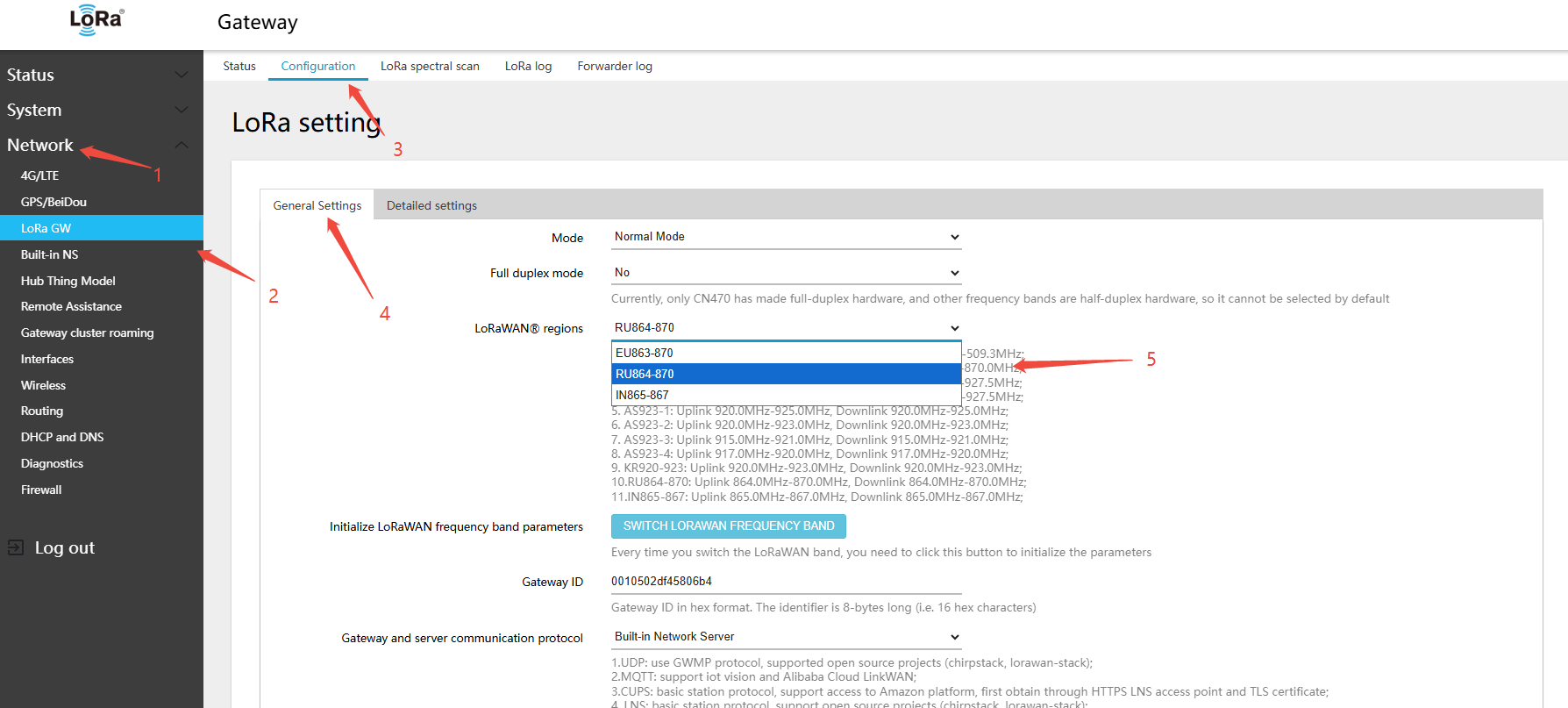
2.clickSWITCH LORAWAN FREQUENCY BAND(LORAWANband)button
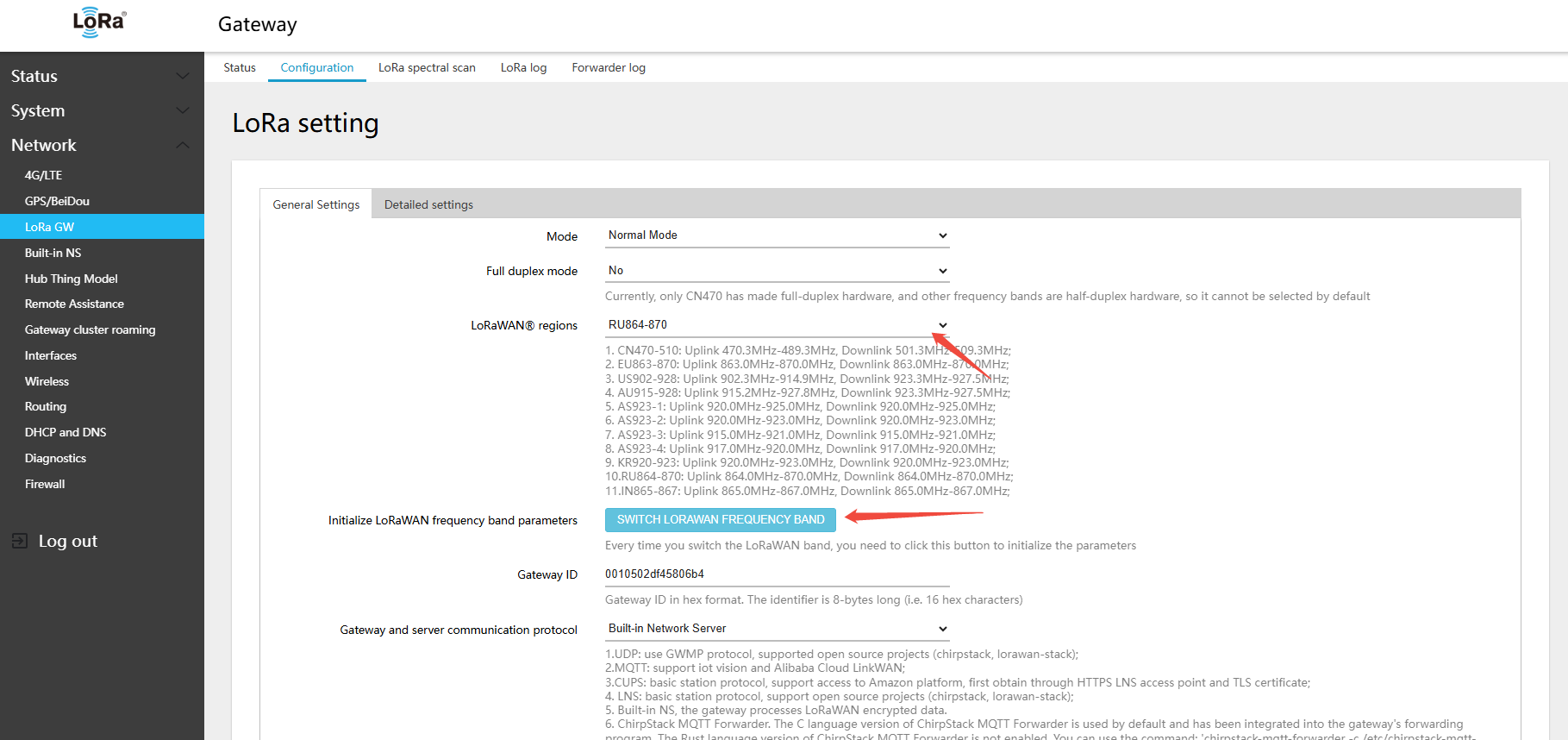
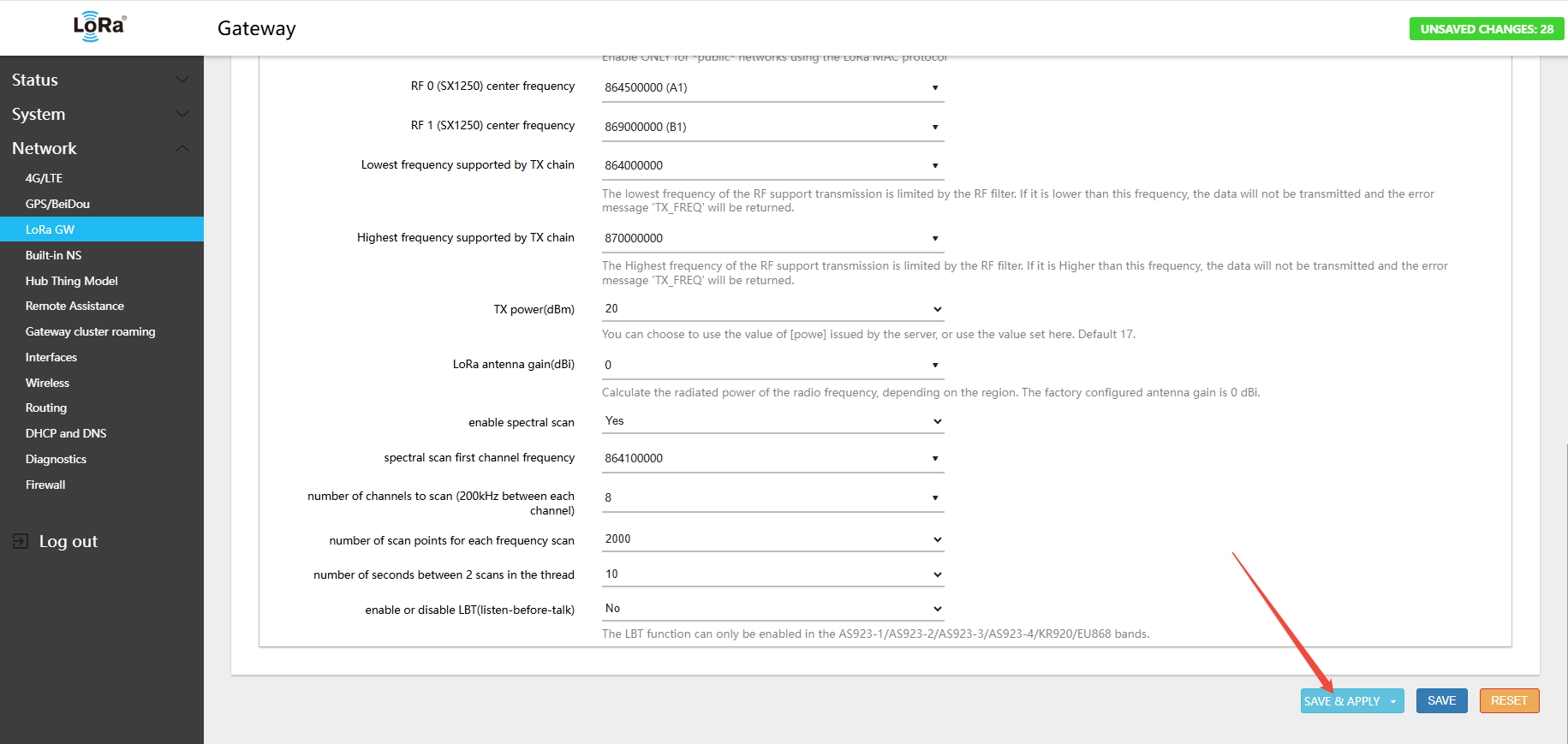
3.Click Save & Apply in the lower-right corner of the page
- In the menu Network → LoRa GW → Status, view the currently active band and channel configuration
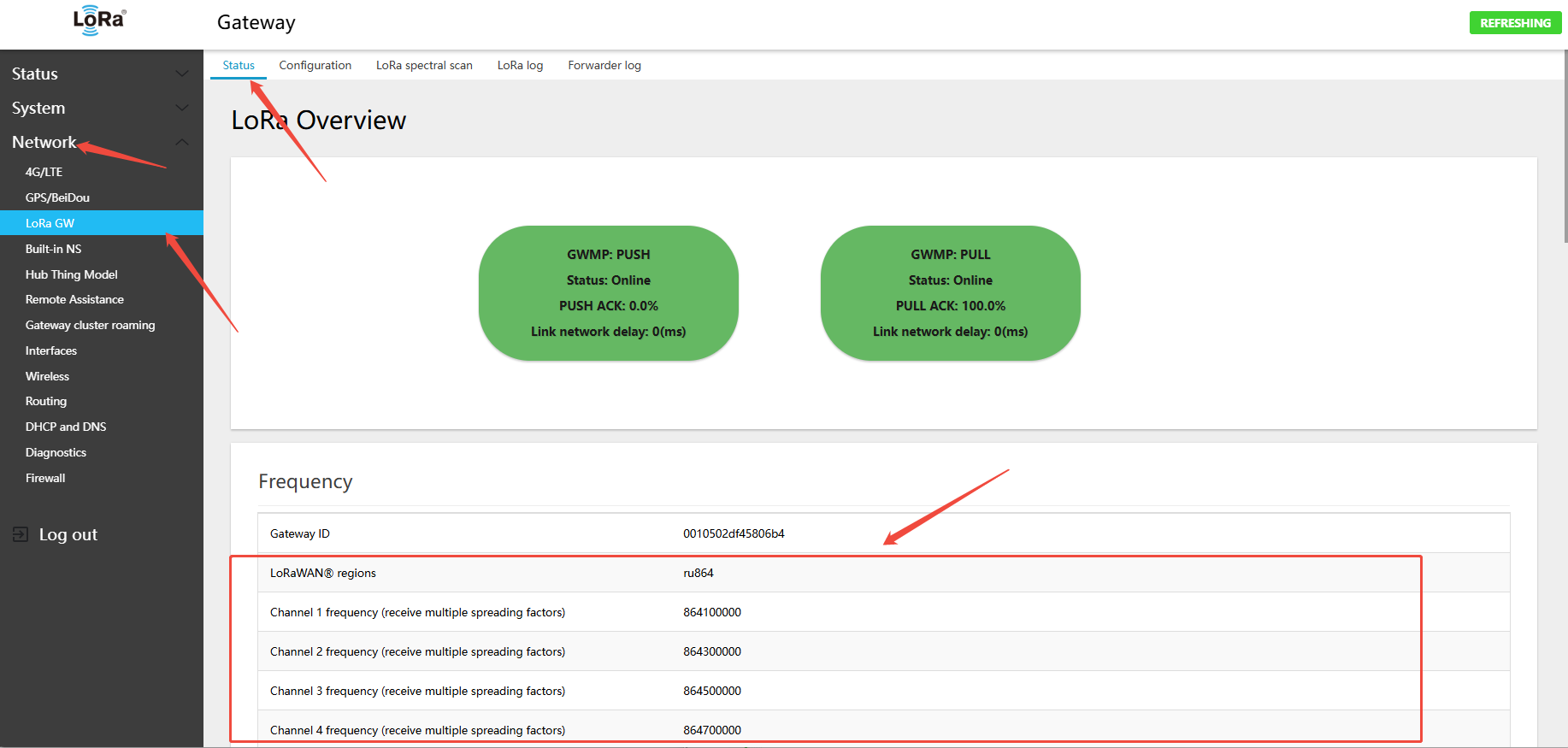
RU864-870 Gateway Default Channels
- Uplink:
- 864.1 - SF7BW125 to SF12BW125
- 864.3 - SF7BW125 to SF12BW125
- 864.5 - SF7BW125 to SF12BW125
- 864.7 - SF7BW125 to SF12BW125
- 868.7 - SF7BW125 to SF12BW125
- 868.9 - SF7BW125 to SF12BW125
- 869.1 - SF7BW125 to SF12BW125
- 869.3 - SF7BW125 to SF12BW125
- 868.8 - FSK
- Downlink:
- Uplink channels 1-9 (RX1)
- 869.1 - SF12BW125 (RX2)
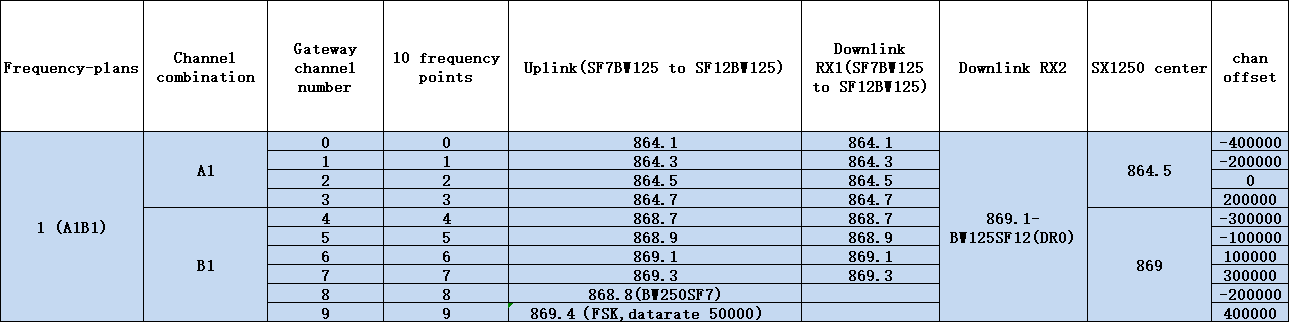
RU864-870 Gateway Uplink/Downlink Channel Table
4.3.3 Switching 868 Hardware to IN865 Band
- In the menu Network → LoRa GW → Configuration, select LoRaWAN band: IN865-867
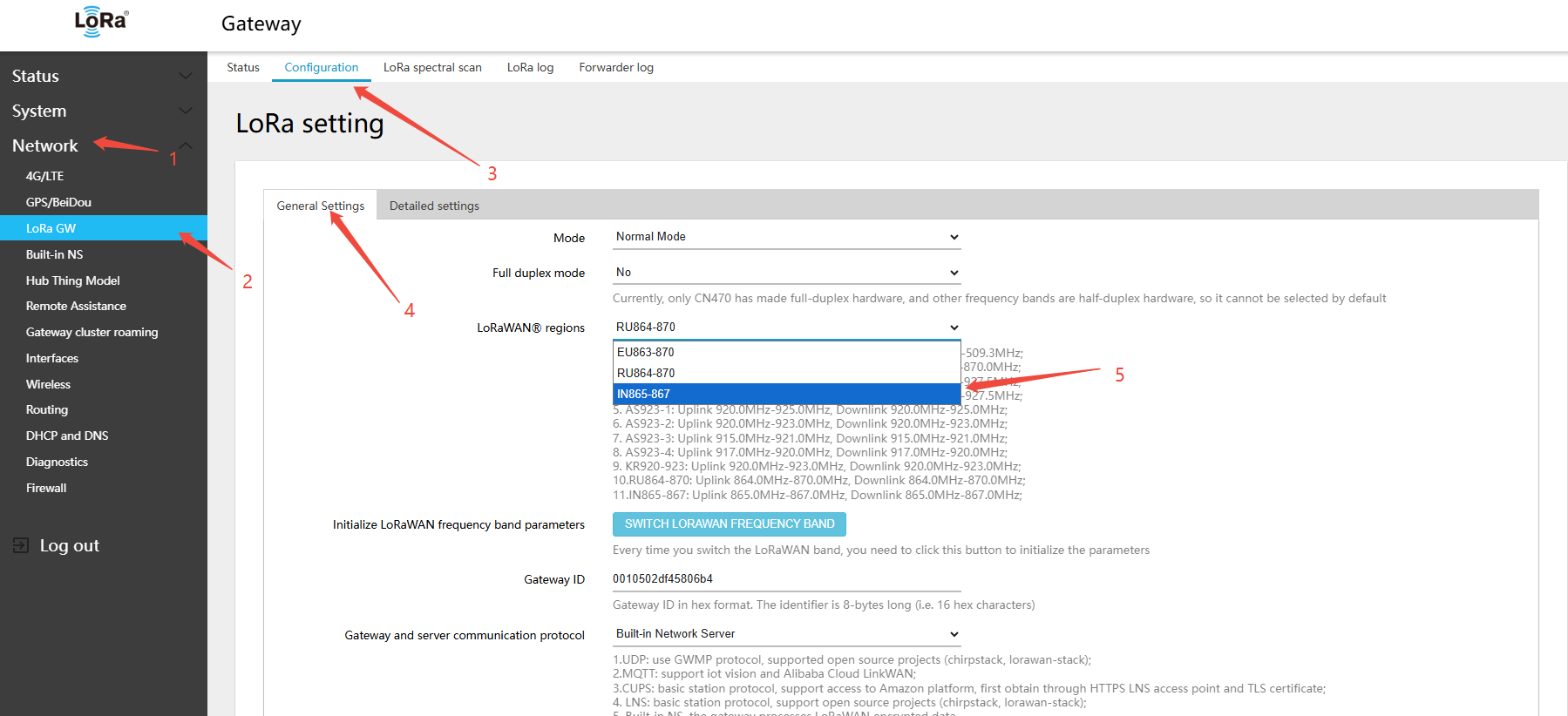
2.clickSWITCH LORAWAN FREQUENCY BAND(LORAWANband)button
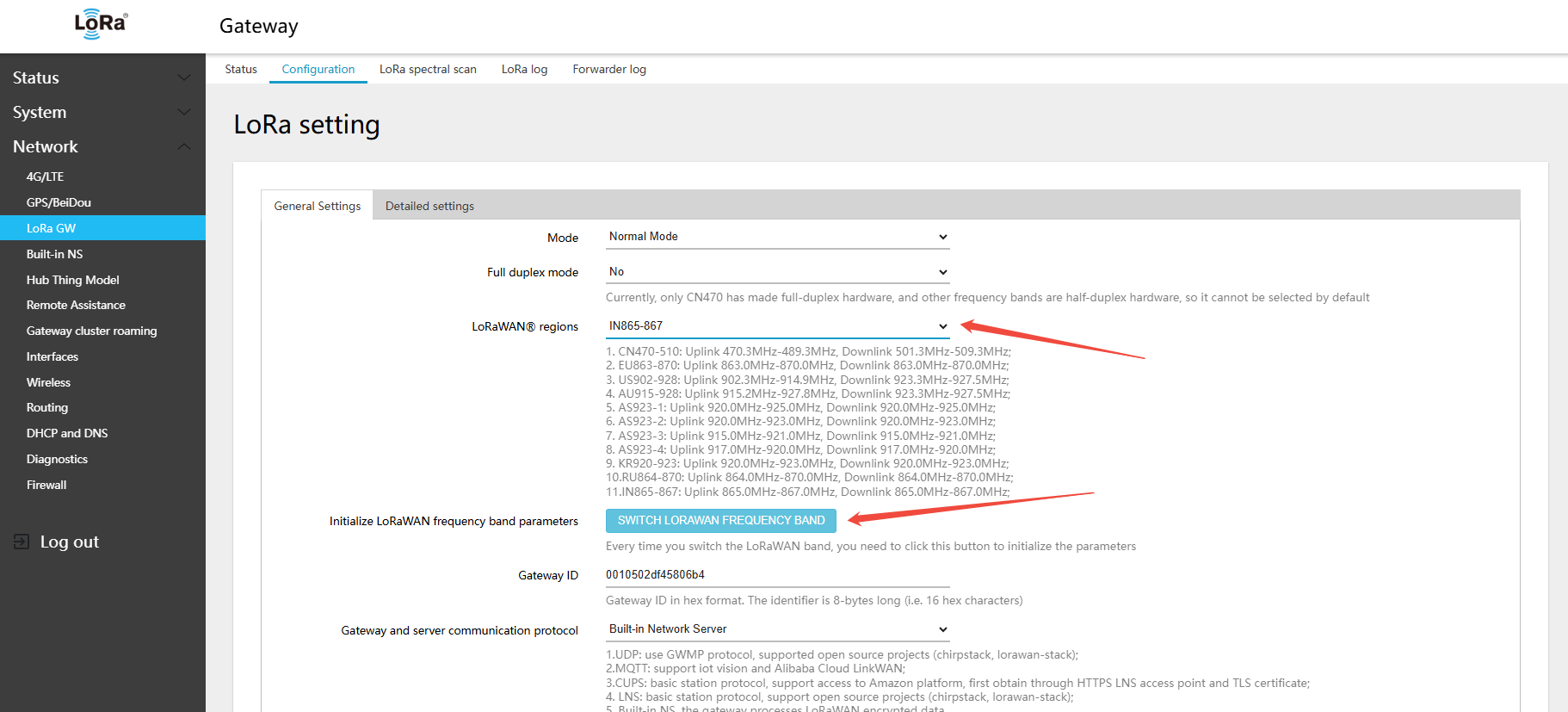
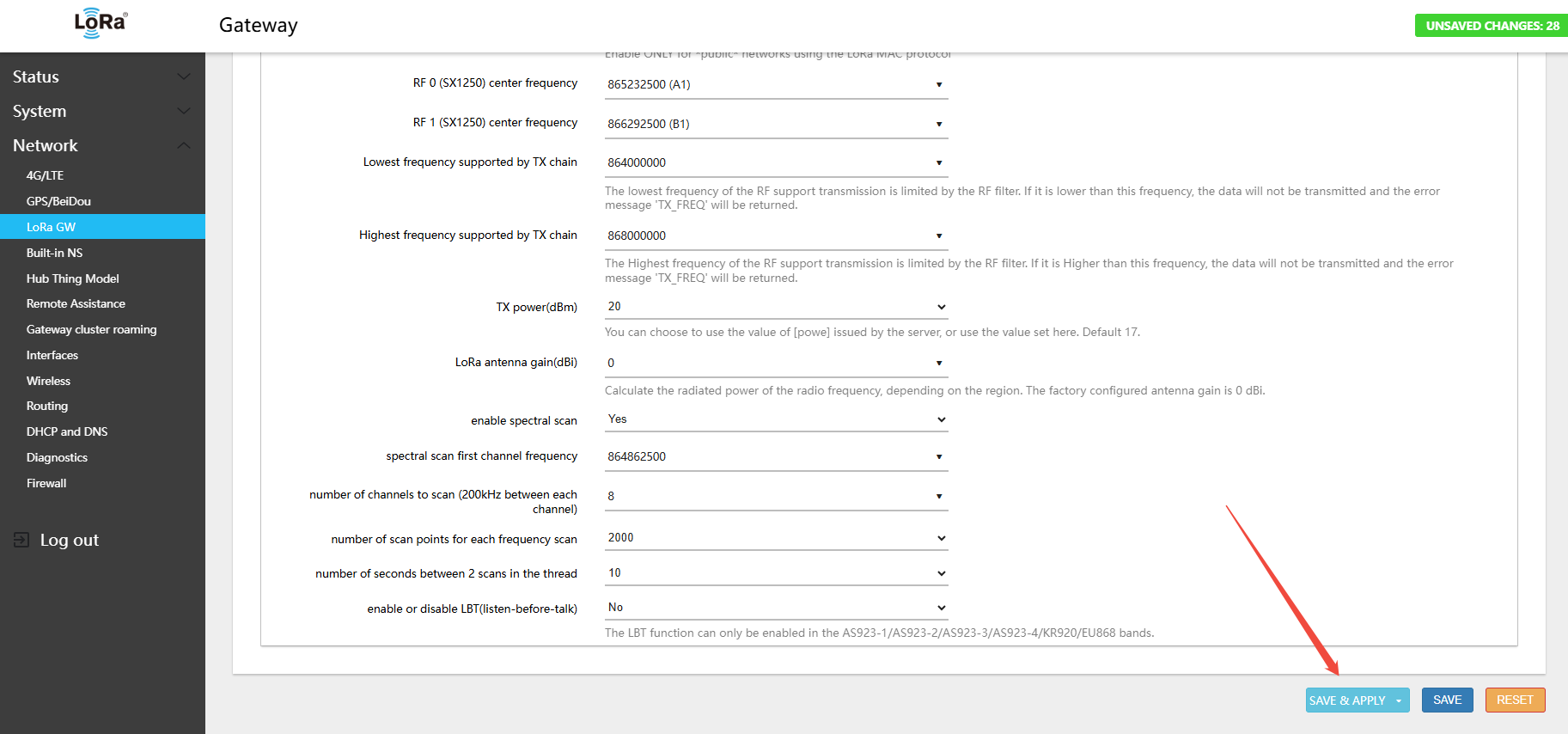
3.Click Save & Apply in the lower-right corner of the page
- In the menu Network → LoRa GW → Status, view the currently active band and channel configuration
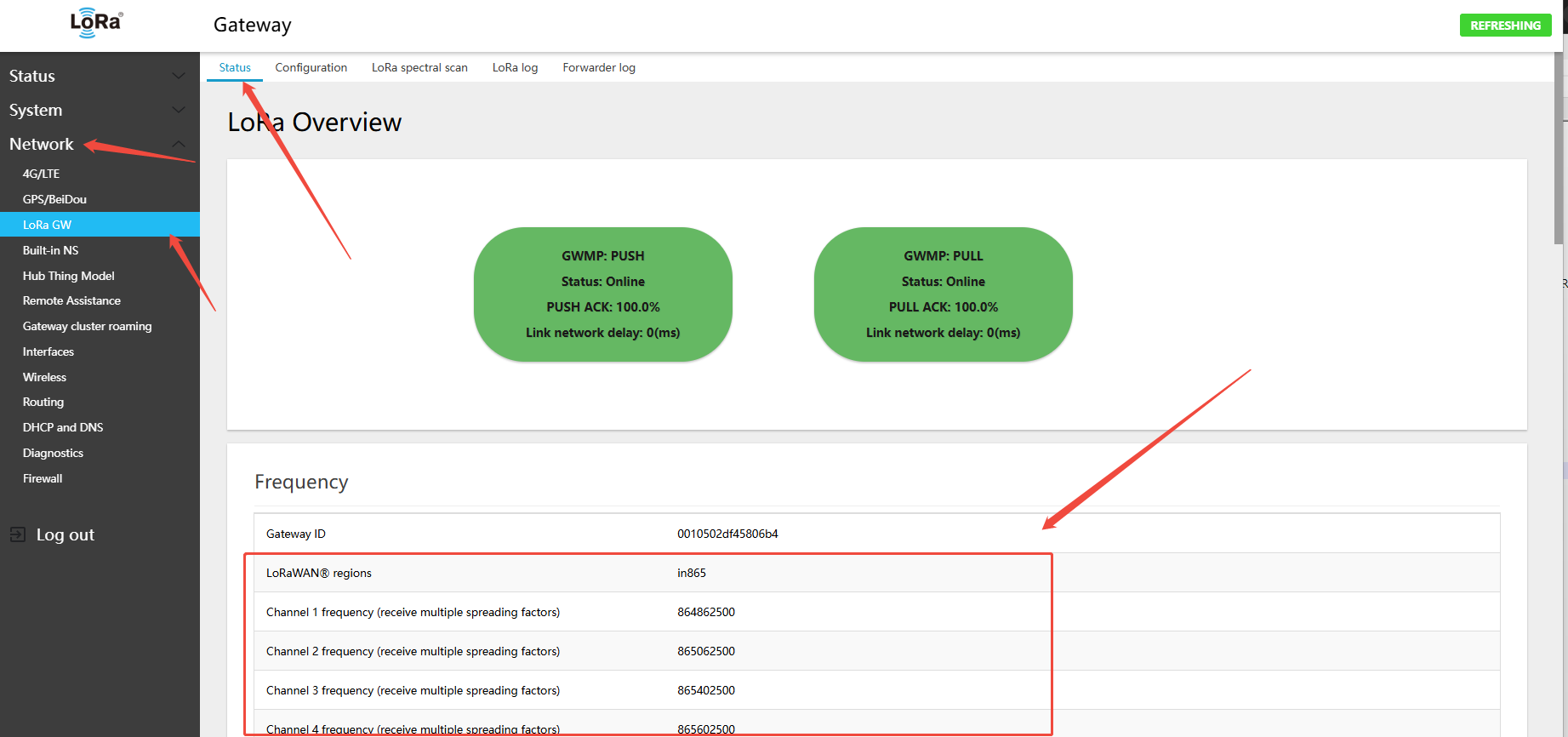
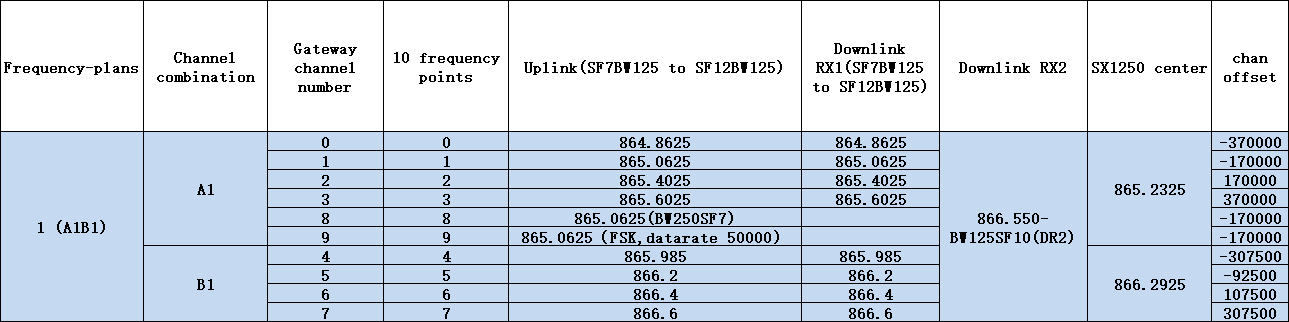
IN865-867 Gateway Default Channels
- Uplink:
- 864.8625 - SF7BW125 to SF12BW125
- 865.0625 - SF7BW125 to SF12BW125
- 865.4025 - SF7BW125 to SF12BW125
- 865.6025 - SF7BW125 to SF12BW125
- 865.985 - SF7BW125 to SF12BW125
- 866.2 - SF7BW125 to SF12BW125
- 866.4 - SF7BW125 to SF12BW125
- 866.6 - SF7BW125 to SF12BW125
- 865.0625 - FSK
- Downlink:
- Uplink channels 1-9 (RX1)
- 866.550 - SF10BW125 (RX2)
IN865-867 Gateway Uplink/Downlink Channel Table
4.4 915 Half-Duplex Hardware Band Switching
The GW8000 915 gateway hardware supports switching to US915/AU915/AS923-1/AS923-2/AS923-3/AS923-4/KR920 bands without requiring separate firmware for each band The factory default band is US915. After a factory reset, the band also reverts to US915. To use a different band, switch the band configuration again.
4.4.1 Switching 915 Hardware to US915 Band
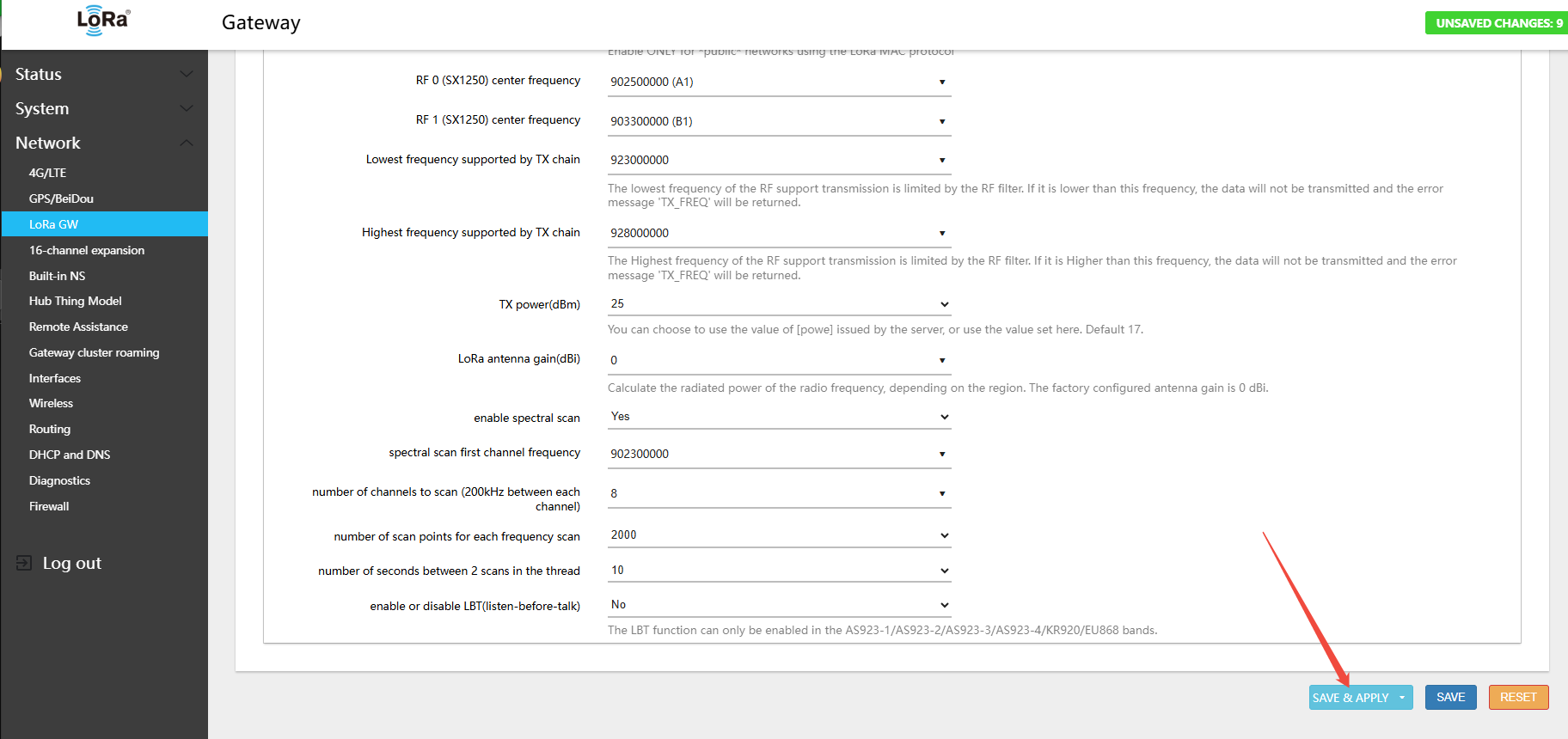
- In the menu Network → LoRa GW → Configuration, select LoRaWAN band: US902-928
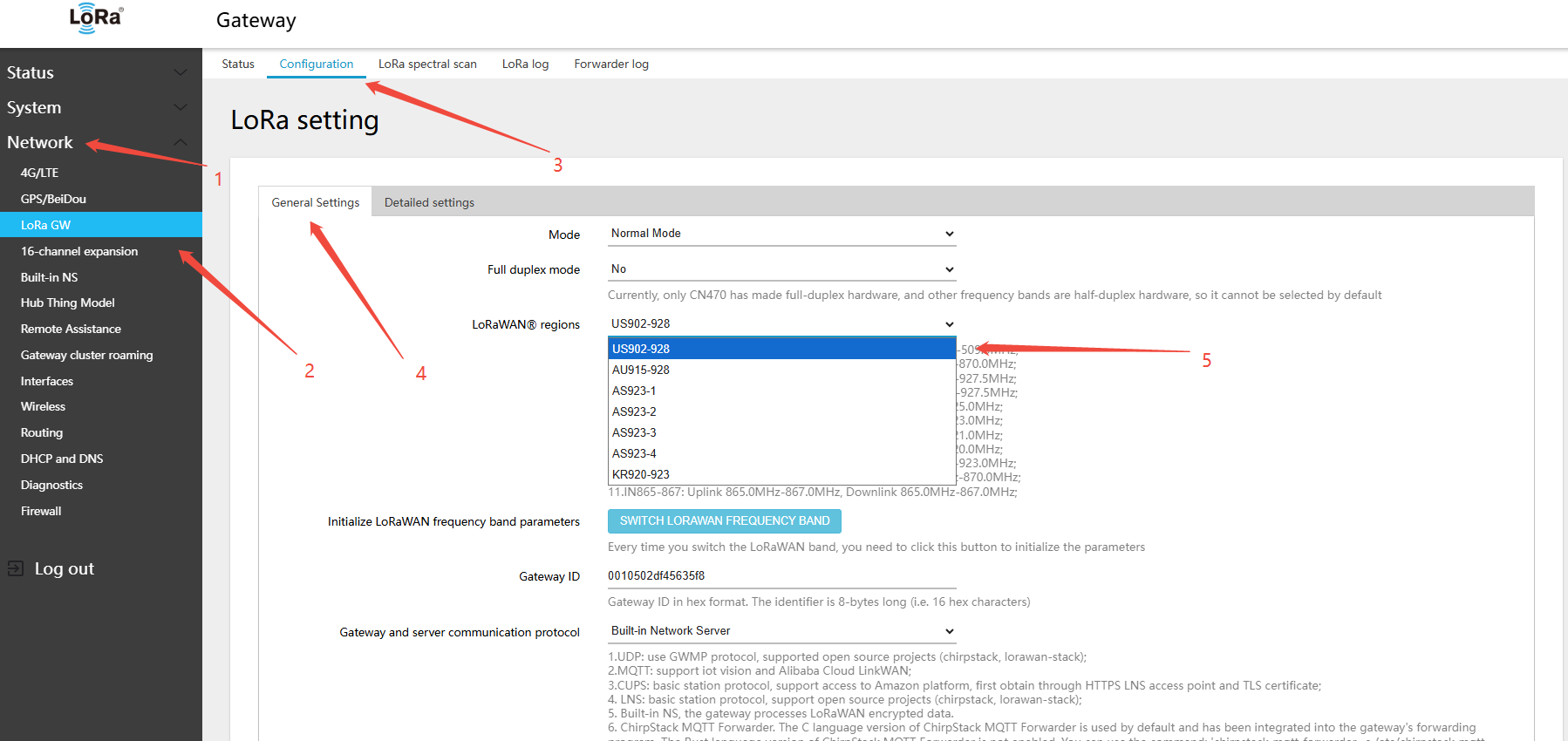
2.clickSWITCH LORAWAN FREQUENCY BAND(LORAWANband)button
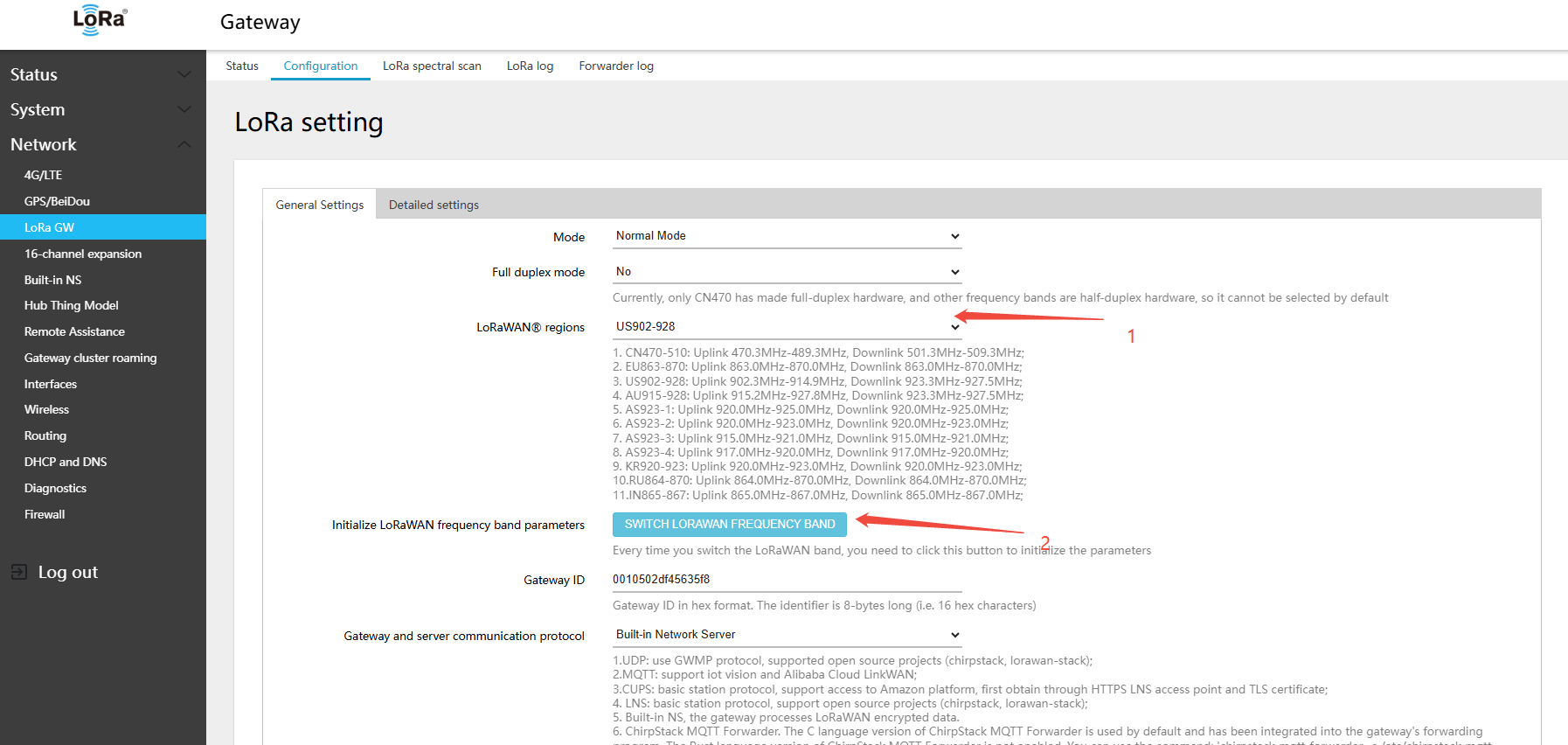
- Find RF 0 (SX1250) center frequency → select A1
- Find RF 1 (SX1250) center frequency → select B1
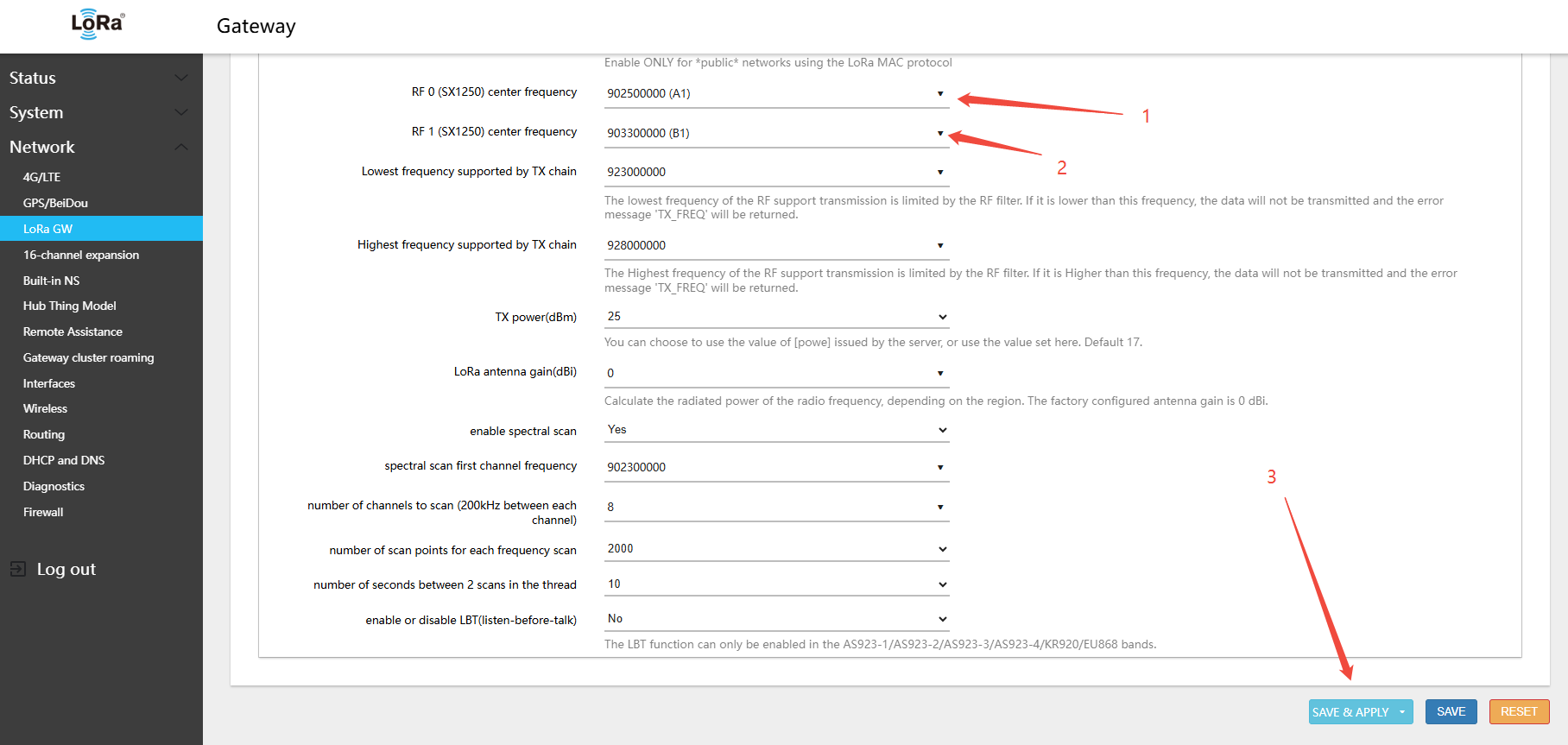
3.Click Save & Apply in the lower-right corner of the page
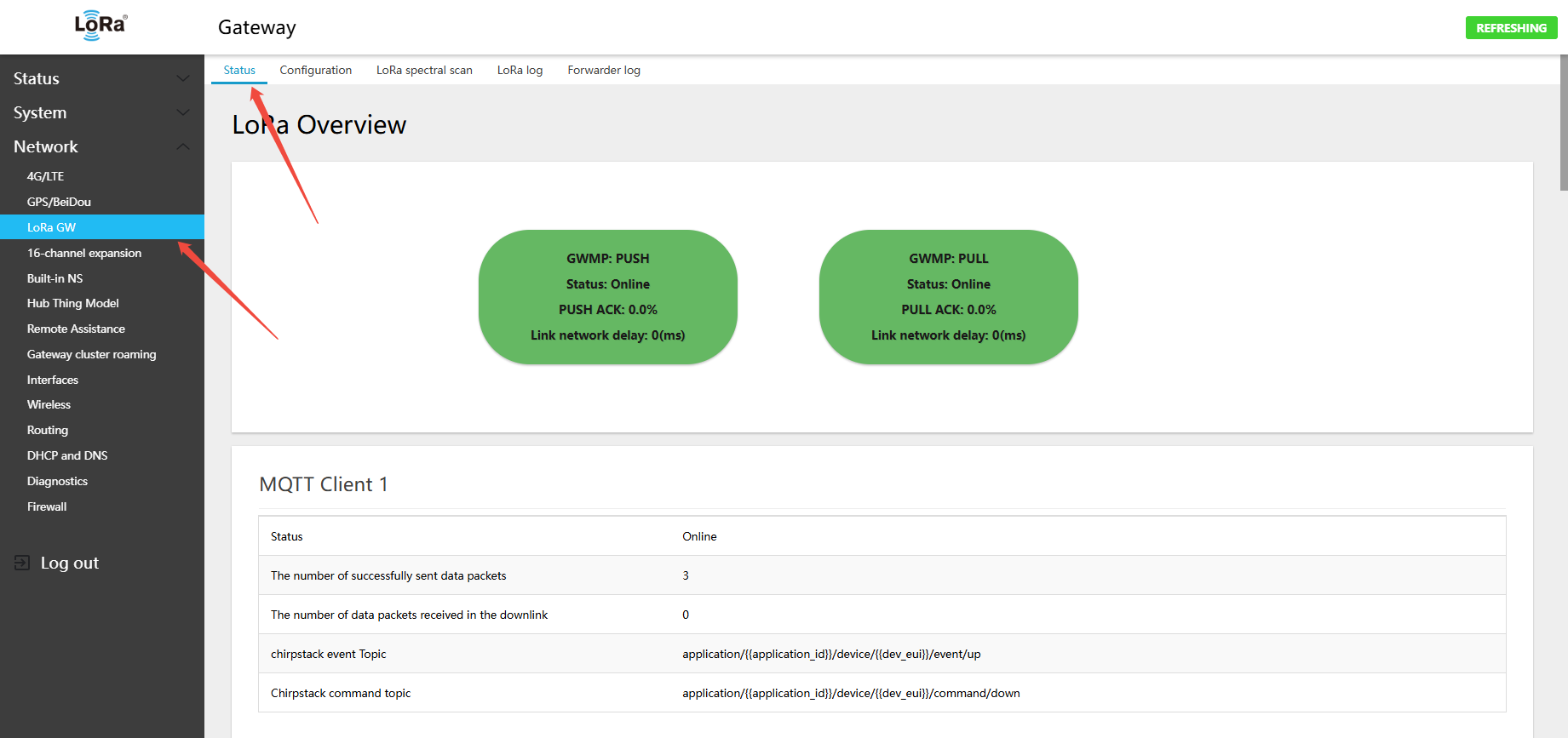
- In the menu Network → LoRa GW → Status, view the currently active band and channel configuration
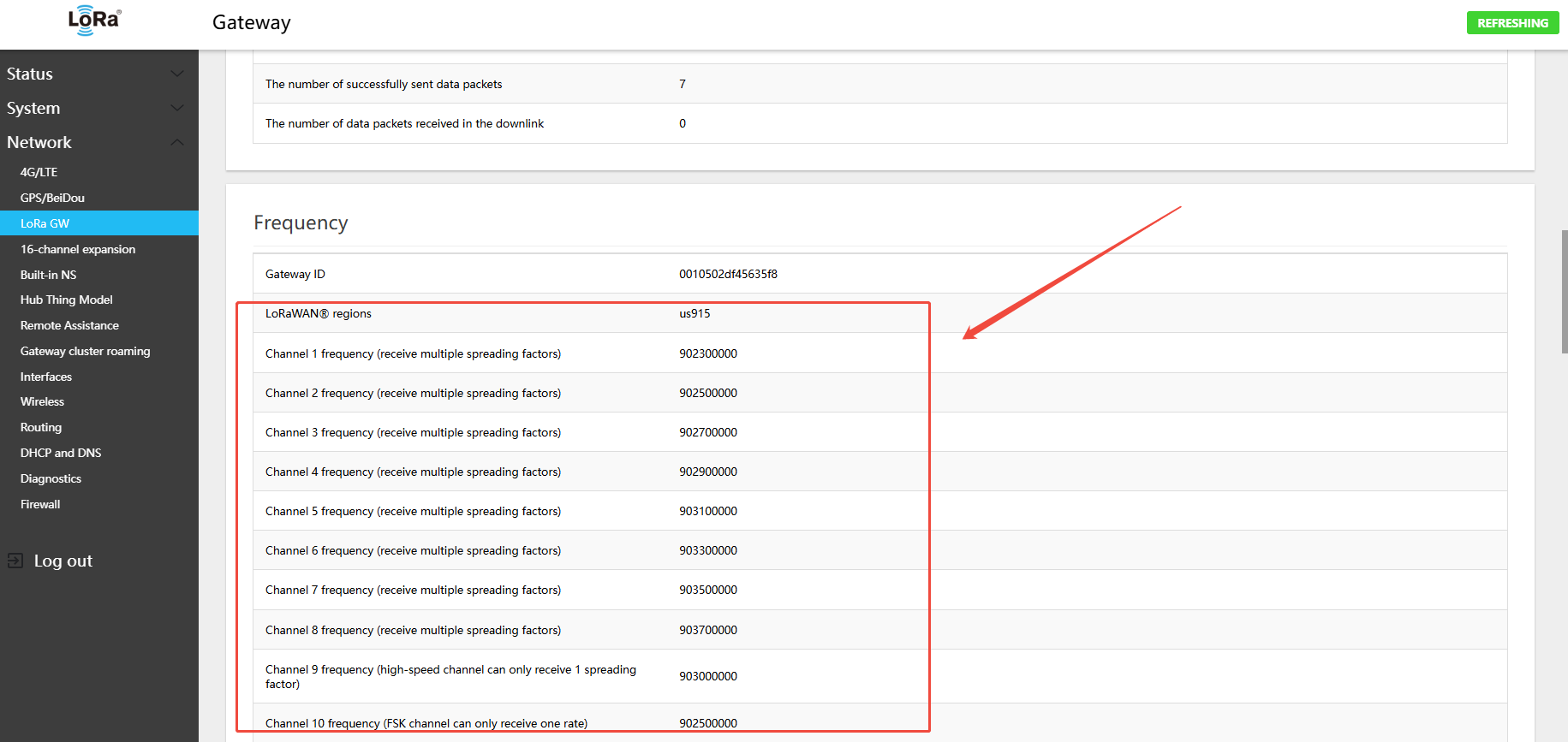
US902-928 Gateway 8-Channel Default (A1B1)
- Uplink:
- 902.3 - SF7BW125 to SF10BW125
- 902.5 - SF7BW125 to SF10BW125
- 902.7 - SF7BW125 to SF10BW125
- 902.9 - SF7BW125 to SF10BW125
- 903.1 - SF7BW125 to SF10BW125
- 903.3 - SF7BW125 to SF10BW125
- 903.5 - SF7BW125 to SF10BW125
- 903.7 - SF7BW125 to SF10BW125
- 903.0 - SF8BW500
- Downlink:
- 923.3 - SF7BW500 to SF12BW500 (RX1)
- 923.9 - SF7BW500 to SF12BW500 (RX1)
- 924.5 - SF7BW500 to SF12BW500 (RX1)
- 925.1 - SF7BW500 to SF12BW500 (RX1)
- 925.7 - SF7BW500 to SF12BW500 (RX1)
- 926.3 - SF7BW500 to SF12BW500 (RX1)
- 926.9 - SF7BW500 to SF12BW500 (RX1)
- 927.5 - SF7BW500 to SF12BW500 (RX1)
- 923.3 - SF12BW500 (RX2)
- The 16-channel expansion is A2B2. Follow the same configuration procedure: Network → 16-channel expansion → Configuration
- Uplink:
- 903.9 - SF7BW125 to SF10BW125
- 904.1 - SF7BW125 to SF10BW125
- 904.3 - SF7BW125 to SF10BW125
- 904.5 - SF7BW125 to SF10BW125
- 904.7 - SF7BW125 to SF10BW125
- 904.9 - SF7BW125 to SF10BW125
- 905.1 - SF7BW125 to SF10BW125
- 905.3 - SF7BW125 to SF10BW125
- 904.6 - SF8BW500
- Downlink:
- 923.3 - SF7BW500 to SF12BW500 (RX1)
- 923.9 - SF7BW500 to SF12BW500 (RX1)
- 924.5 - SF7BW500 to SF12BW500 (RX1)
- 925.1 - SF7BW500 to SF12BW500 (RX1)
- 925.7 - SF7BW500 to SF12BW500 (RX1)
- 926.3 - SF7BW500 to SF12BW500 (RX1)
- 926.9 - SF7BW500 to SF12BW500 (RX1)
- 927.5 - SF7BW500 to SF12BW500 (RX1)
- 923.3 - SF12BW500 (RX2)
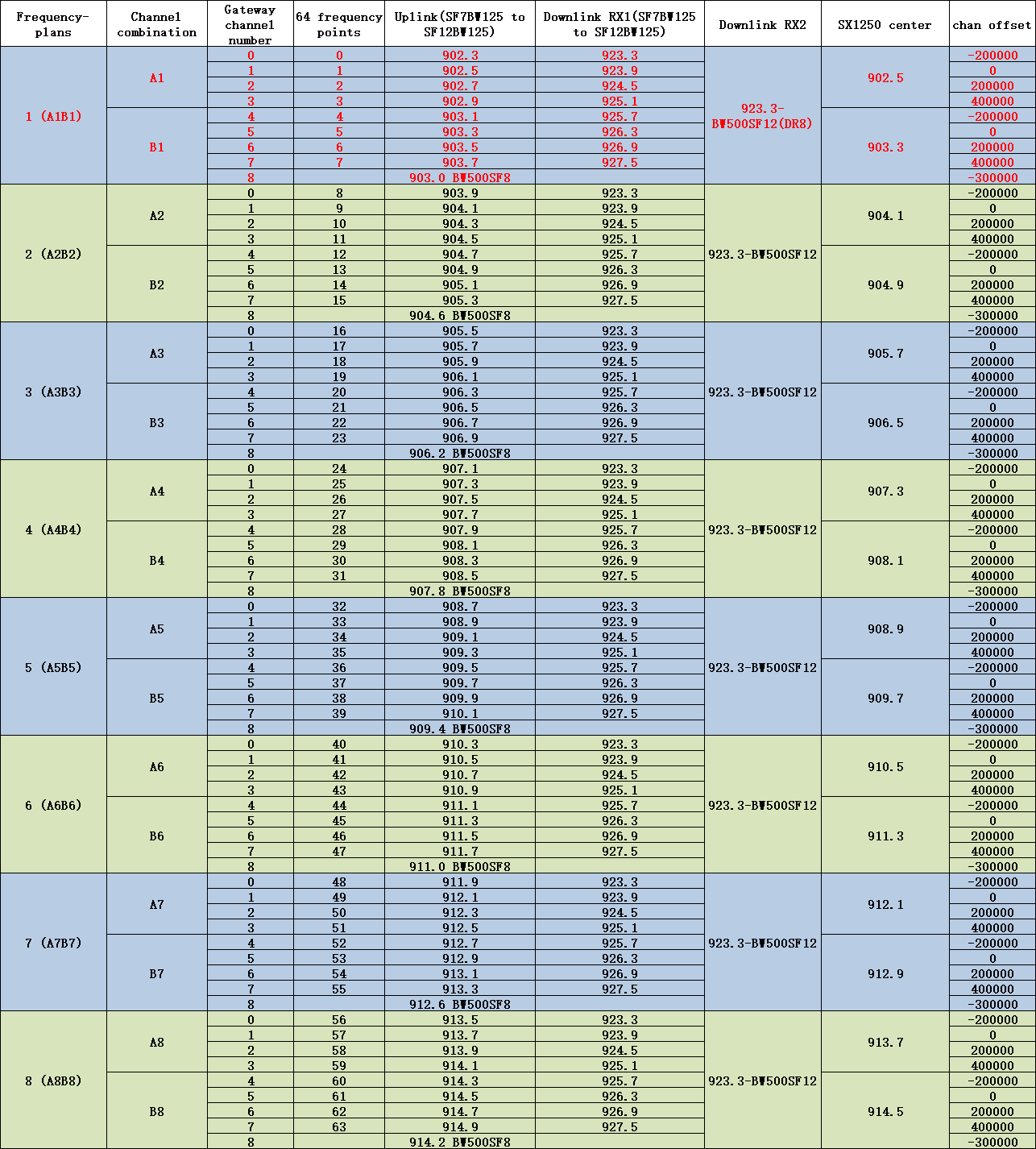
US902-928 gateway uplink/downlink channel table — factory default: A1B1
4.4.2 Switching 915 Hardware to AU915 Band
- In the menu Network → LoRa GW → Configuration, select LoRaWAN band: AU915-928
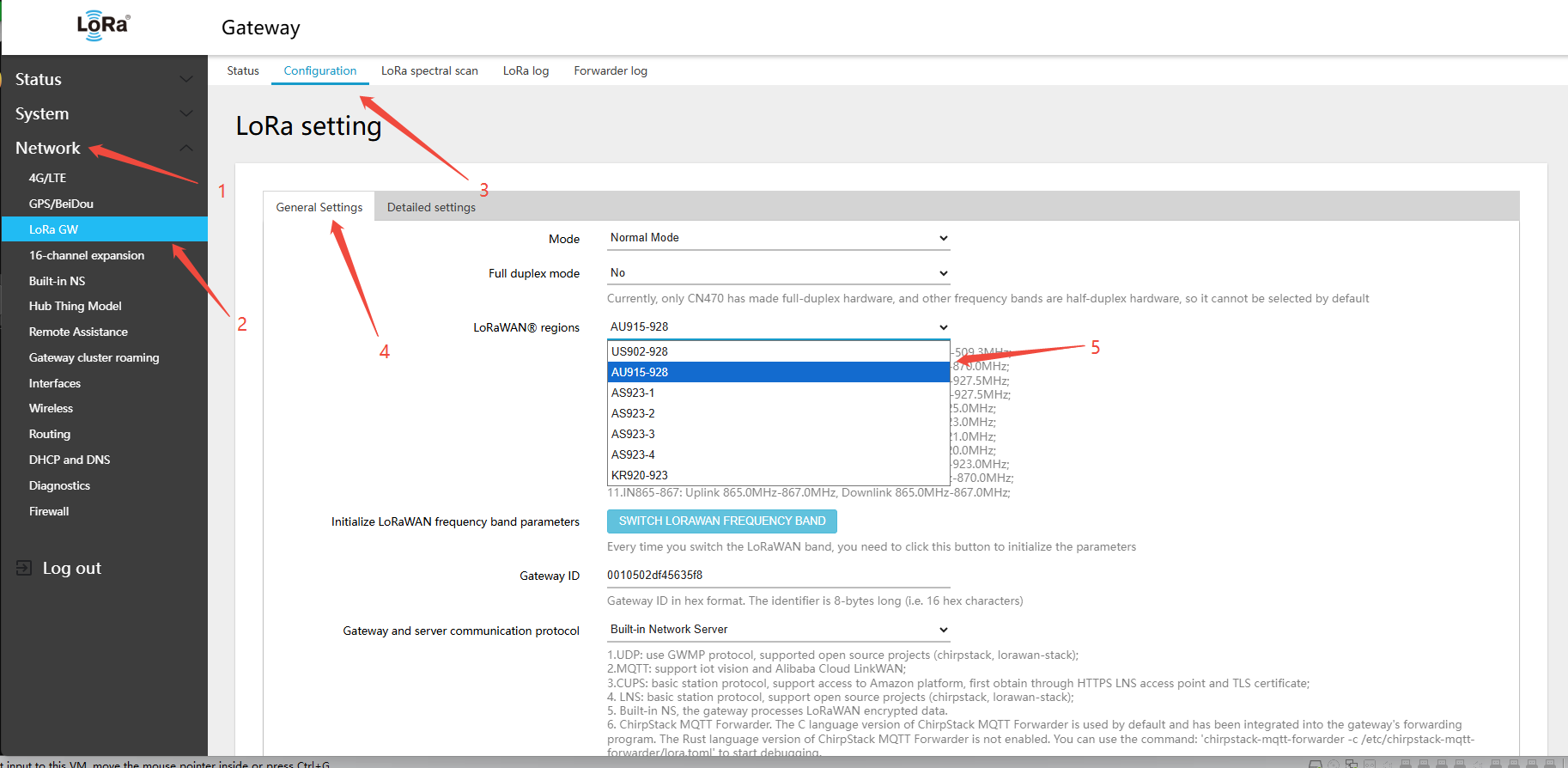
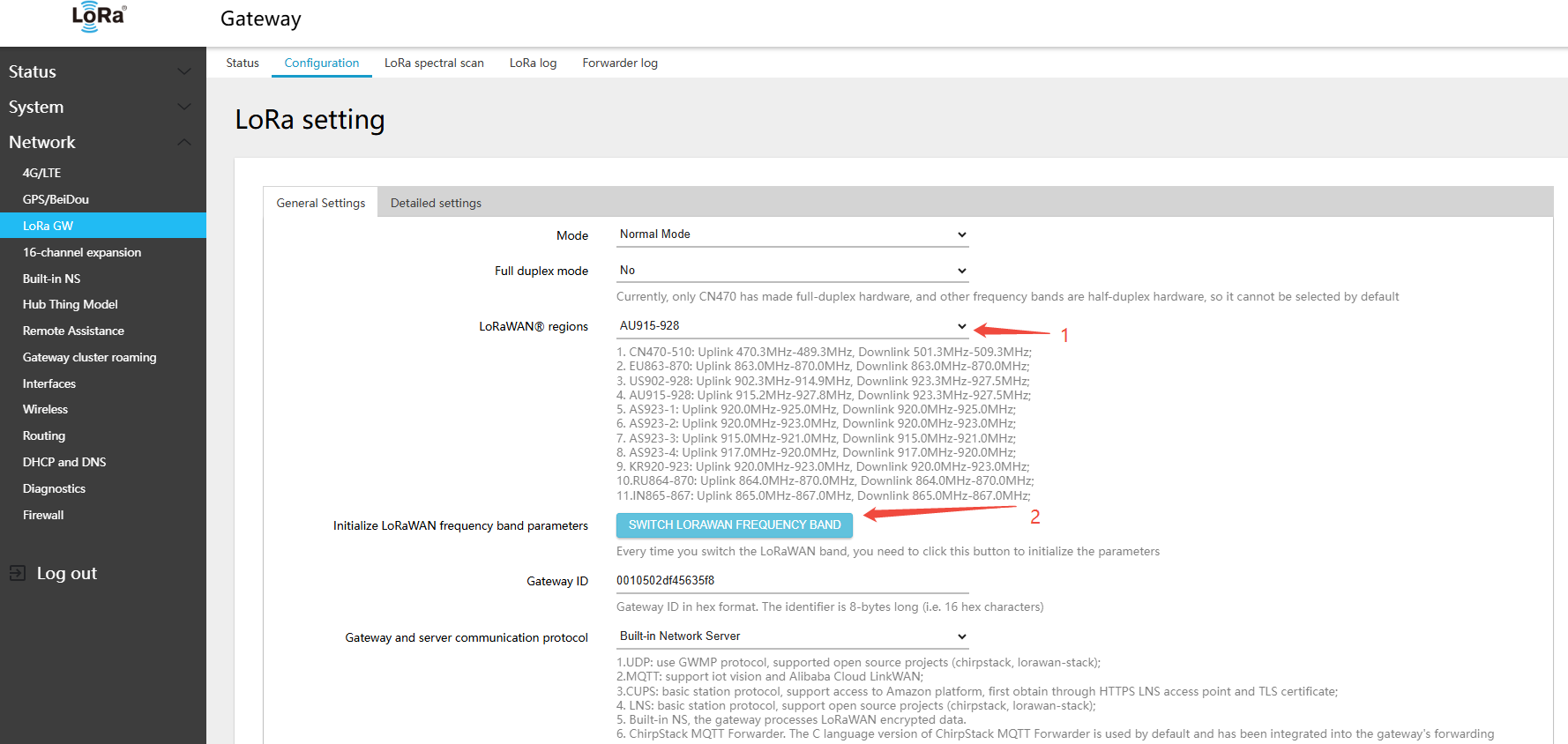
2.clickSWITCH LORAWAN FREQUENCY BAND(LORAWANband)button
- Find RF 0 (SX1250) center frequency → select A1
- Find RF 1 (SX1250) center frequency → select B1
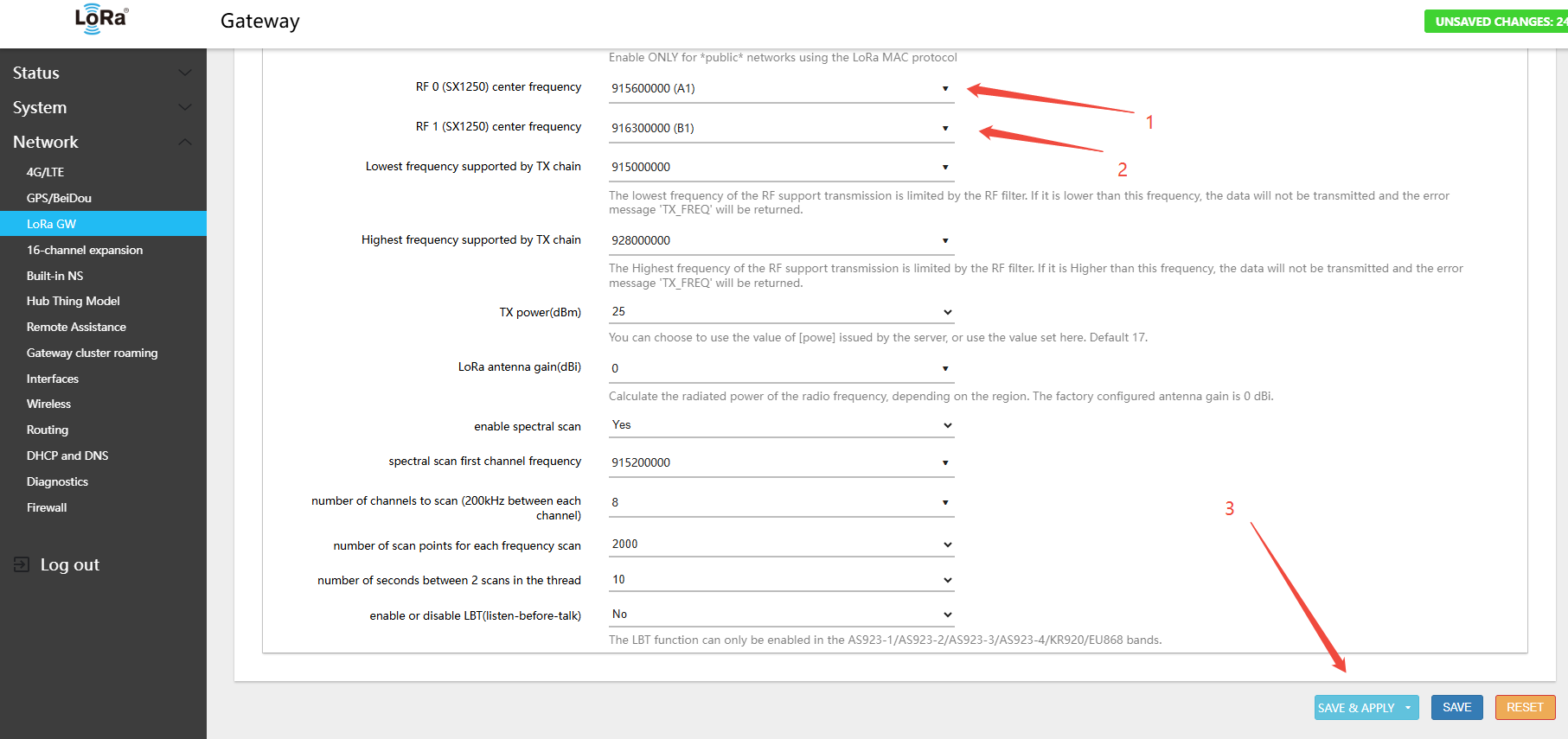
3.Click Save & Apply in the lower-right corner of the page
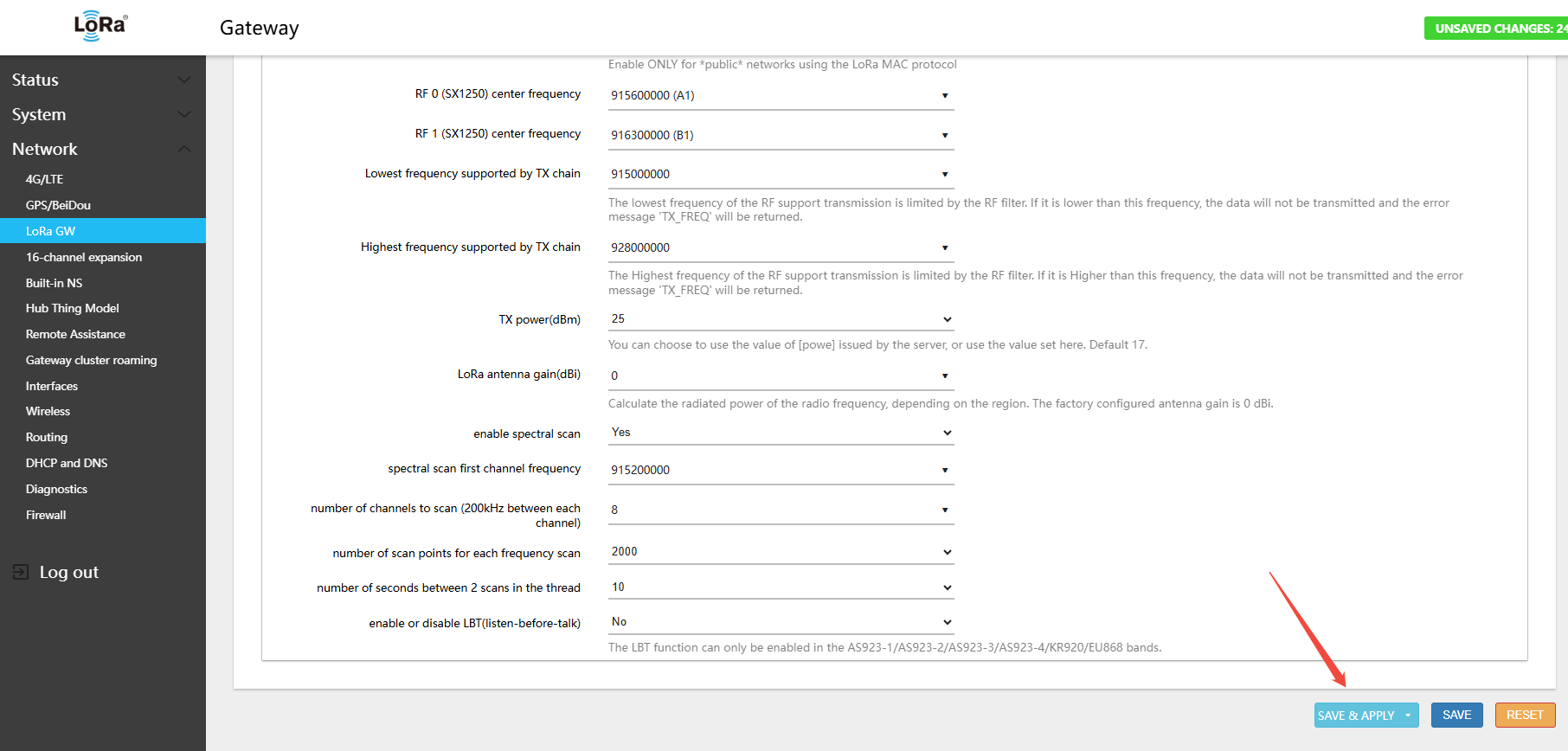
- In the menu Network → LoRa GW → Status, view the currently active band and channel configuration
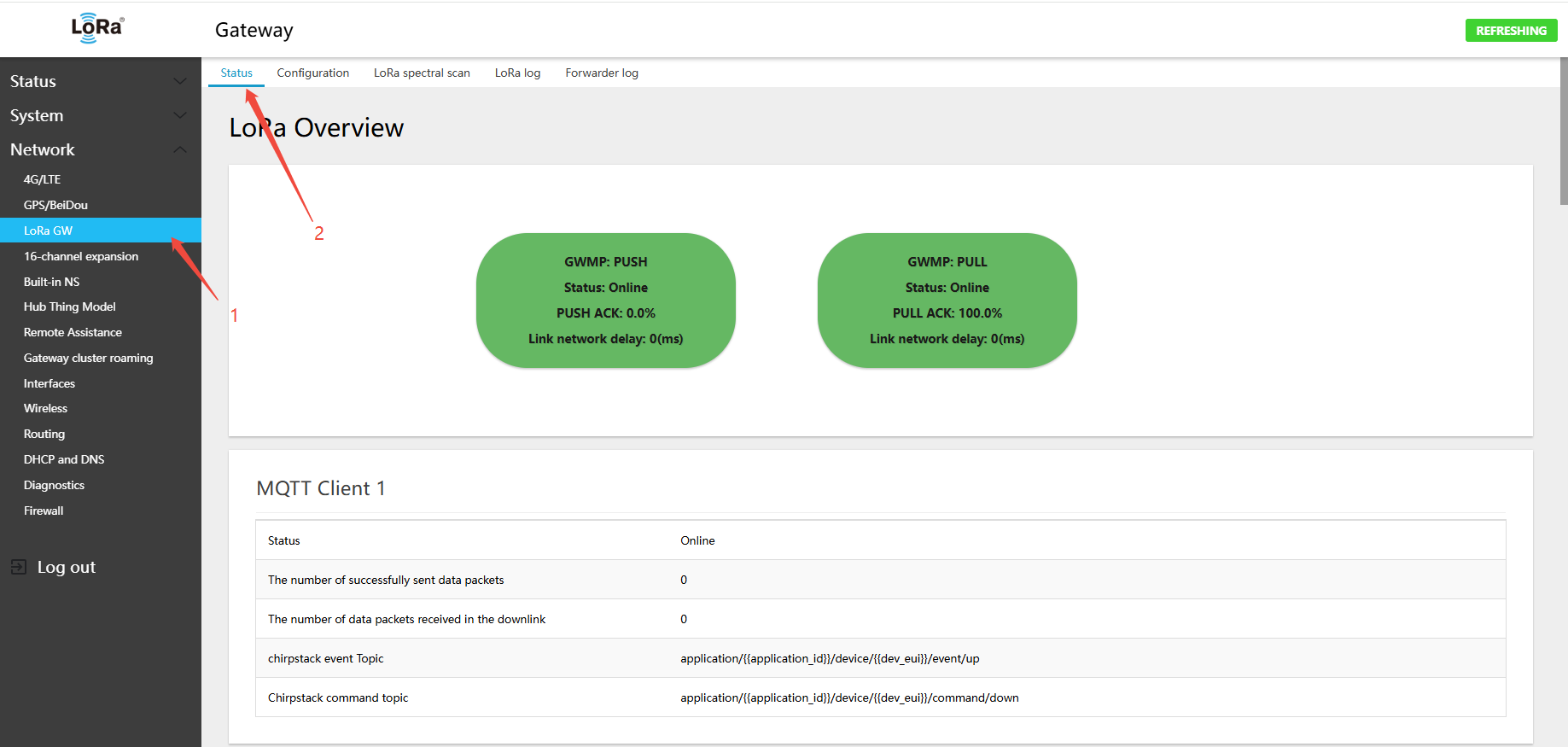
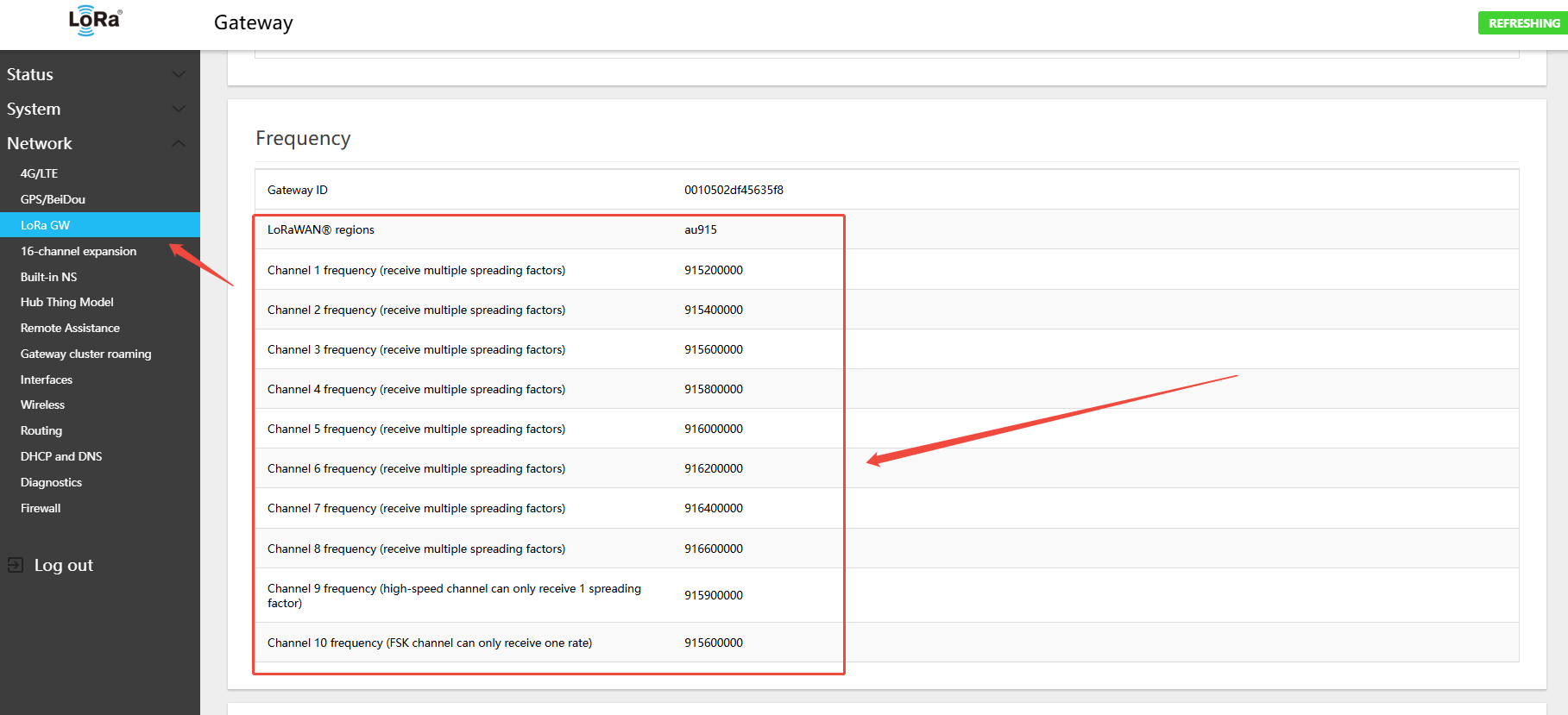
AU915-928 Gateway 8-Channel Default (A1B1)
- Uplink:
- 915.2 - SF7BW125 to SF10BW125
- 915.4 - SF7BW125 to SF10BW125
- 915.6 - SF7BW125 to SF10BW125
- 915.8 - SF7BW125 to SF10BW125
- 916.0 - SF7BW125 to SF10BW125
- 916.2 - SF7BW125 to SF10BW125
- 916.4 - SF7BW125 to SF10BW125
- 916.6 - SF7BW125 to SF10BW125
- 915.9 - SF8BW500
- Downlink:
- 923.3 - SF7BW500 to SF12BW500 (RX1)
- 923.9 - SF7BW500 to SF12BW500 (RX1)
- 924.5 - SF7BW500 to SF12BW500 (RX1)
- 925.1 - SF7BW500 to SF12BW500 (RX1)
- 925.7 - SF7BW500 to SF12BW500 (RX1)
- 926.3 - SF7BW500 to SF12BW500 (RX1)
- 926.9 - SF7BW500 to SF12BW500 (RX1)
- 927.5 - SF7BW500 to SF12BW500 (RX1)
- 923.3 - SF12BW500 (RX2)
- The 16-channel expansion is A2B2. Follow the same configuration procedure: Network → 16-channel expansion → Configuration
- Uplink:
- 916.8 - SF7BW125 to SF10BW125
- 917.0 - SF7BW125 to SF10BW125
- 917.2 - SF7BW125 to SF10BW125
- 917.4 - SF7BW125 to SF10BW125
- 917.6 - SF7BW125 to SF10BW125
- 917.8 - SF7BW125 to SF10BW125
- 918.0 - SF7BW125 to SF10BW125
- 918.2 - SF7BW125 to SF10BW125
- 917.5 - SF8BW500
- Downlink:
- 923.3 - SF7BW500 to SF12BW500 (RX1)
- 923.9 - SF7BW500 to SF12BW500 (RX1)
- 924.5 - SF7BW500 to SF12BW500 (RX1)
- 925.1 - SF7BW500 to SF12BW500 (RX1)
- 925.7 - SF7BW500 to SF12BW500 (RX1)
- 926.3 - SF7BW500 to SF12BW500 (RX1)
- 926.9 - SF7BW500 to SF12BW500 (RX1)
- 927.5 - SF7BW500 to SF12BW500 (RX1)
- 923.3 - SF12BW500 (RX2)
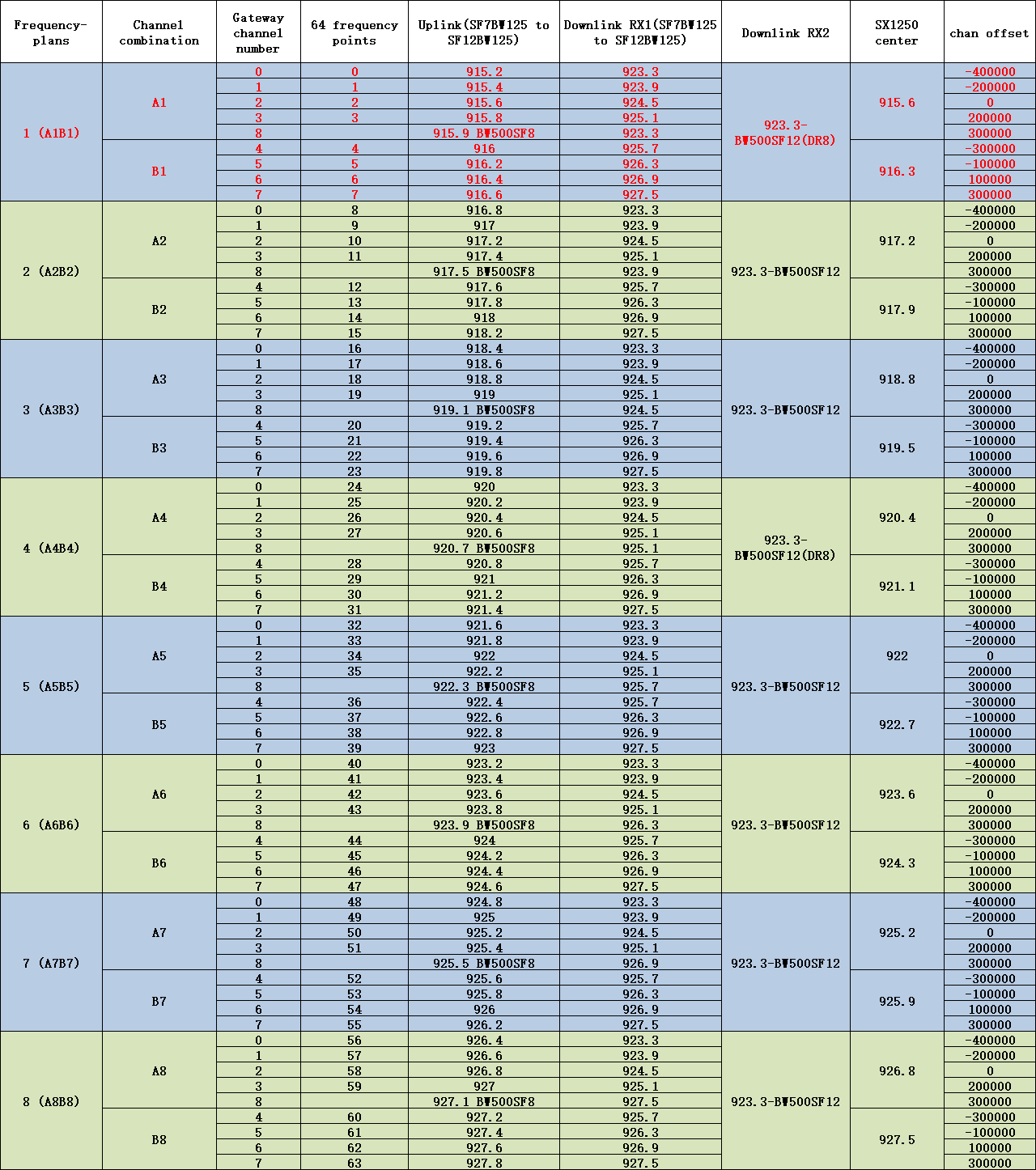
AU915-928 Gateway Uplink/Downlink Channel Table
4.4.3 Switching 915 Hardware to AS923-1 Band
- In the menu Network → LoRa GW → Configuration, select LoRaWAN band: AS923-1
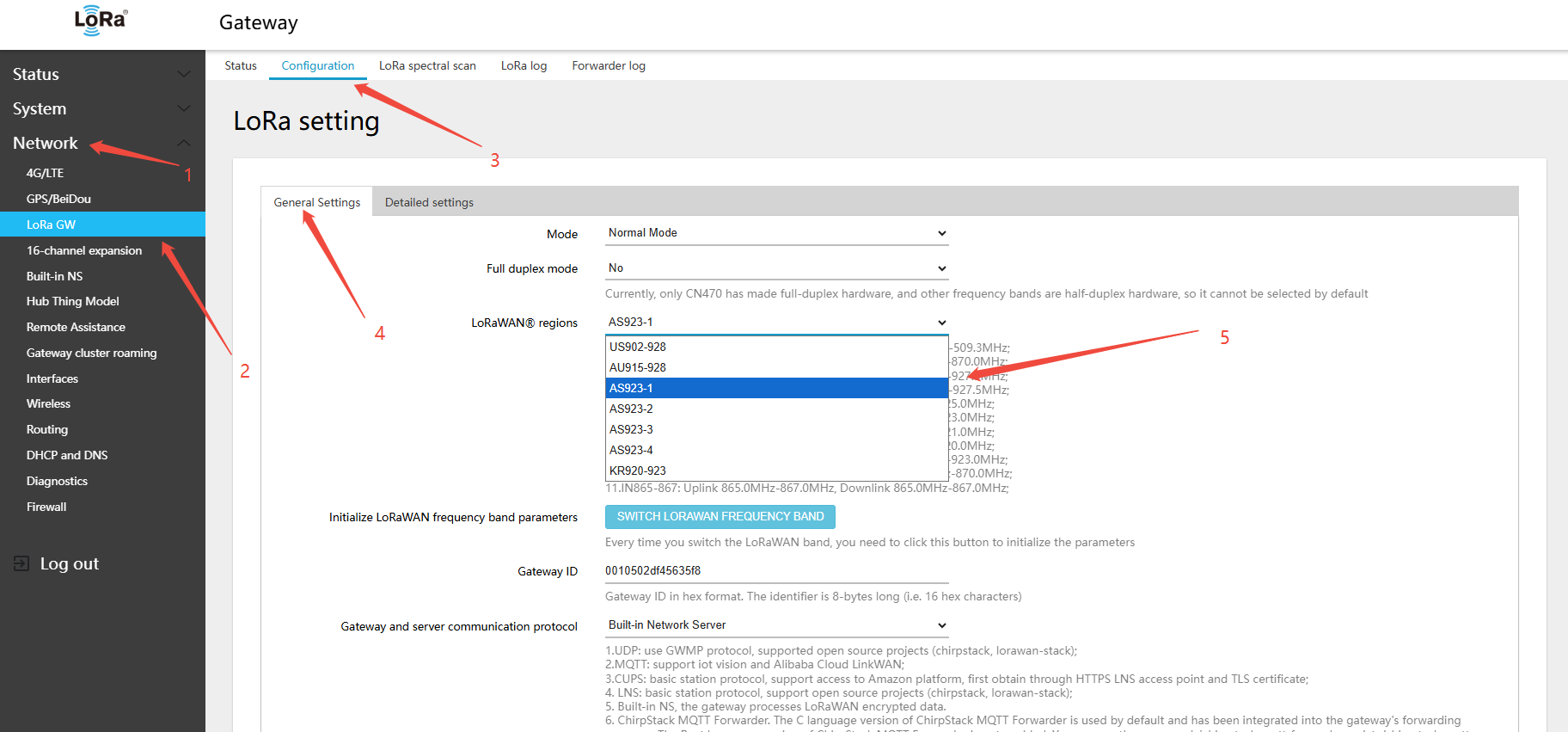
2.clickSWITCH LORAWAN FREQUENCY BAND(LORAWANband)button
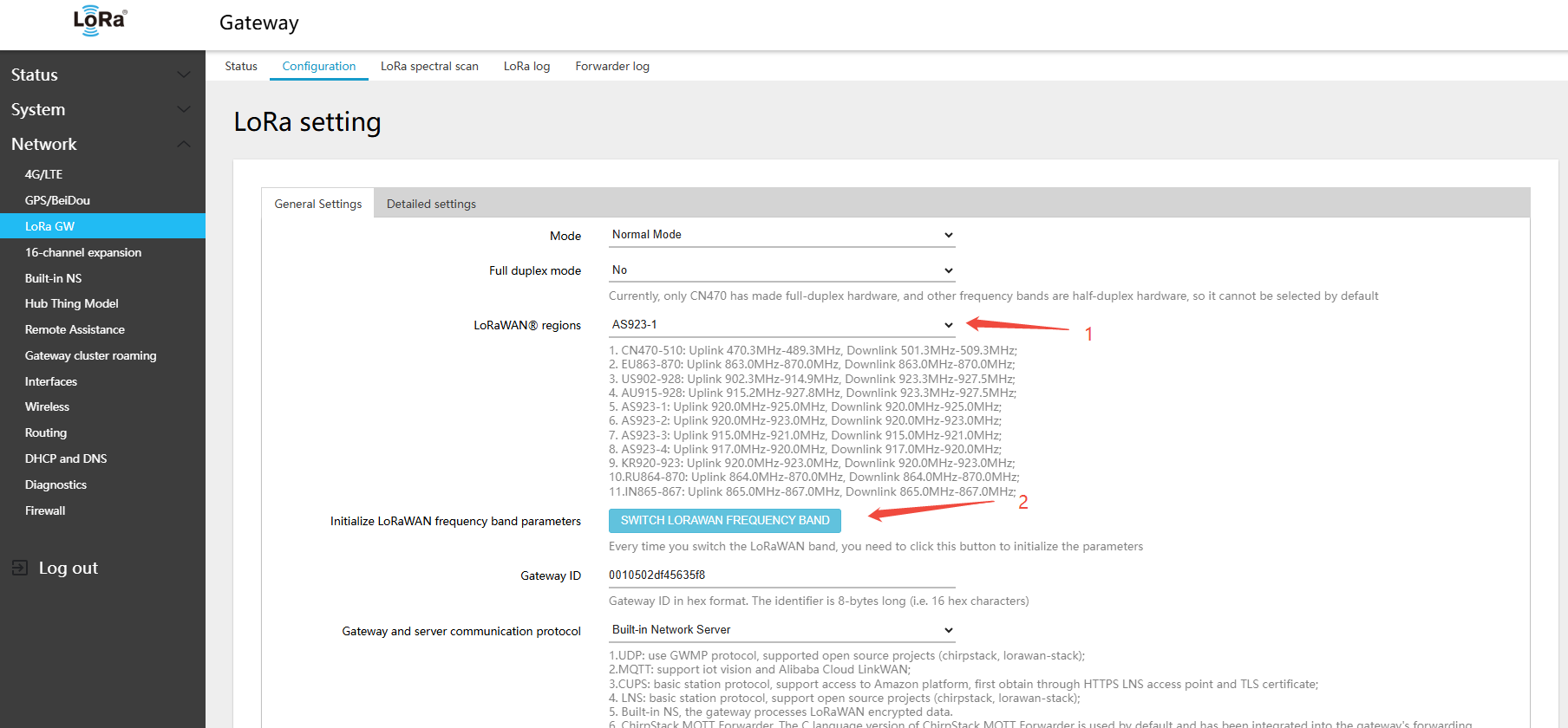
- Find RF 0 (SX1250) center frequency → select A1
- Find RF 1 (SX1250) center frequency → select B1
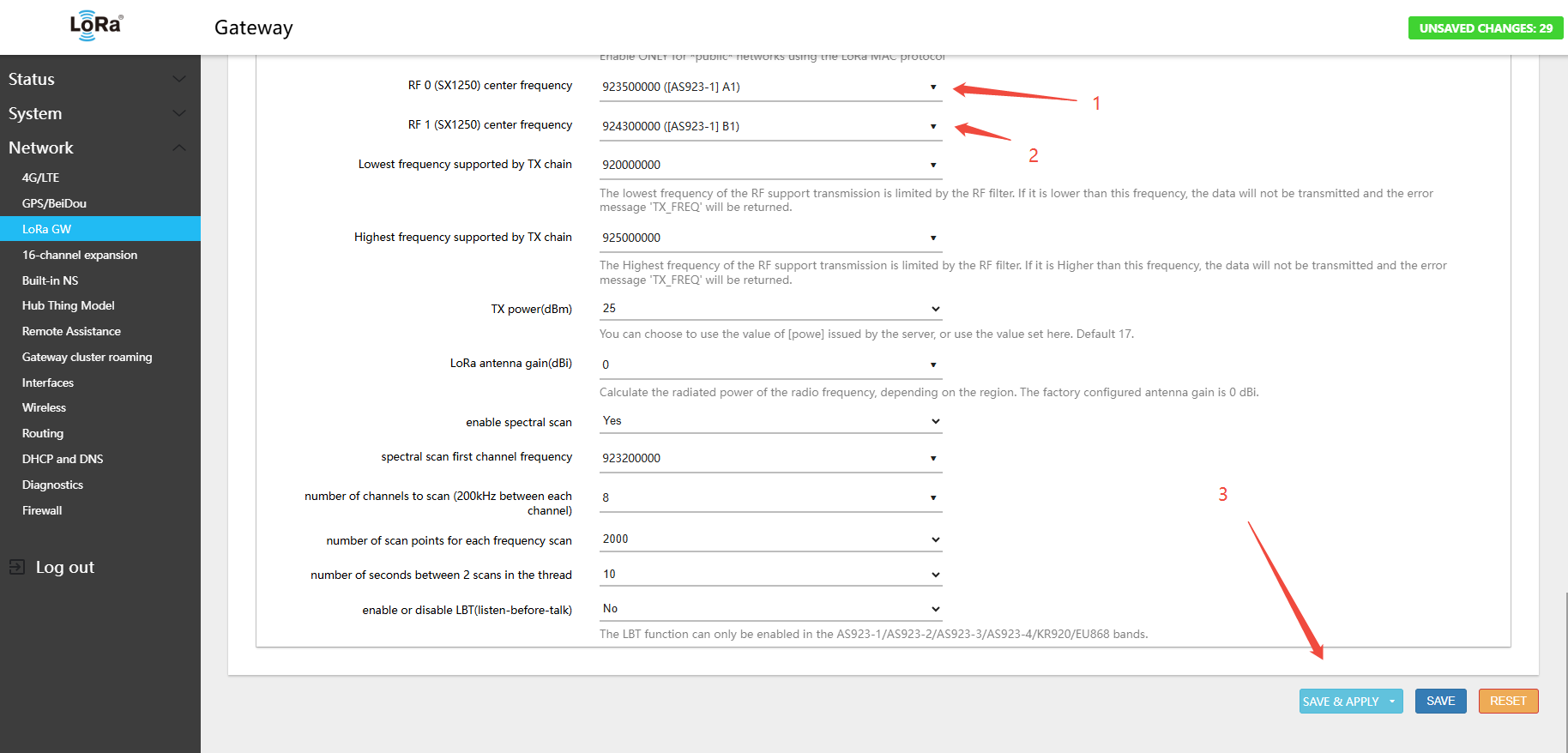
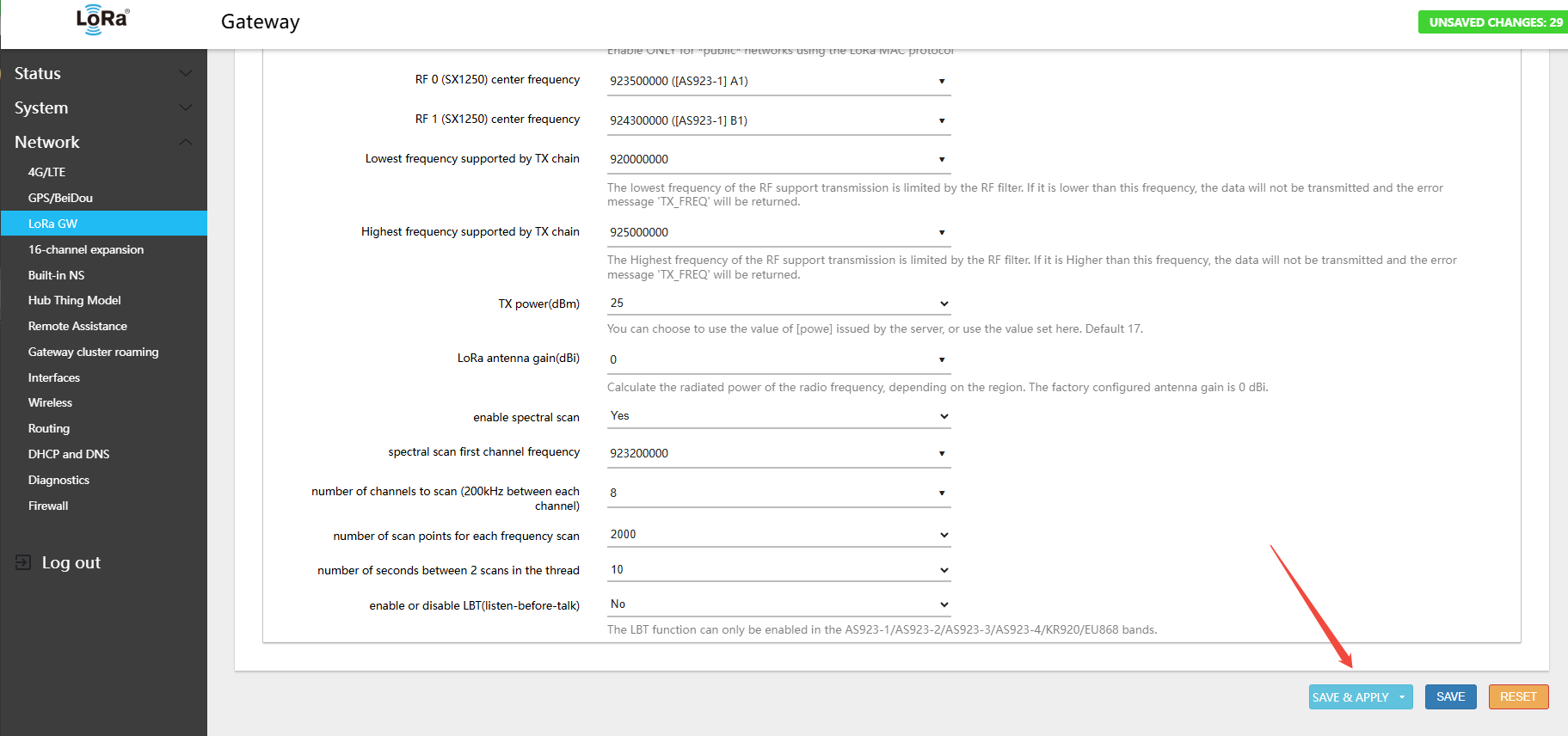
3.Click Save & Apply in the lower-right corner of the page
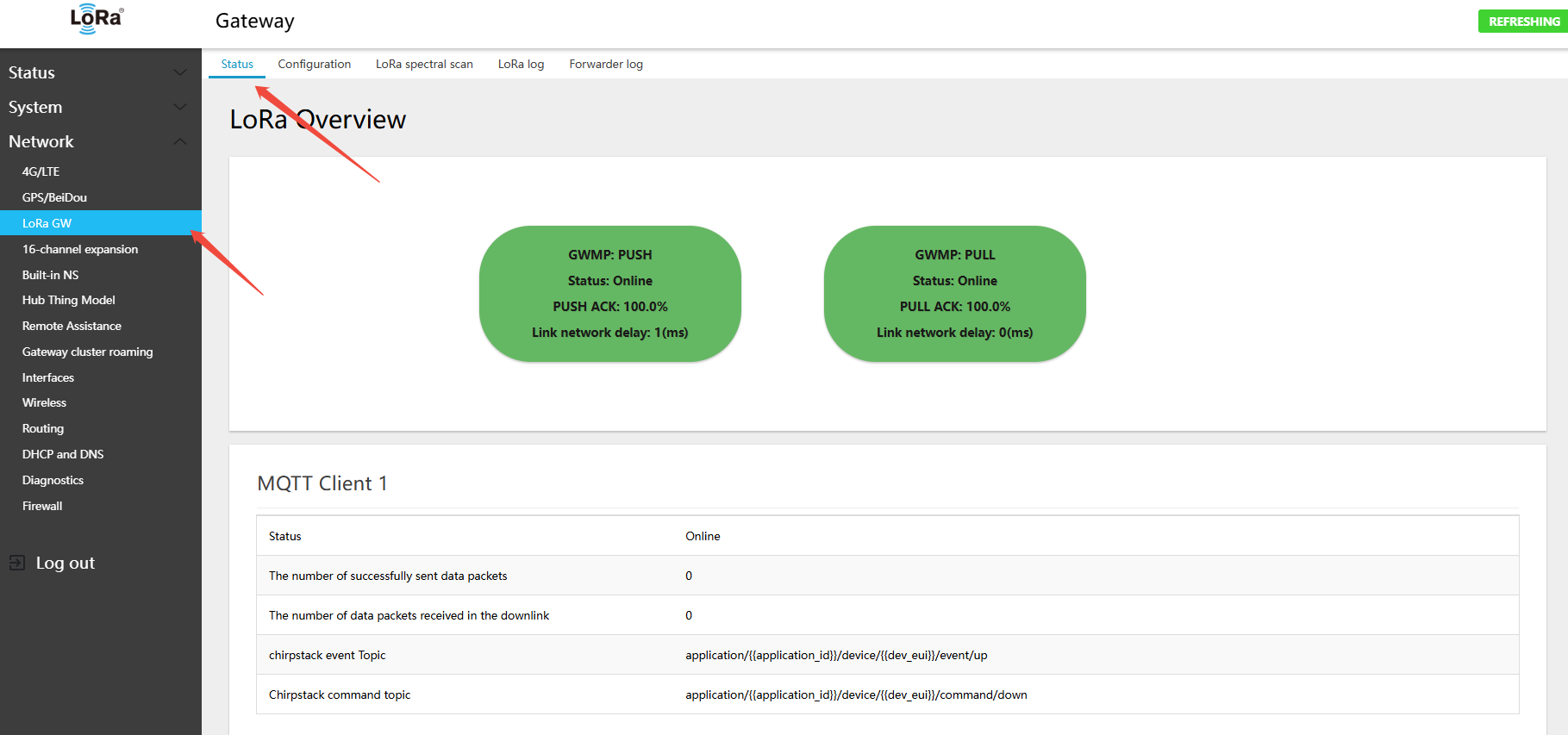
- In the menu Network → LoRa GW → Status, view the currently active band and channel configuration
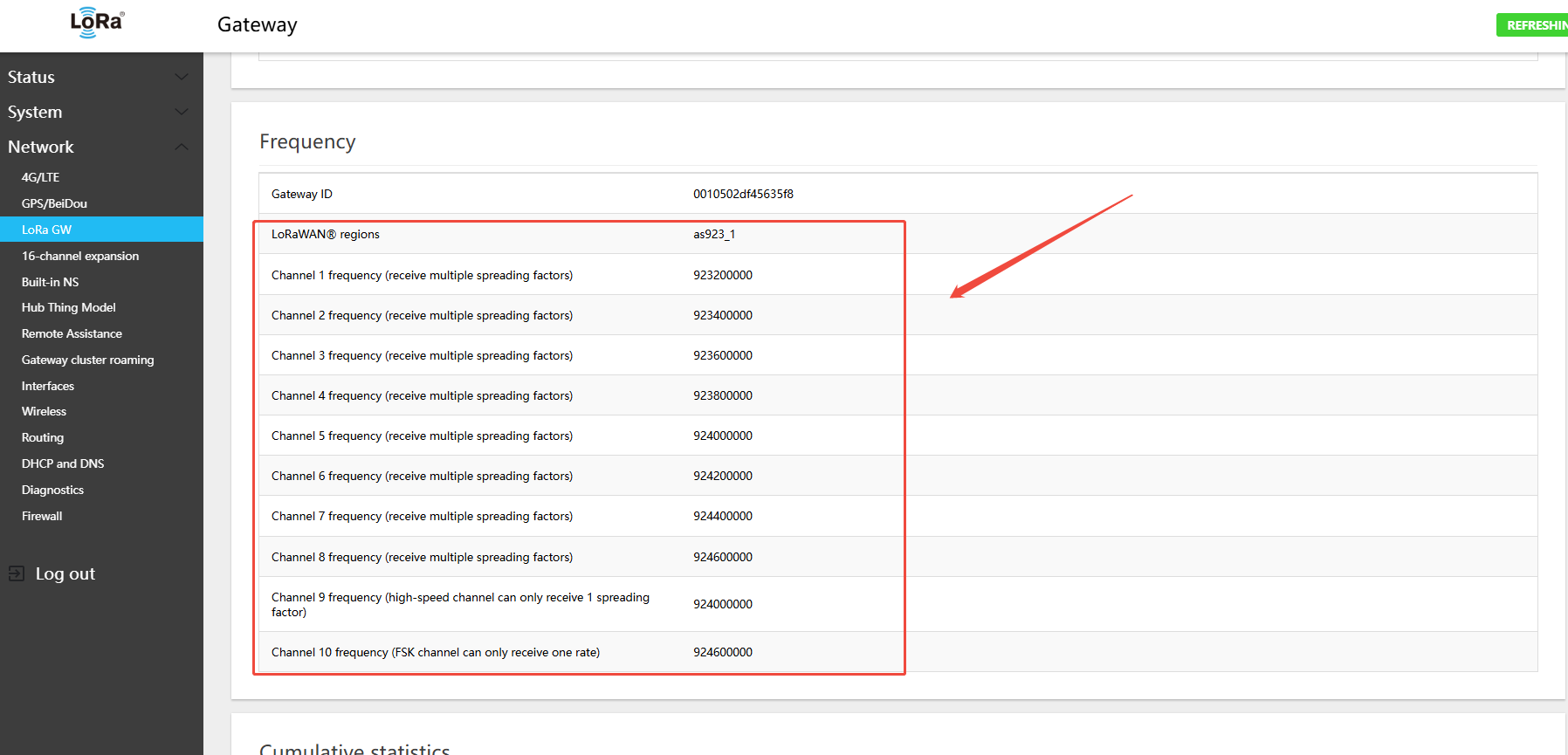
AS923-1 Gateway Default Channels
- Uplink:
- 923.2 - SF7BW125 to SF12BW125
- 923.4 - SF7BW125 to SF12BW125
- 923.6 - SF7BW125 to SF12BW125
- 923.8 - SF7BW125 to SF12BW125
- 924.0 - SF7BW125 to SF12BW125
- 924.2 - SF7BW125 to SF12BW125
- 924.4 - SF7BW125 to SF12BW125
- 924.6 - SF7BW125 to SF12BW125
- 924.6 - FSK
- Downlink:
- Uplink channels 1-9 (RX1)
- 923.2 - SF10BW125 (RX2)
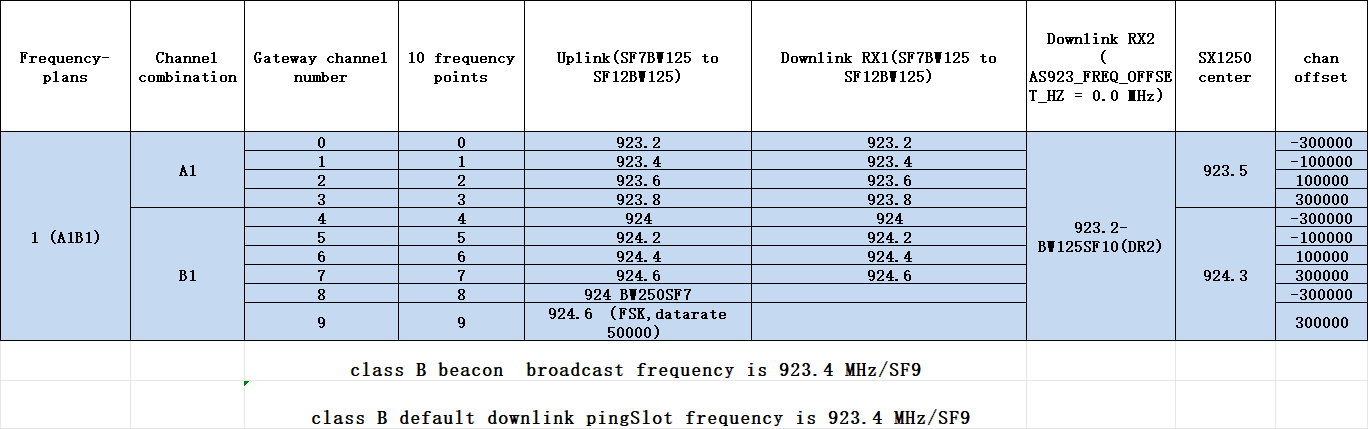
AS923-1 Gateway Uplink/Downlink Channel Table
4.4.4 Switching 915 Hardware to AS923-2 Band
- In the menu Network → LoRa GW → Configuration, select LoRaWAN band: AS923-2
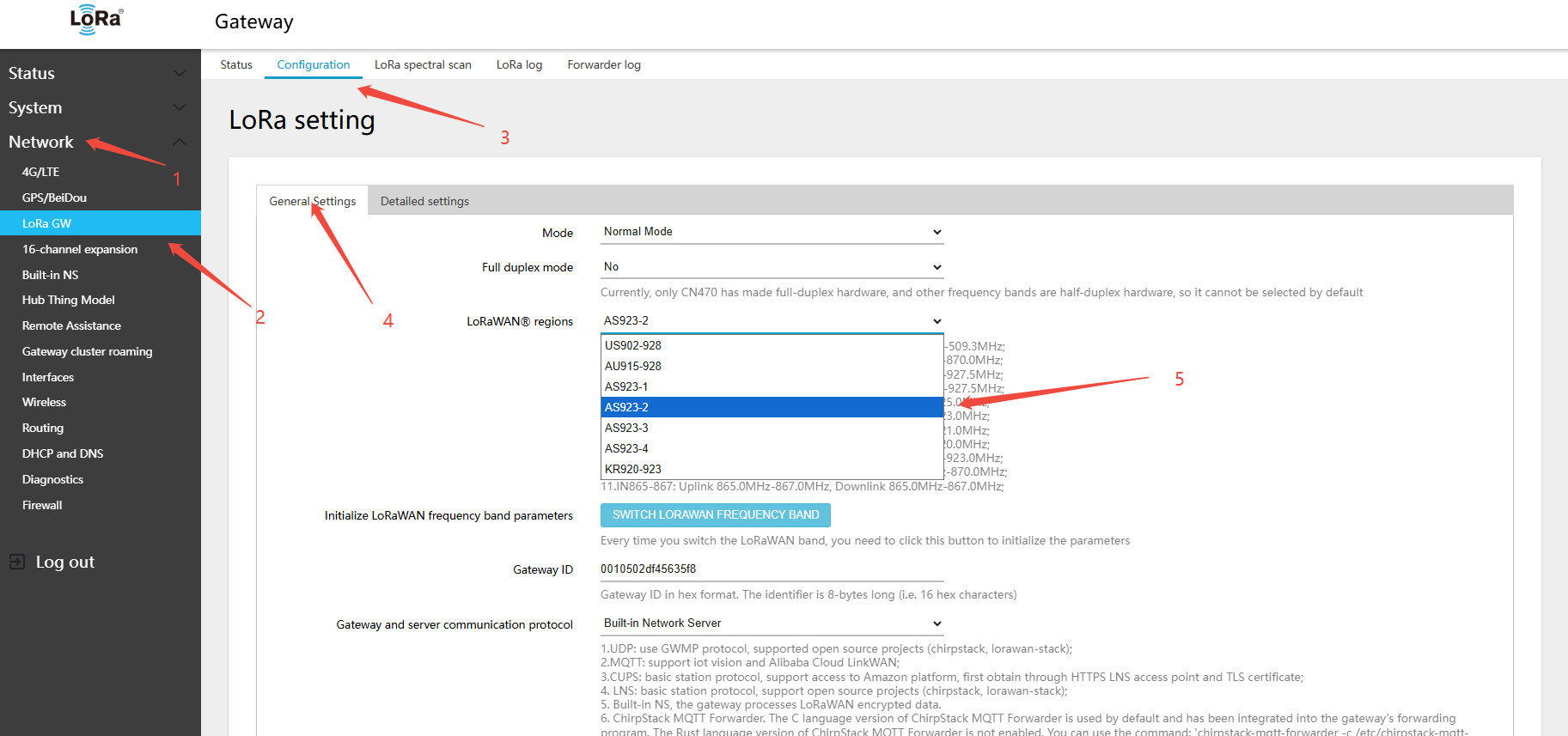
2.clickSWITCH LORAWAN FREQUENCY BAND(LORAWANband)button
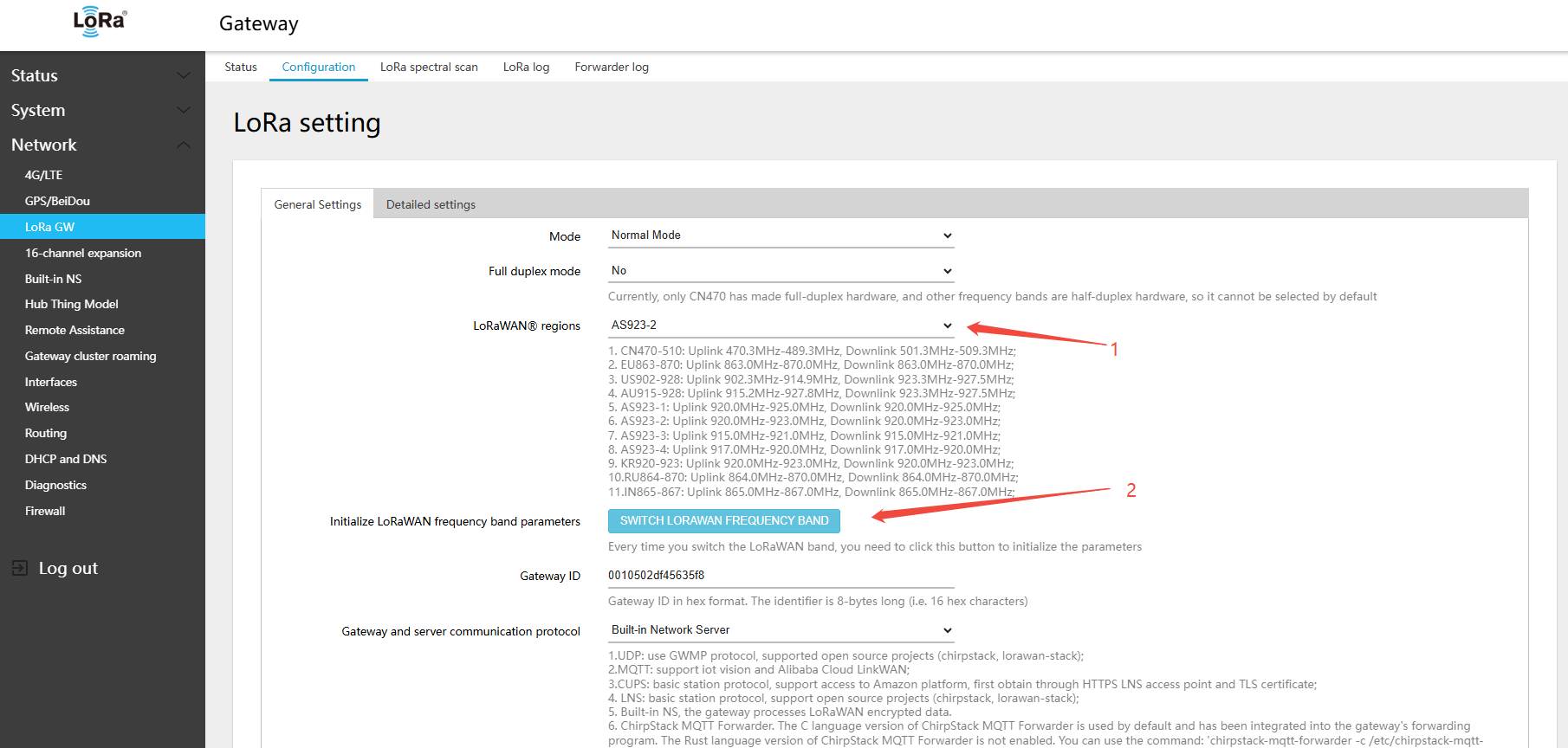
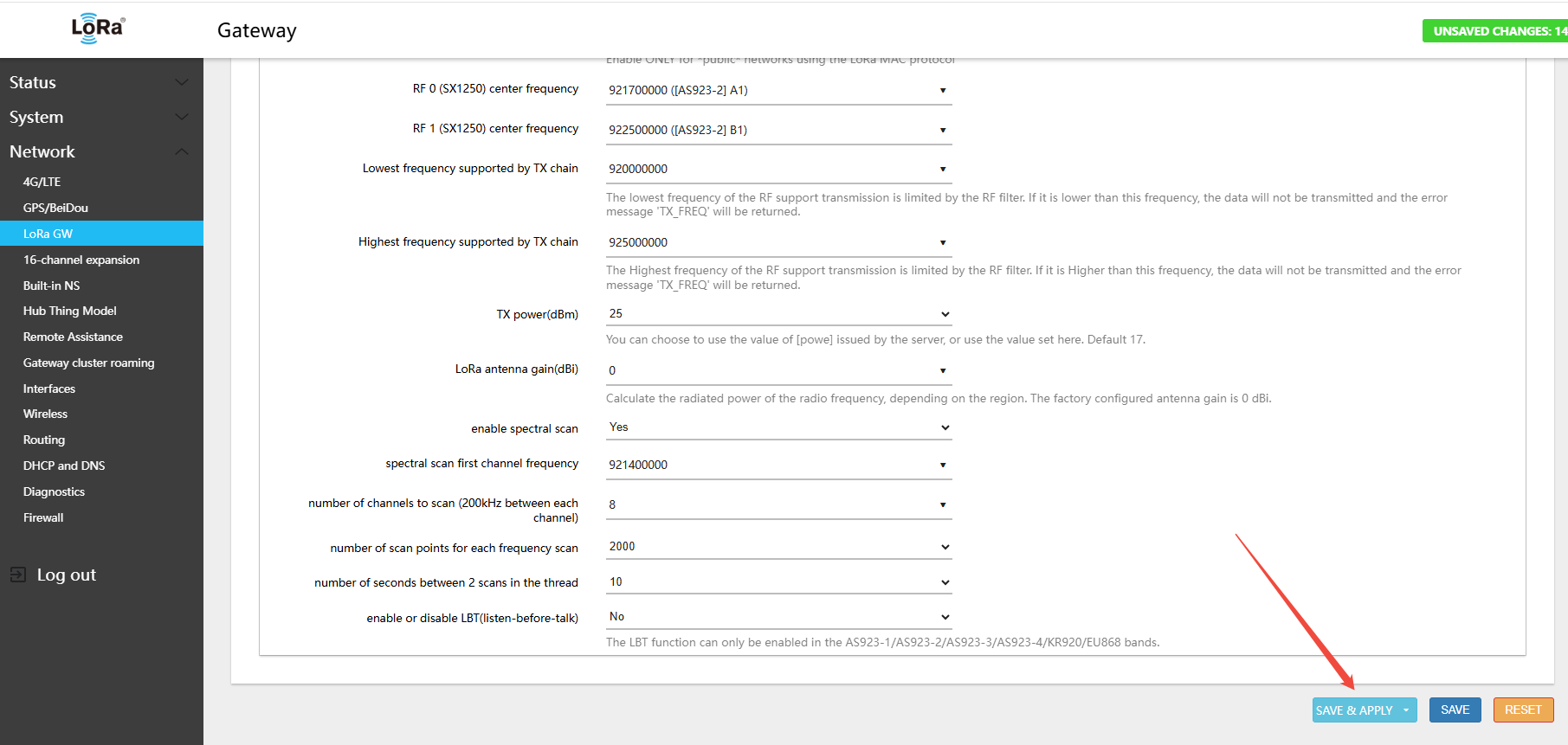
- Find RF 0 (SX1250) center frequency → select A1
- Find RF 1 (SX1250) center frequency → select B1
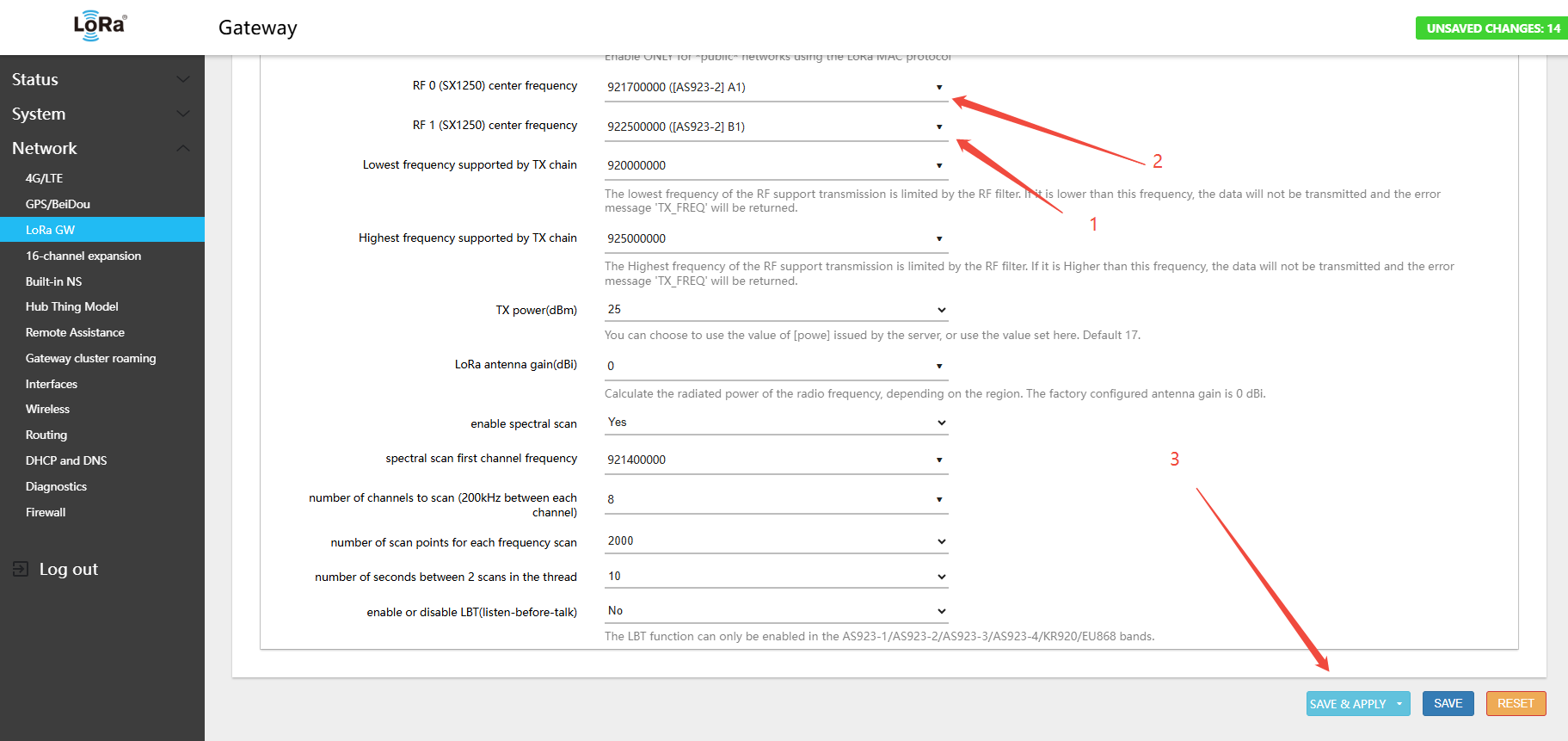
3.Click Save & Apply in the lower-right corner of the page
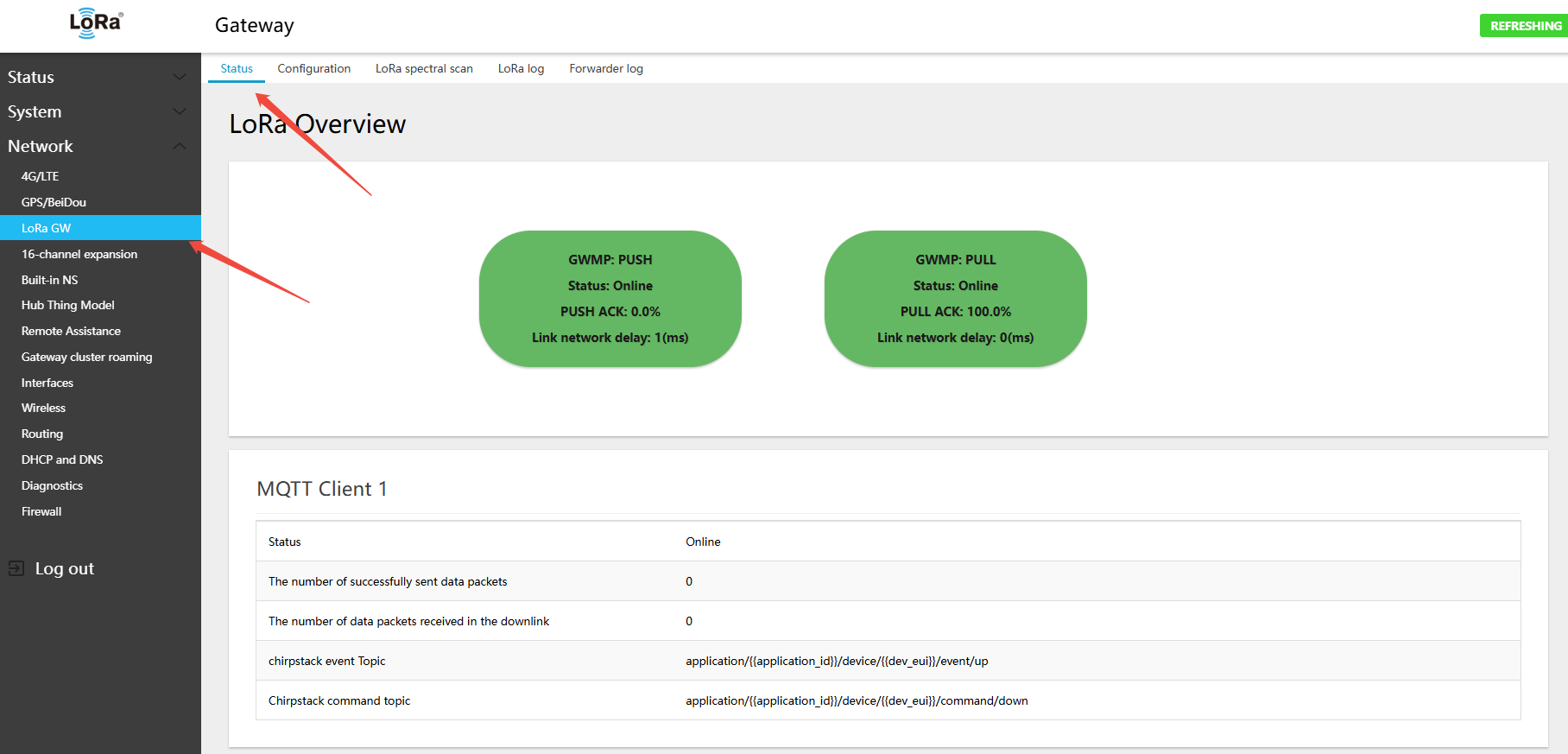
- In the menu Network → LoRa GW → Status, view the currently active band and channel configuration
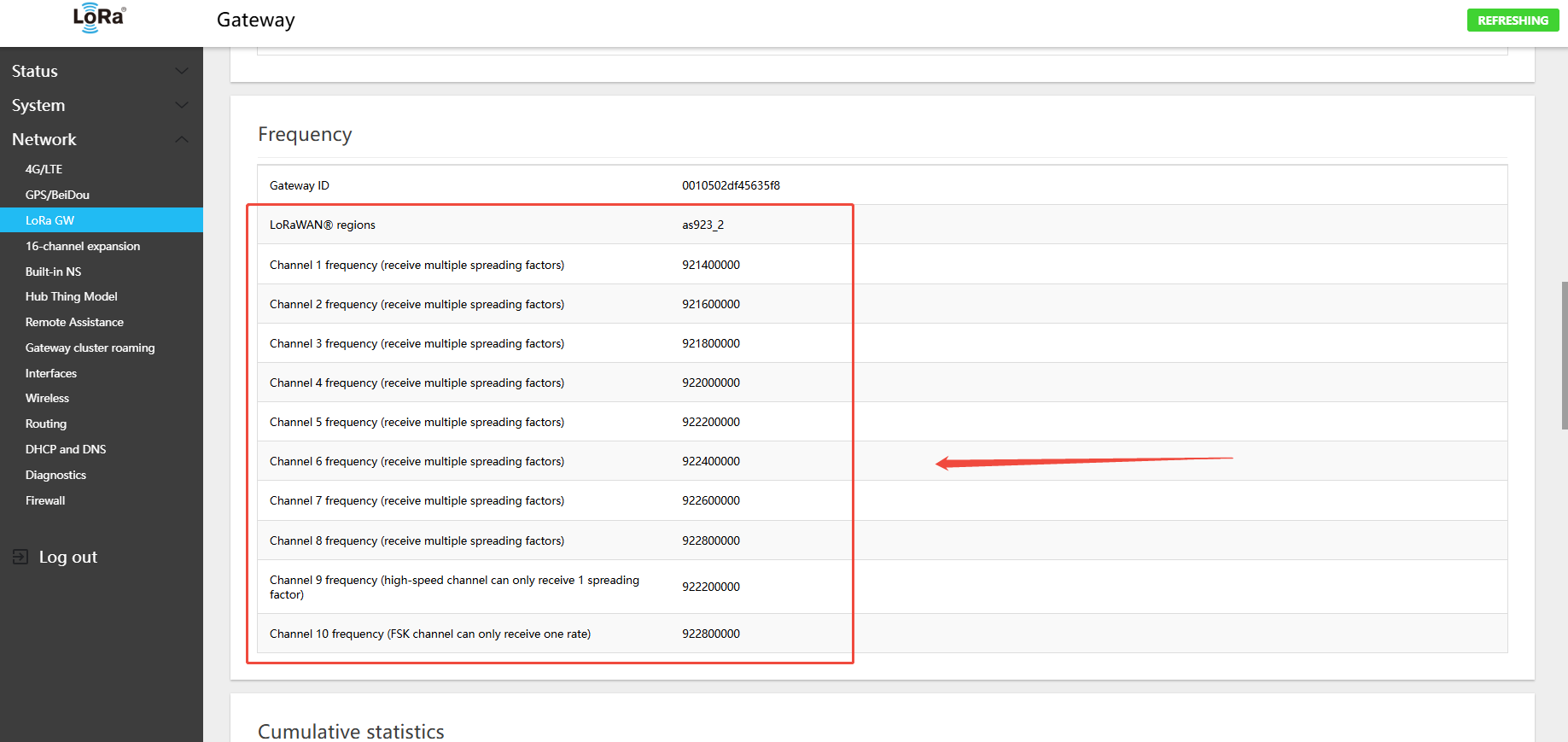
AS923-2 Gateway Default Channels
- Uplink:
- 921.4 - SF7BW125 to SF12BW125
- 921.6 - SF7BW125 to SF12BW125
- 921.8 - SF7BW125 to SF12BW125
- 922.0 - SF7BW125 to SF12BW125
- 922.2 - SF7BW125 to SF12BW125
- 922.4 - SF7BW125 to SF12BW125
- 922.6 - SF7BW125 to SF12BW125
- 922.8 - SF7BW125 to SF12BW125
- 922.8 - FSK
- Downlink:
- Uplink channels 1-9 (RX1)
- 921.4 - SF10BW125 (RX2)
AS923-2 Gateway Uplink/Downlink Channel Table
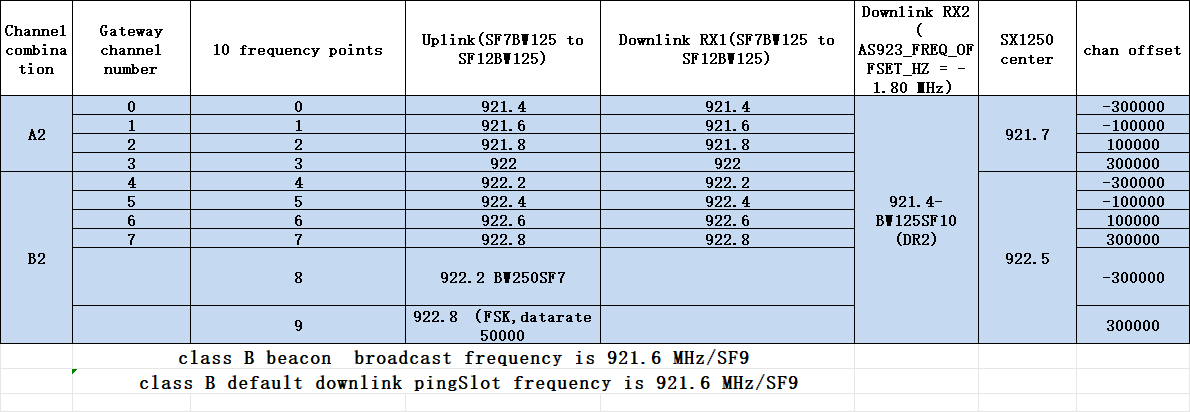
4.4.5 Switching 915 Hardware to AS923-3 Band
- In the menu Network → LoRa GW → Configuration, select LoRaWAN band: AS923-3
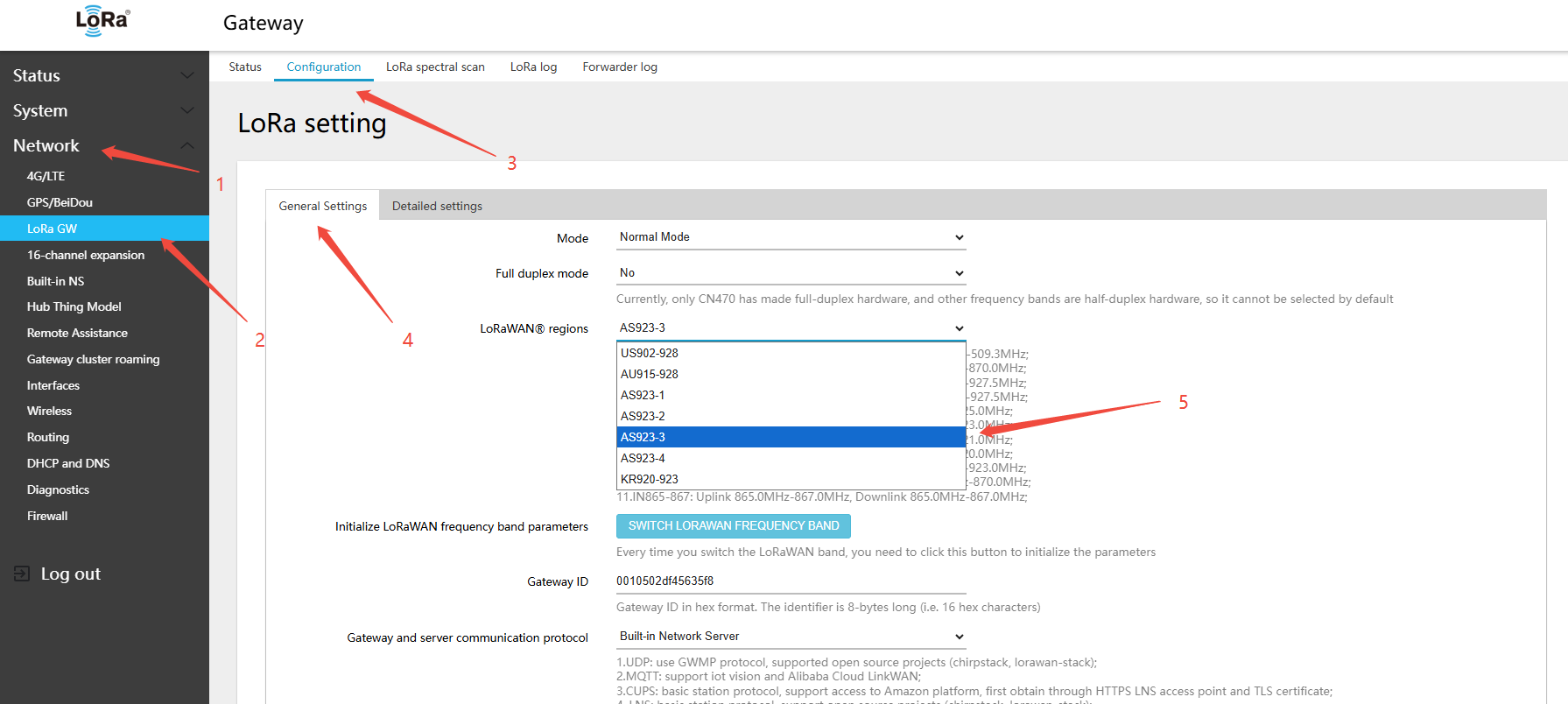
2.clickSWITCH LORAWAN FREQUENCY BAND(LORAWANband)button
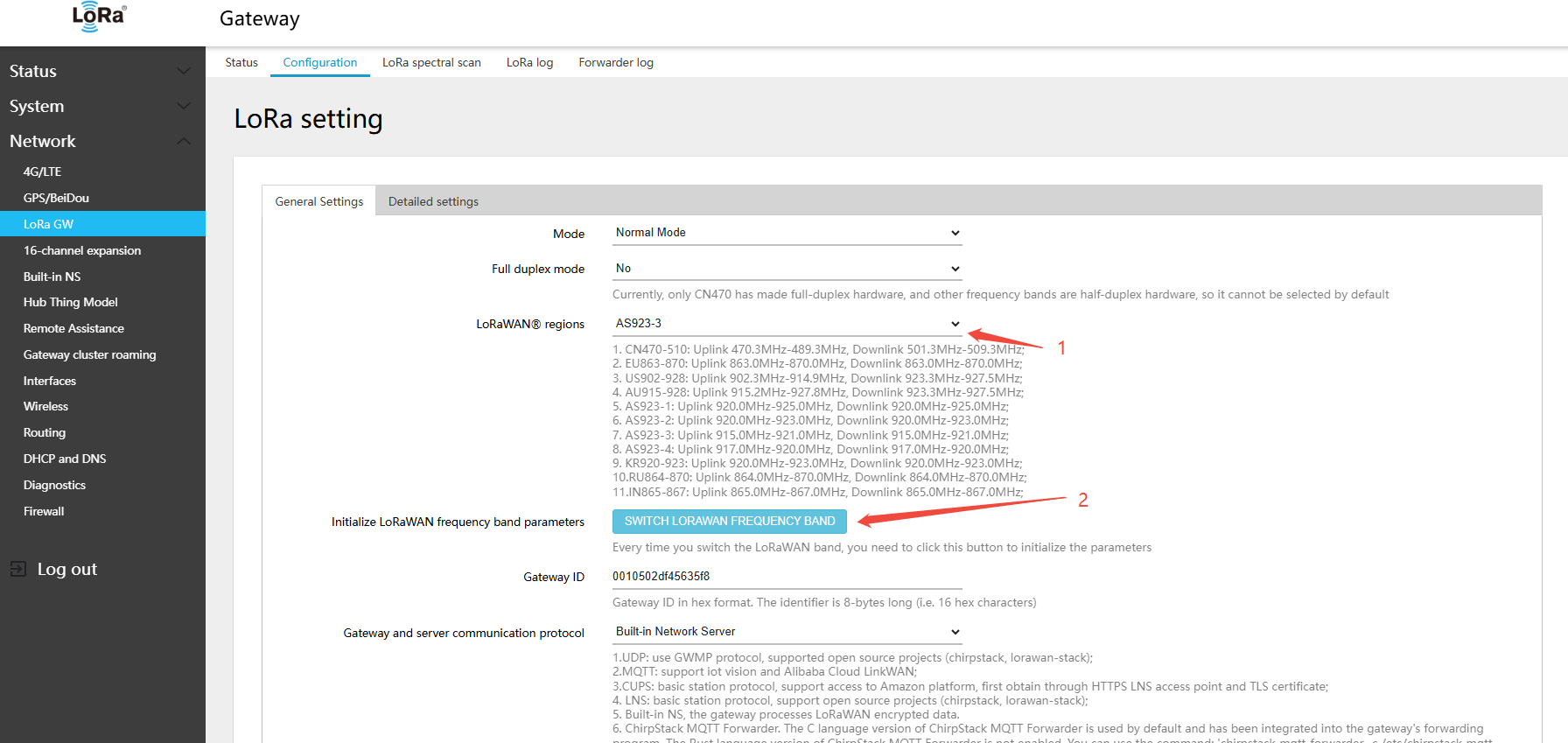
- Find RF 0 (SX1250) center frequency → select A1
- Find RF 1 (SX1250) center frequency → select B1
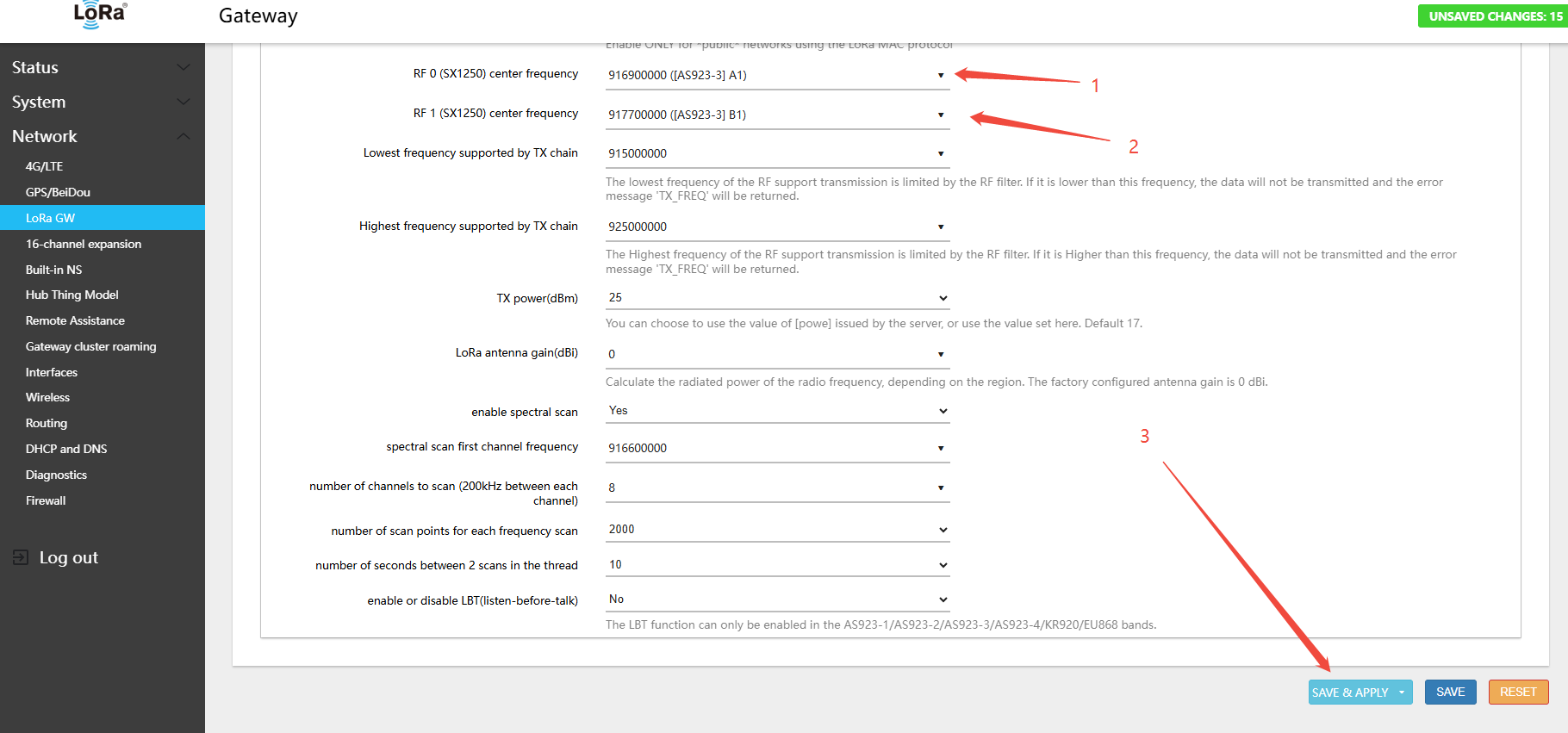
3.Click Save & Apply in the lower-right corner of the page
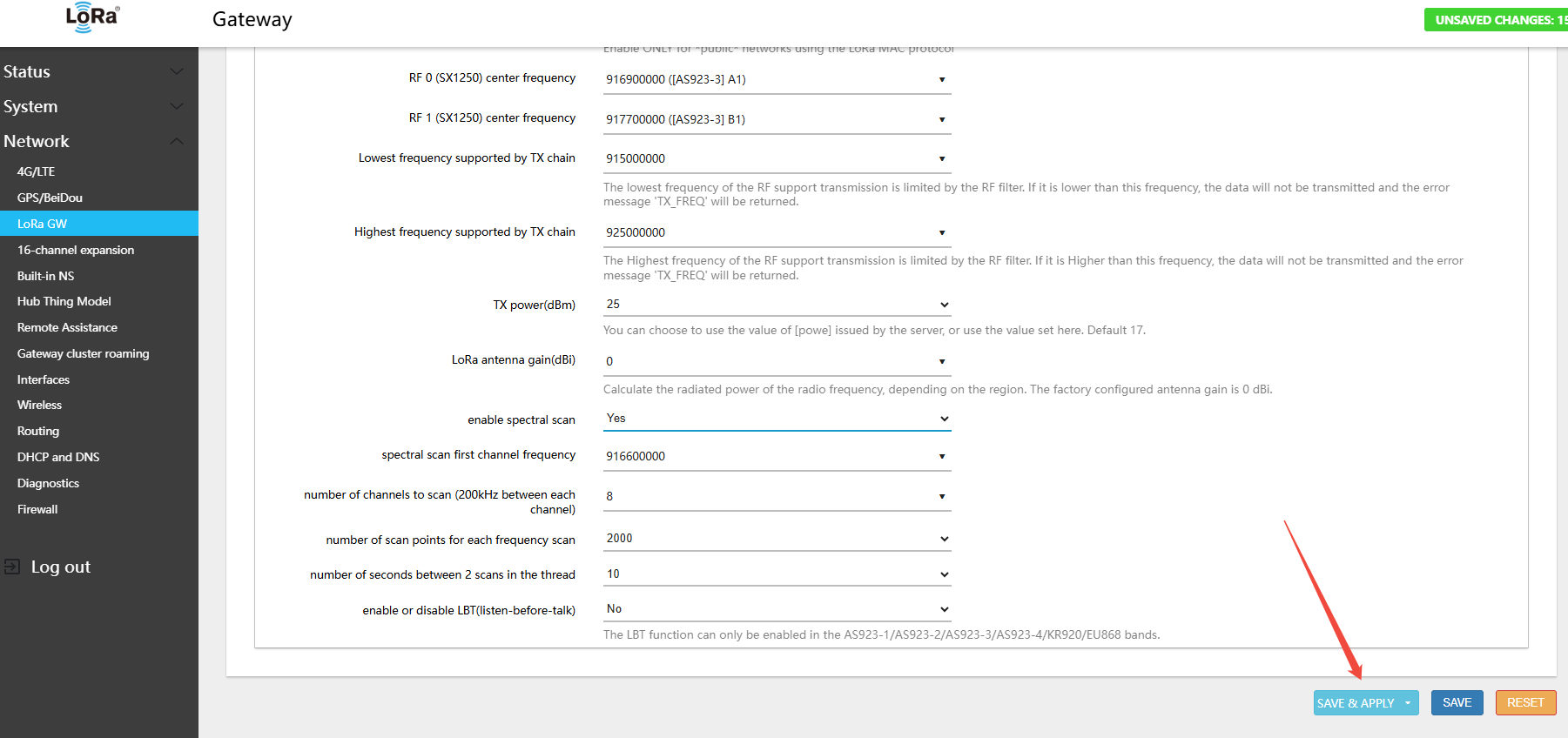
- In the menu Network → LoRa GW → Status, view the currently active band and channel configuration
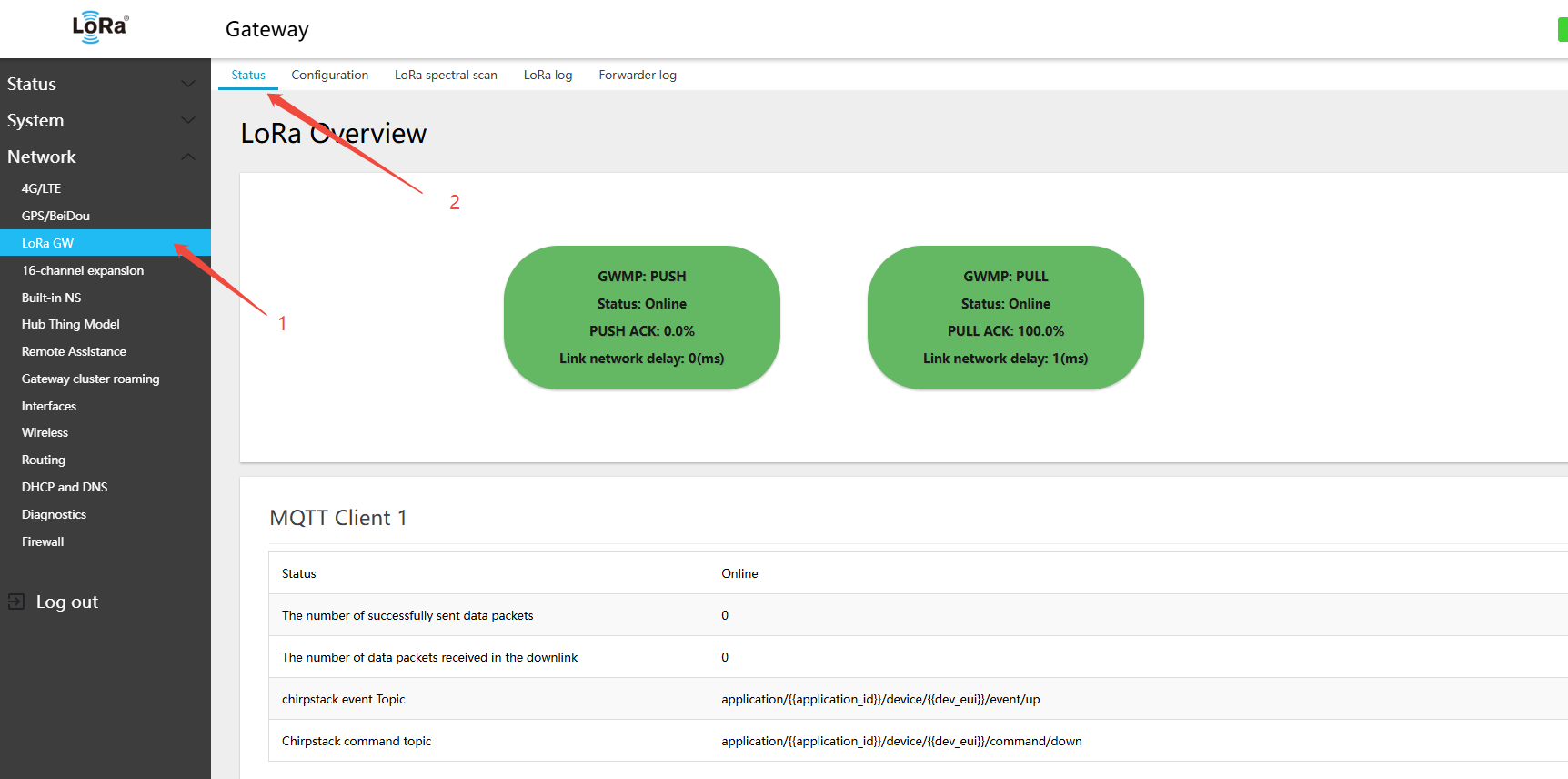
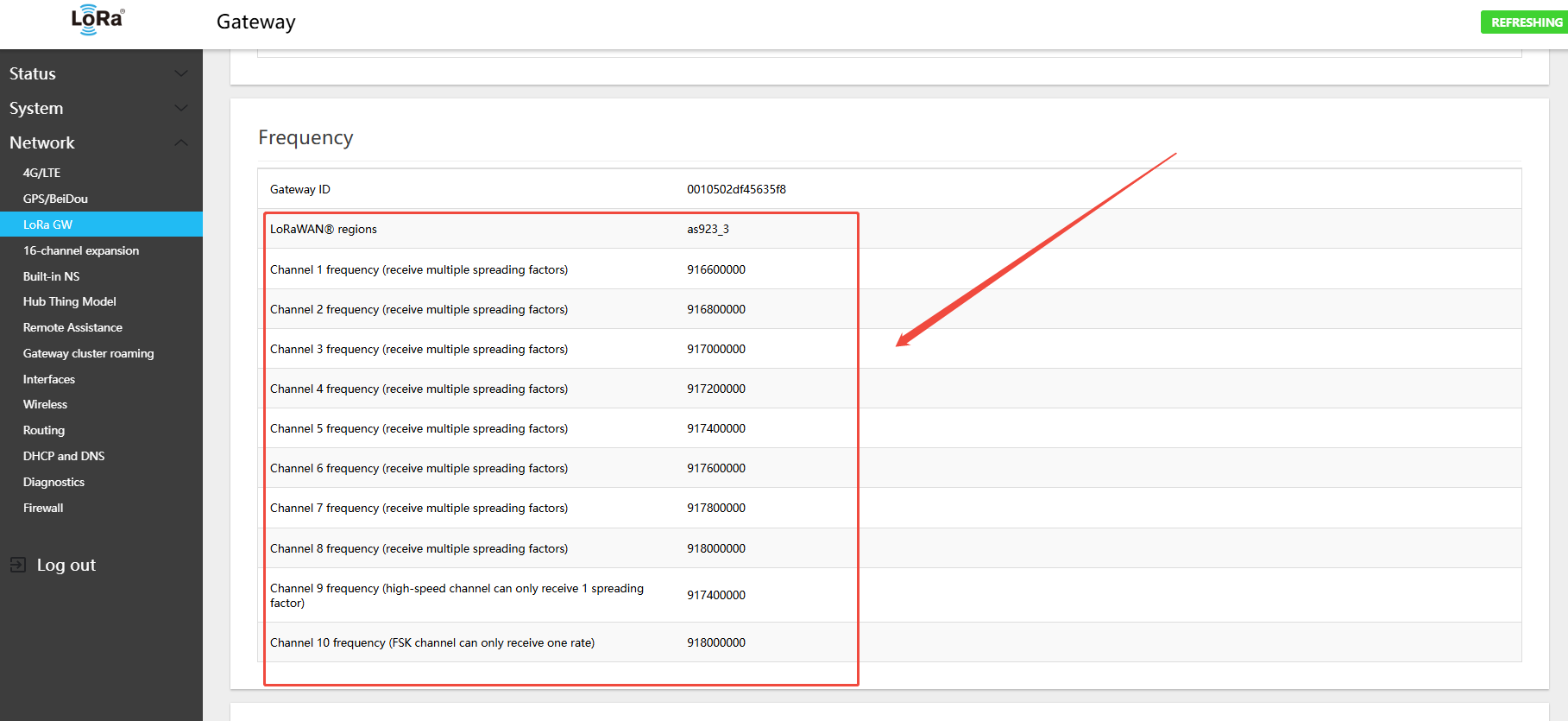
AS923-3 Gateway Default Channels
- Uplink:
- 916.6 - SF7BW125 to SF12BW125
- 916.8 - SF7BW125 to SF12BW125
- 917.0 - SF7BW125 to SF12BW125
- 917.2 - SF7BW125 to SF12BW125
- 917.4 - SF7BW125 to SF12BW125
- 917.6 - SF7BW125 to SF12BW125
- 917.8 - SF7BW125 to SF12BW125
- 918.0 - SF7BW125 to SF12BW125
- 918.0 - FSK
- Downlink:
- Uplink channels 1-9 (RX1)
- 916.6 - SF10BW125 (RX2)
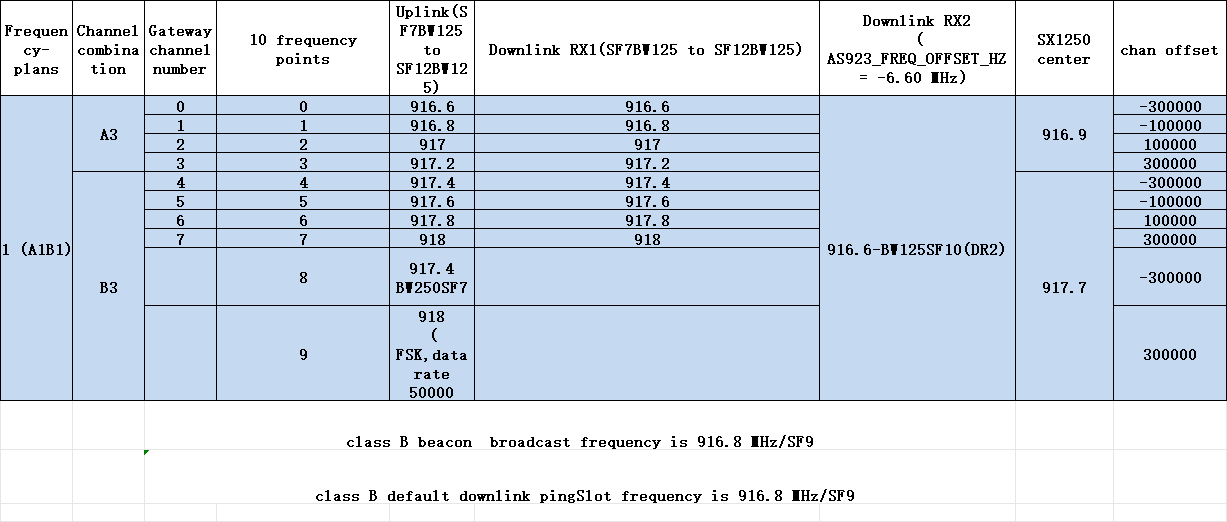
AS923-3 Gateway Uplink/Downlink Channel Table
4.4.6 Switching 915 Hardware to AS923-4 Band
- In the menu Network → LoRa GW → Configuration, select LoRaWAN band: AS923-4
2.clickSWITCH LORAWAN FREQUENCY BAND(LORAWANband)button
- Find RF 0 (SX1250) center frequency → select A1
- Find RF 1 (SX1250) center frequency → select B1
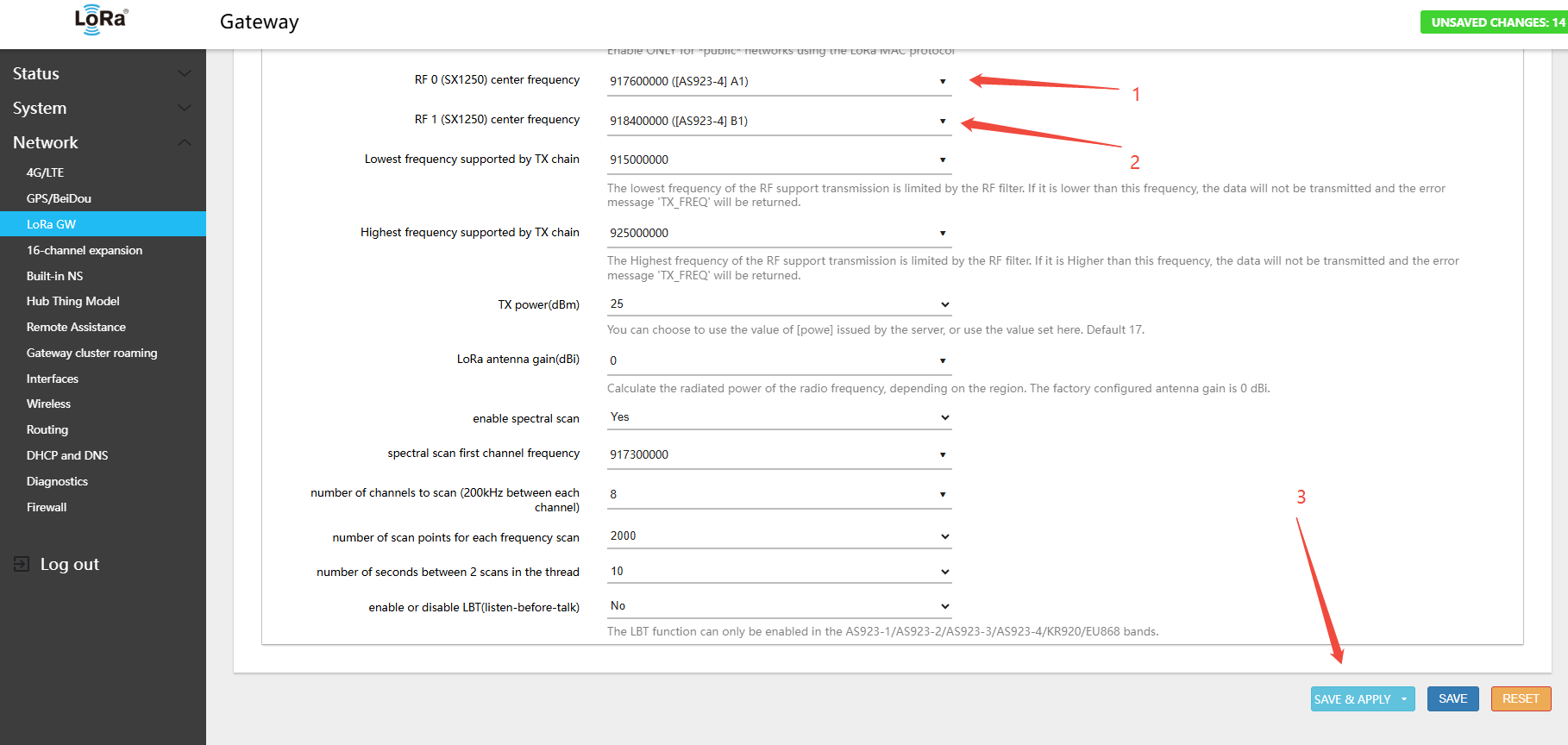
3.Click Save & Apply in the lower-right corner of the page
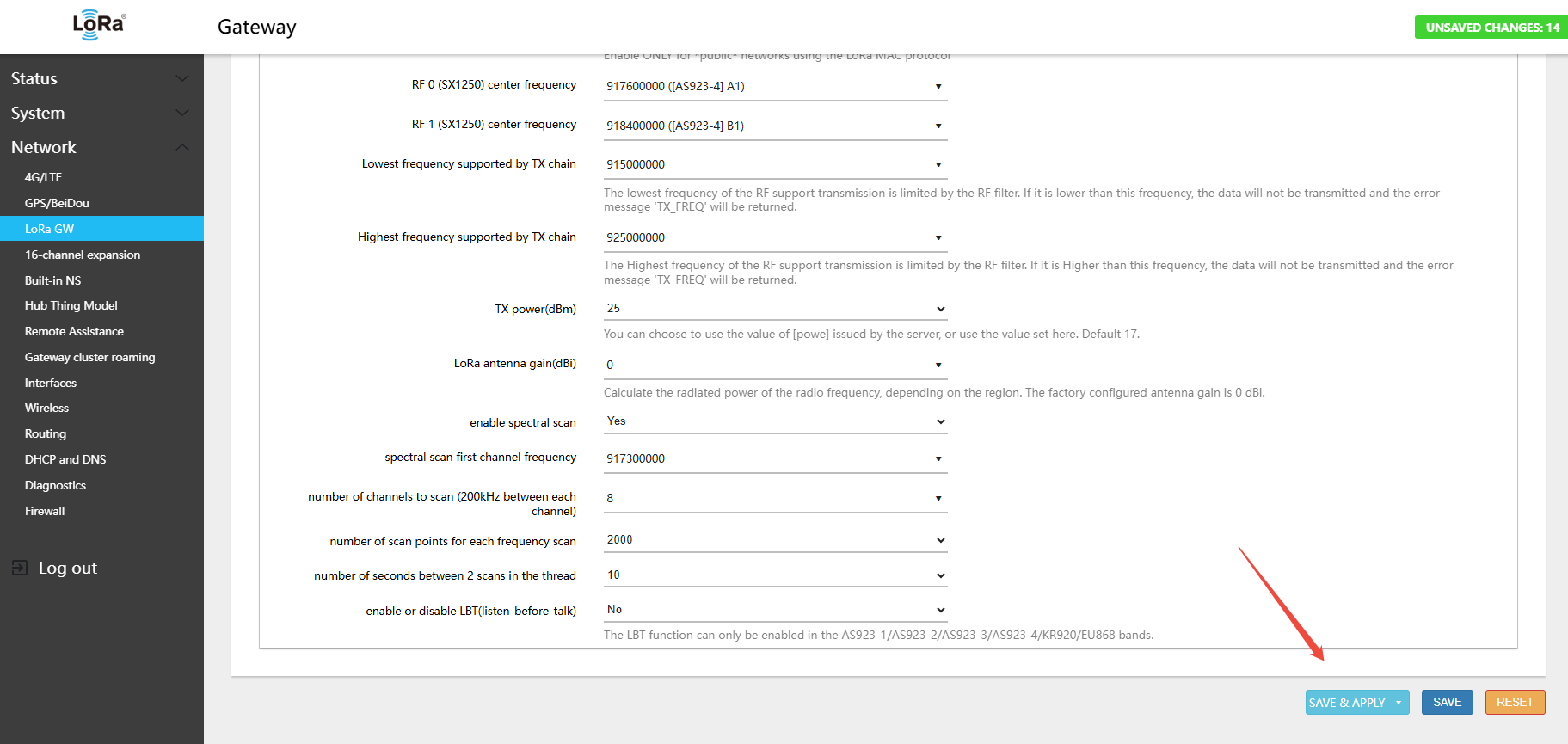
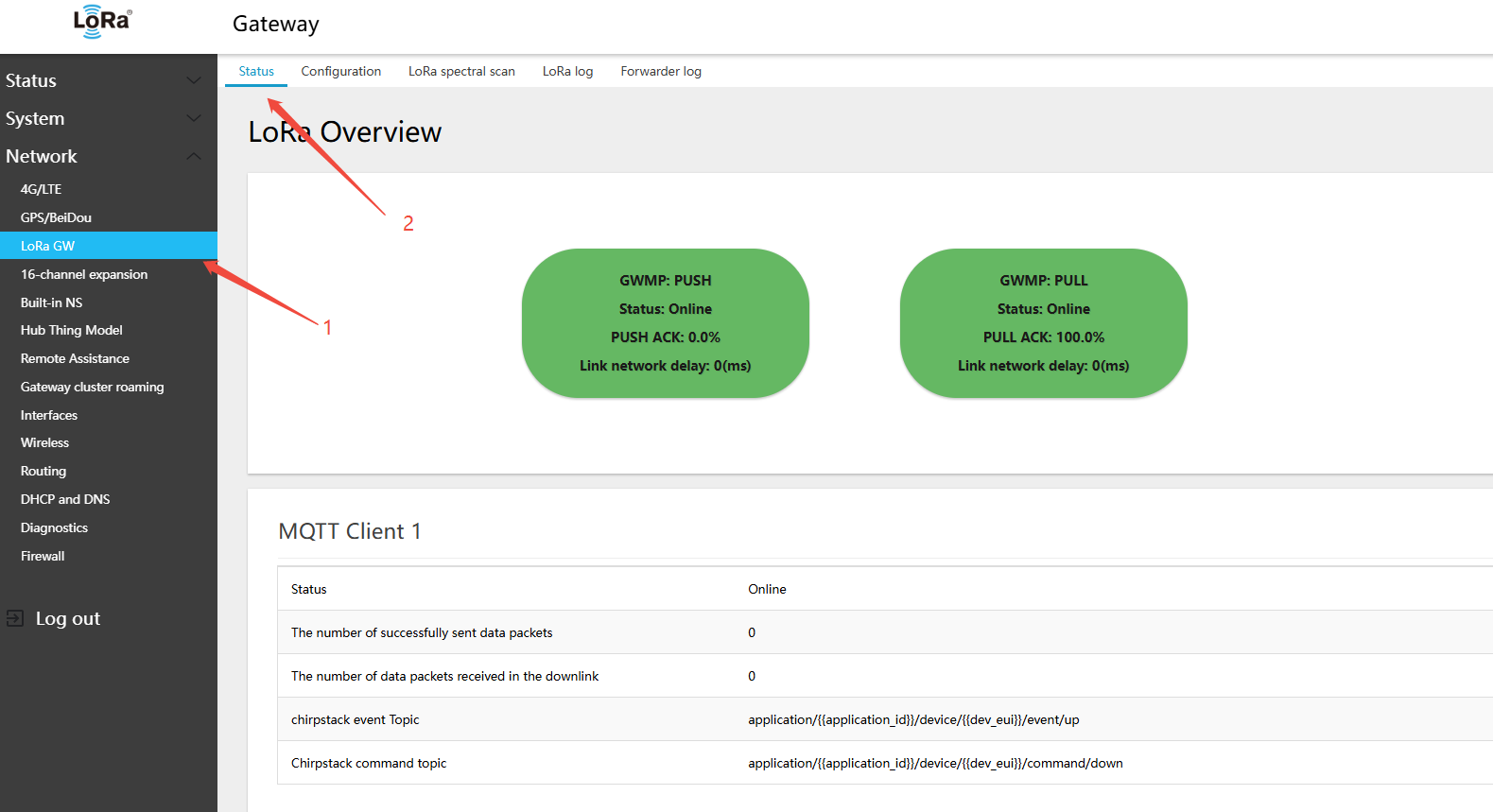
- In the menu Network → LoRa GW → Status, view the currently active band and channel configuration
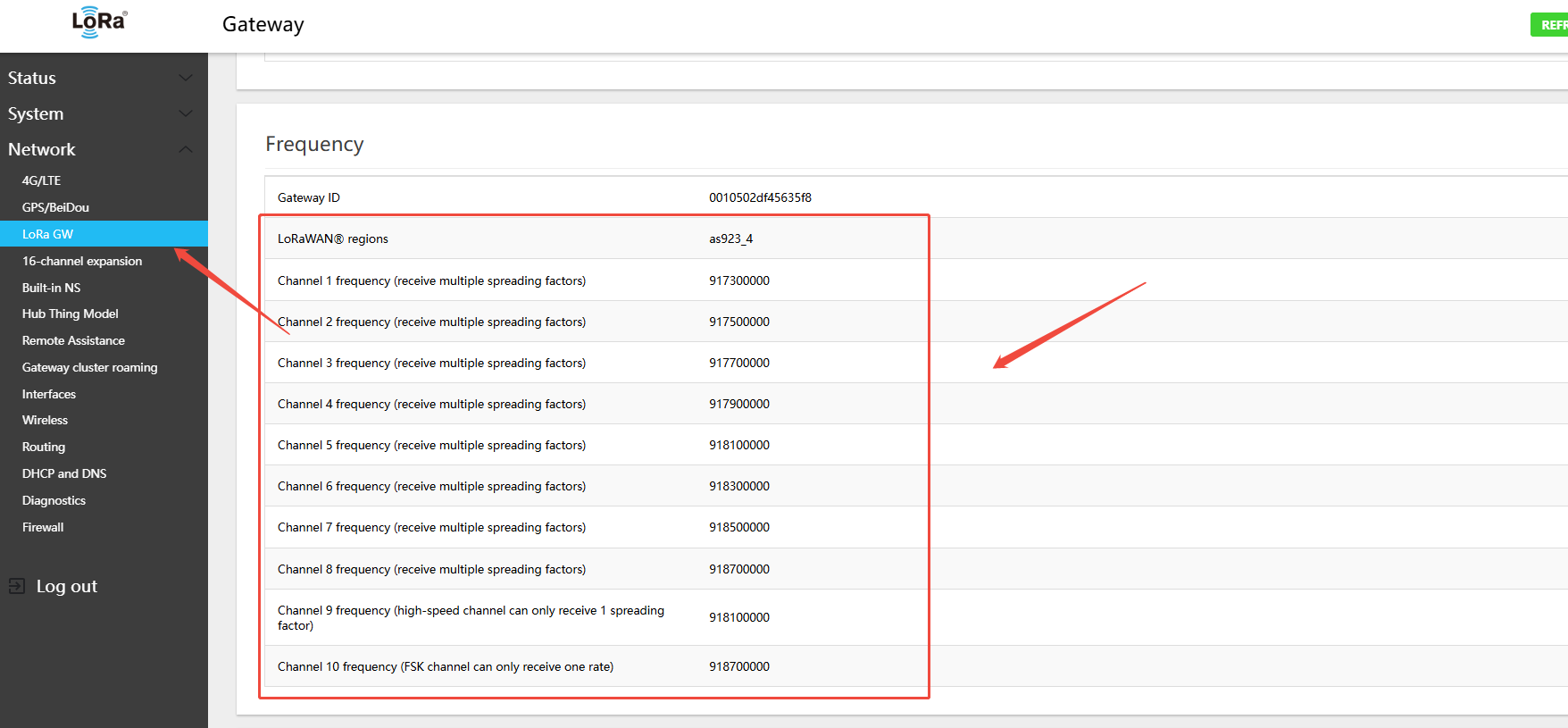
AS923-4 Gateway Default Channels
- Uplink:
- 917.3 - SF7BW125 to SF12BW125
- 917.5 - SF7BW125 to SF12BW125
- 917.7 - SF7BW125 to SF12BW125
- 917.9 - SF7BW125 to SF12BW125
- 918.1 - SF7BW125 to SF12BW125
- 918.3 - SF7BW125 to SF12BW125
- 918.5 - SF7BW125 to SF12BW125
- 918.7 - SF7BW125 to SF12BW125
- 918.7 - FSK
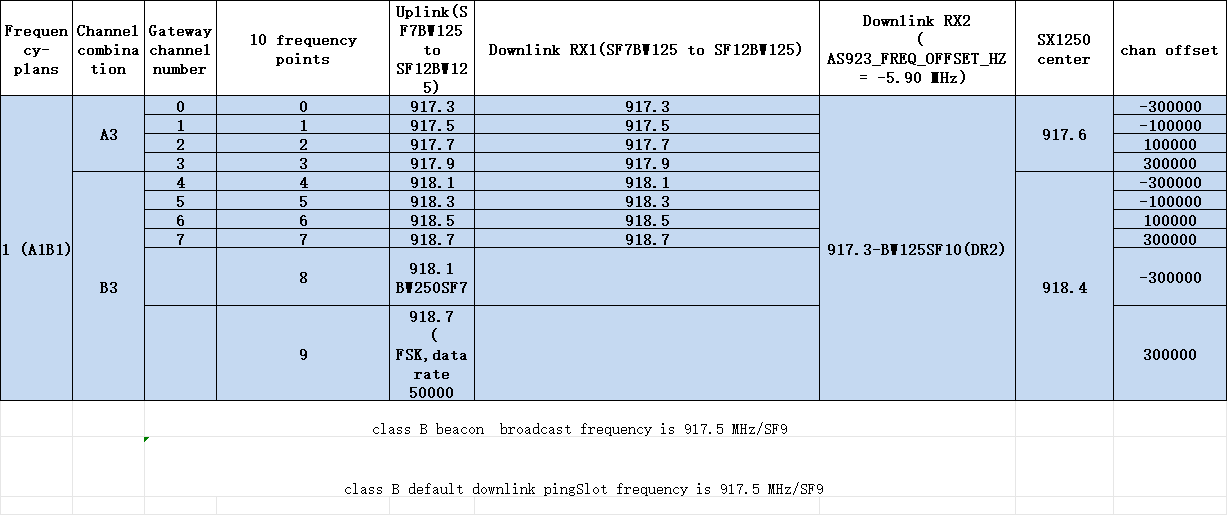
- Downlink:
- Uplink channels 1-9 (RX1)
- 917.3 - SF10BW125 (RX2)
AS923-4 Gateway Uplink/Downlink Channel Table
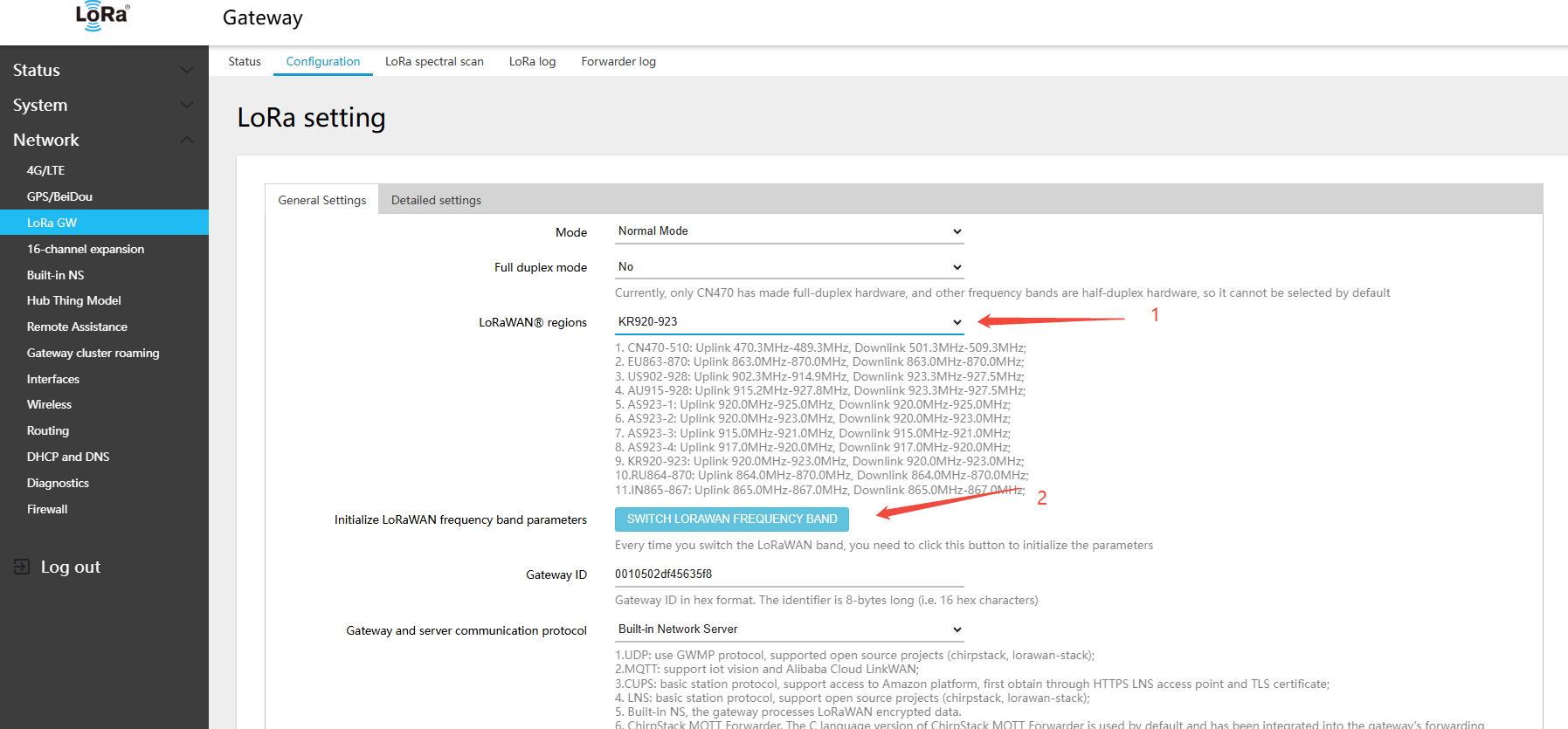
4.4.7 Switching 915 Hardware to KR920 Band
- In the menu Network → LoRa GW → Configuration, select LoRaWAN band: KR920-923
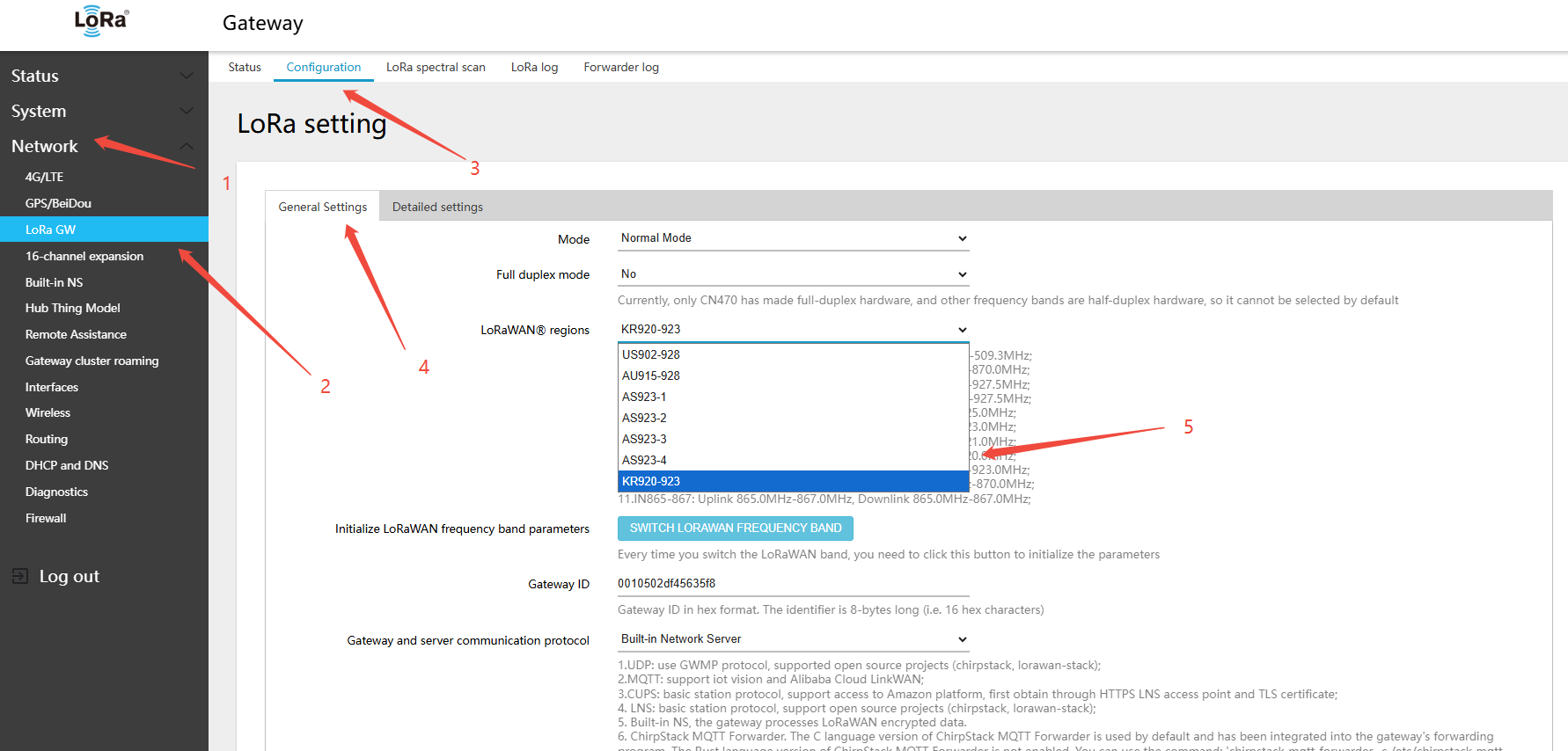
2.clickSWITCH LORAWAN FREQUENCY BAND(LORAWANband)button
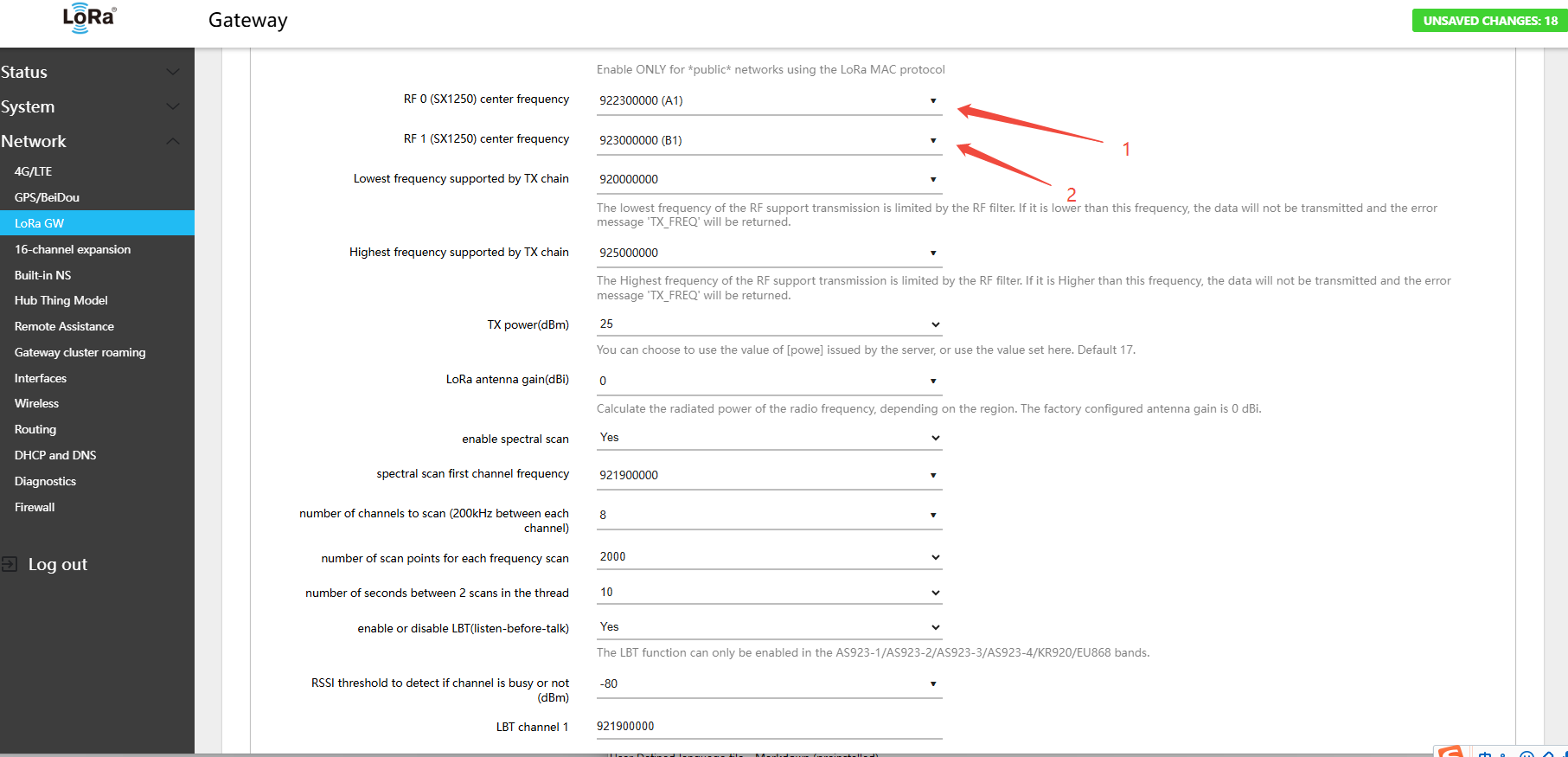
- Find RF 0 (SX1250) center frequency → select A1
- Find RF 1 (SX1250) center frequency → select B1
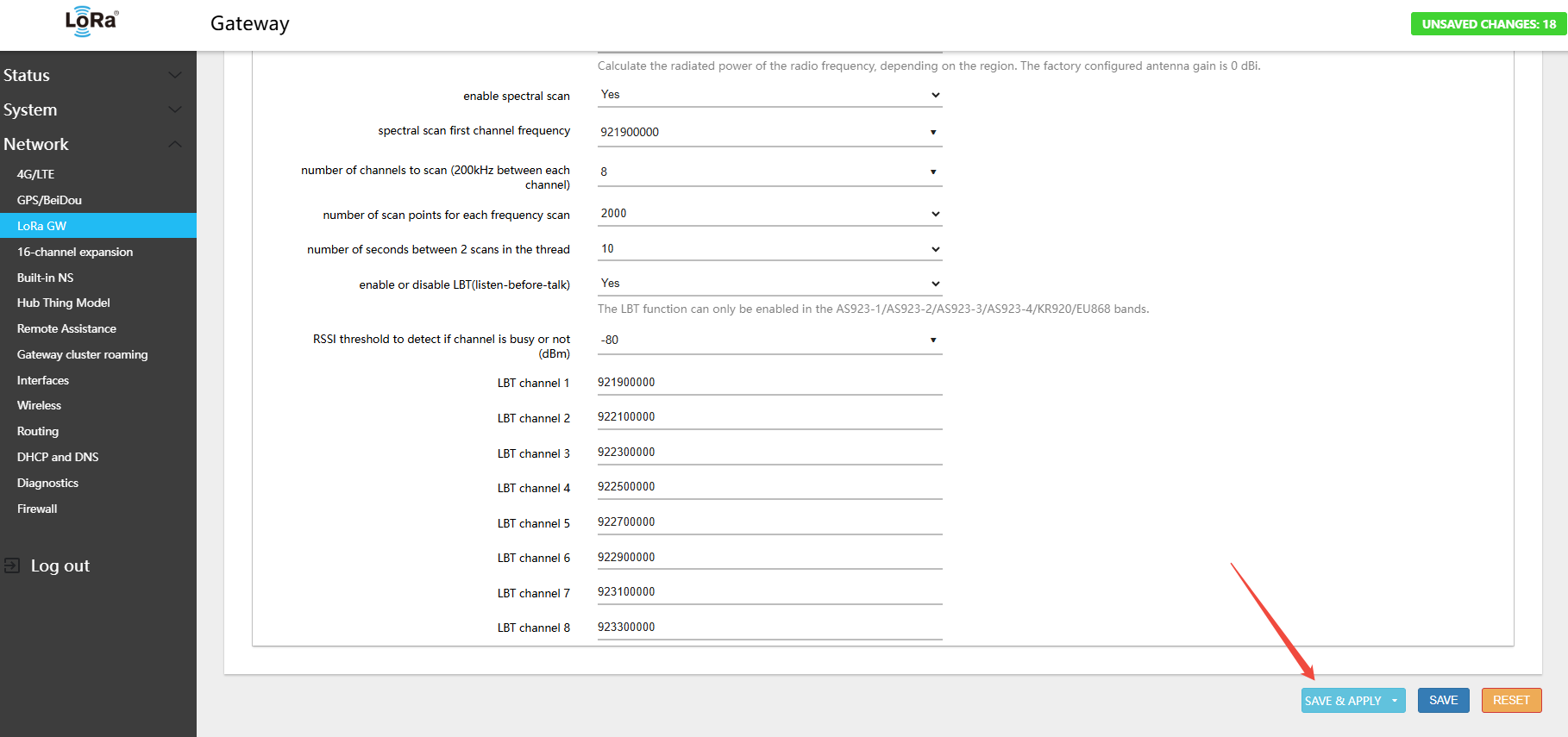
3.Click Save & Apply in the lower-right corner of the page
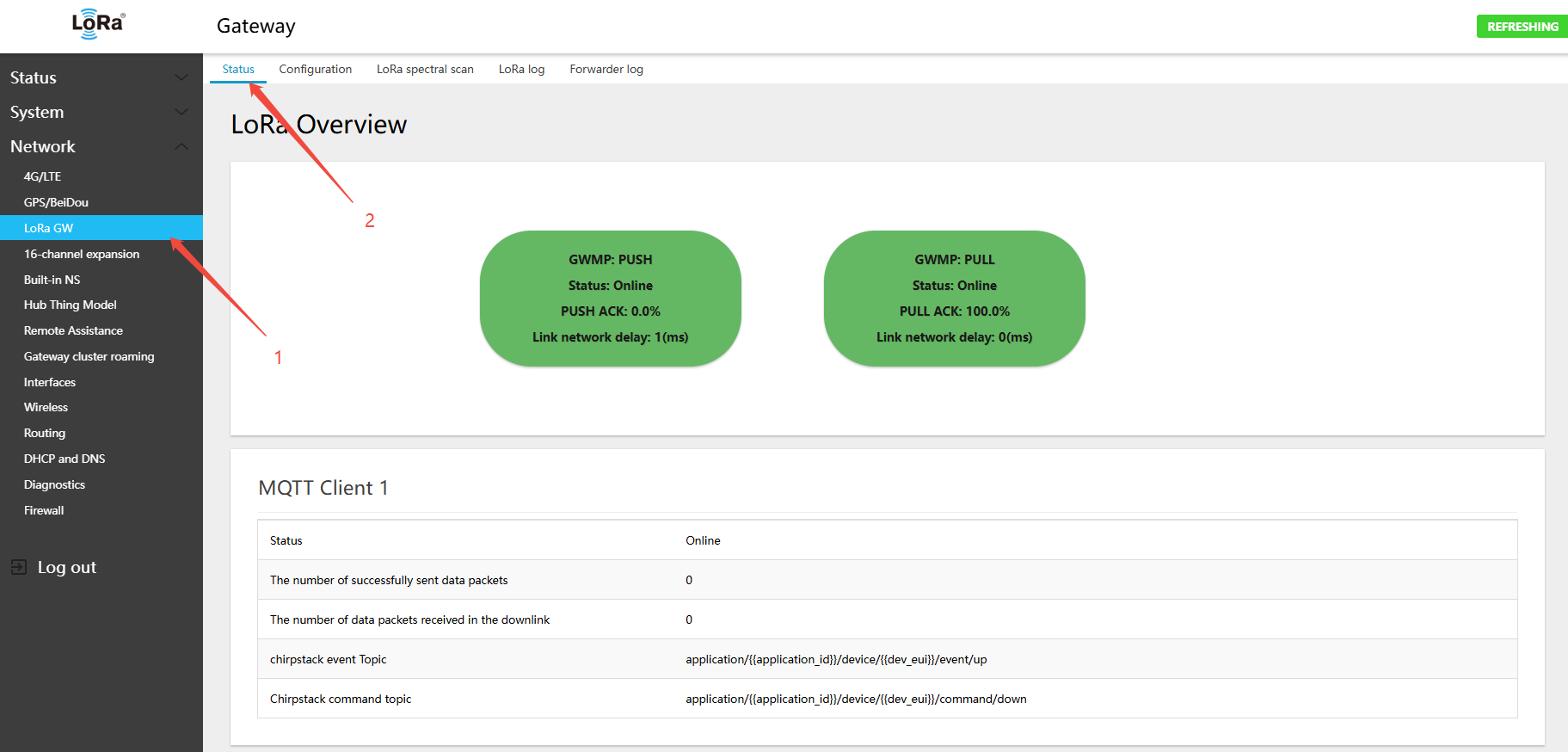
- In the menu Network → LoRa GW → Status, view the currently active band and channel configuration
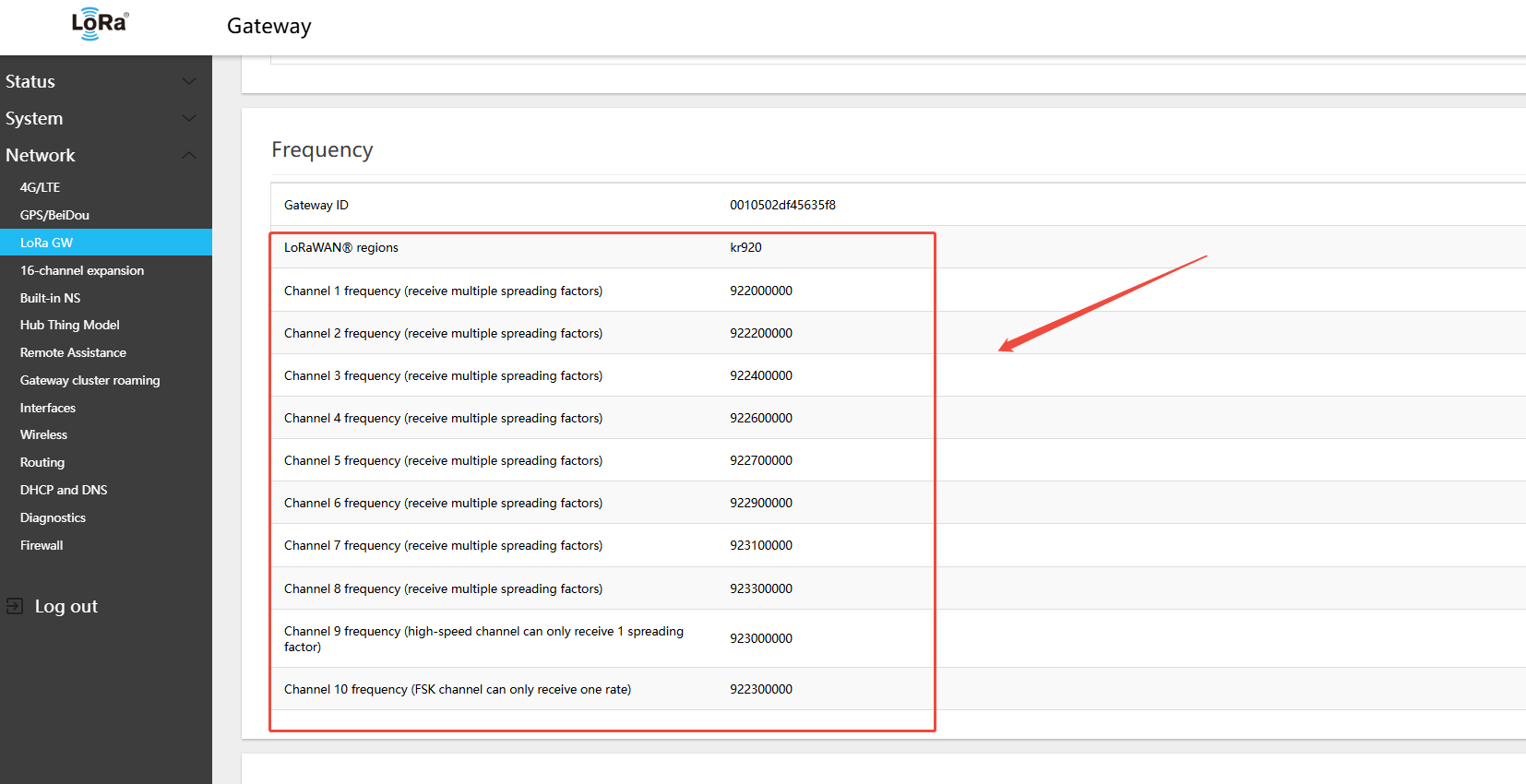
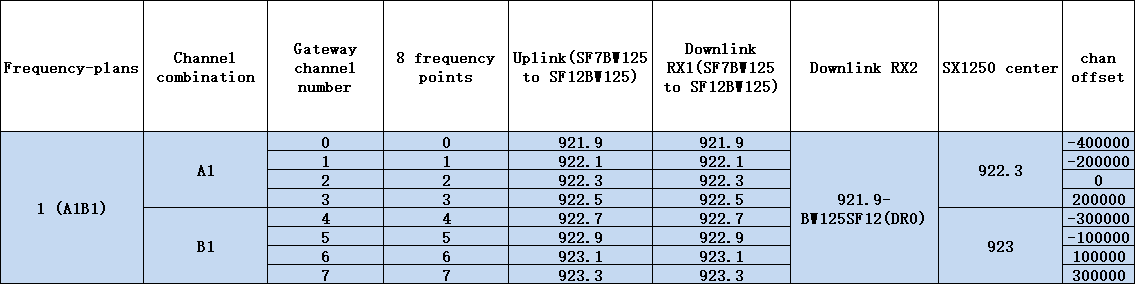
KR920-923 Gateway Default Channels
- Uplink:
- 921.9 - SF7BW125 to SF12BW125
- 922.1 - SF7BW125 to SF12BW125
- 922.3 - SF7BW125 to SF12BW125
- 922.5 - SF7BW125 to SF12BW125
- 922.7 - SF7BW125 to SF12BW125
- 922.9 - SF7BW125 to SF12BW125
- 923.1 - SF7BW125 to SF12BW125
- 923.3 - SF7BW125 to SF12BW125
- Downlink:
- Uplink channels 1-8 (RX1)
- 921.9 - SF12BW125 (RX2)
KR920-923 Gateway Uplink/Downlink Channel Table